

Confluence Google Drive Integration
Create a single source of truth with seamless syncing and real-time collaboration.
Read more


_2026-03-26_20-48-42-1.png?length=720&name=untitled_Gemini%203%20(Nano%20Banana%20Pro)_2026-03-26_20-48-42-1.png)





















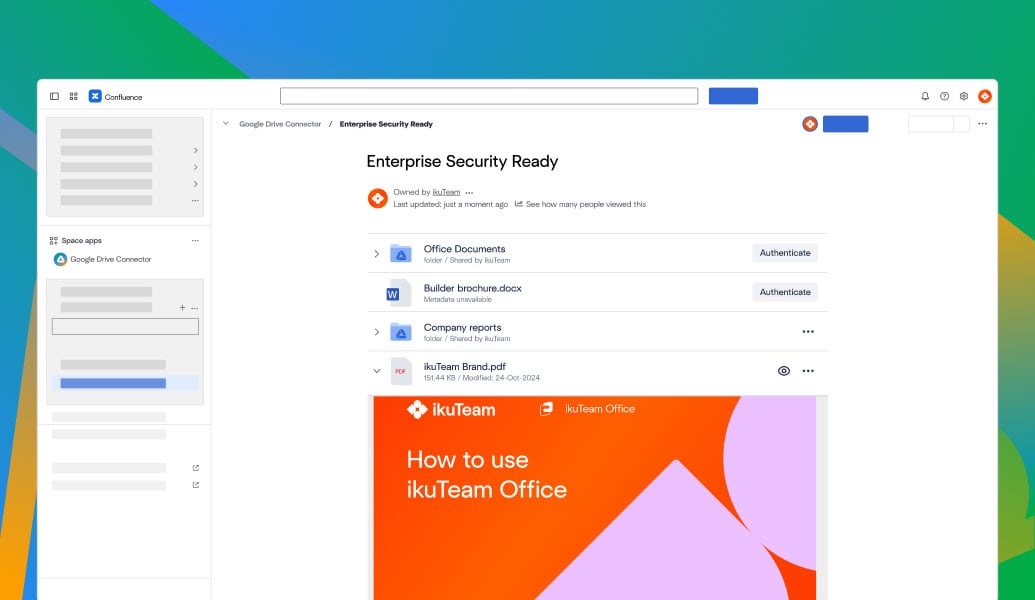
Browse Google Drive inside Confluence using the Google Drive macro
Select files or folders directly from your Drive
Embed Google Drive in Confluence pages, not as downloads
Preview and open live Drive files with real-time updates
Google Drive permissions control access to every file
Files always stay in Google Drive as the system of record
Embed Google Drive folders in Confluence spaces for shared project files
Attach Google Drive files to Confluence pages with live references
Use Google Drive as the system of record for all content
Keep Confluence pages up to date as Drive files change
Collaborate on Drive files, including Docs, Sheets, Slides, PDFs, and videos
Files are never stored in Confluence and always remain in Google Drive
Google Drive permissions control who can view and access every file in Confluence
Built on Atlassian Forge for a secure Google Drive integration
Cloud Fortified for enterprise-grade reliability and compliance
GDPR ready architecture designed for regulated and security-focused teams
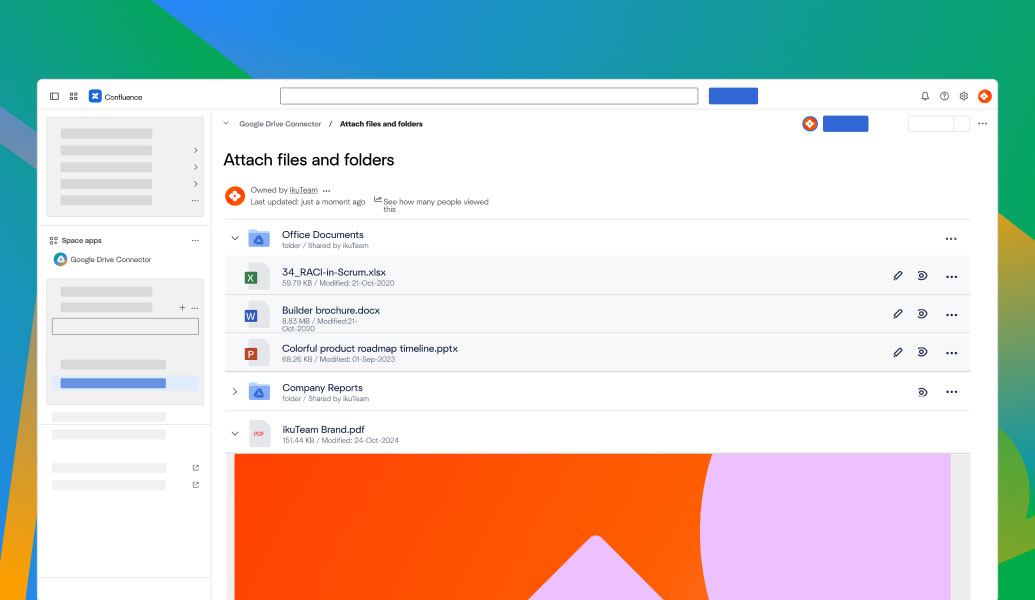
Browse Google Drive inside Confluence using the Google Drive macro
Select files or folders directly from your Drive
Embed Google Drive in Confluence pages, not as downloads
Preview and open live Drive files with real-time updates
Google Drive permissions control access to every file
Files always stay in Google Drive as the system of record
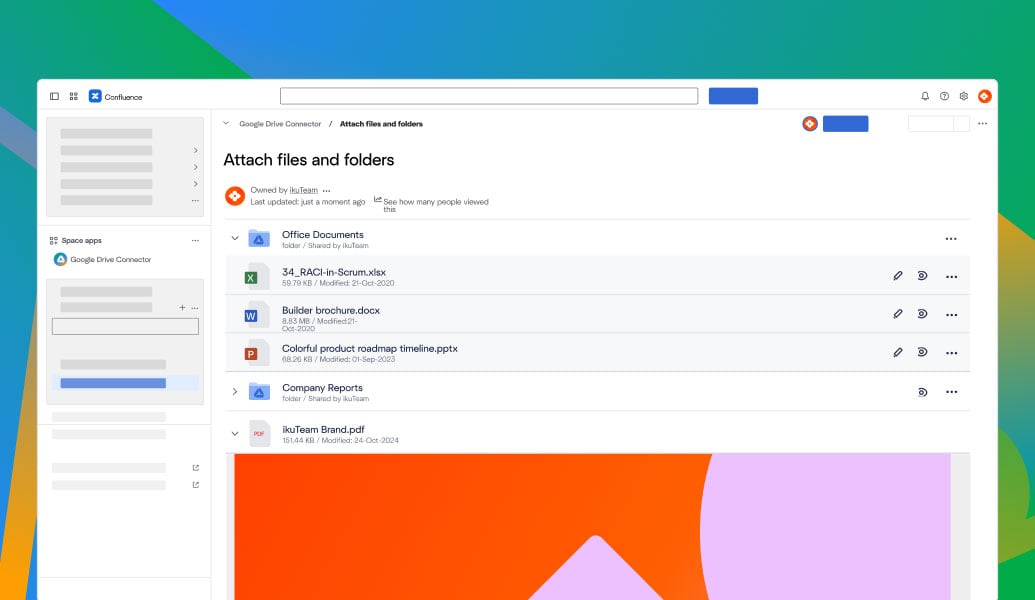
Embed Google Drive folders in Confluence spaces for shared project files
Attach Google Drive files to Confluence pages with live references
Use Google Drive as the system of record for all content
Keep Confluence pages up to date as Drive files change
Collaborate on Drive files, including Docs, Sheets, Slides, PDFs, and videos
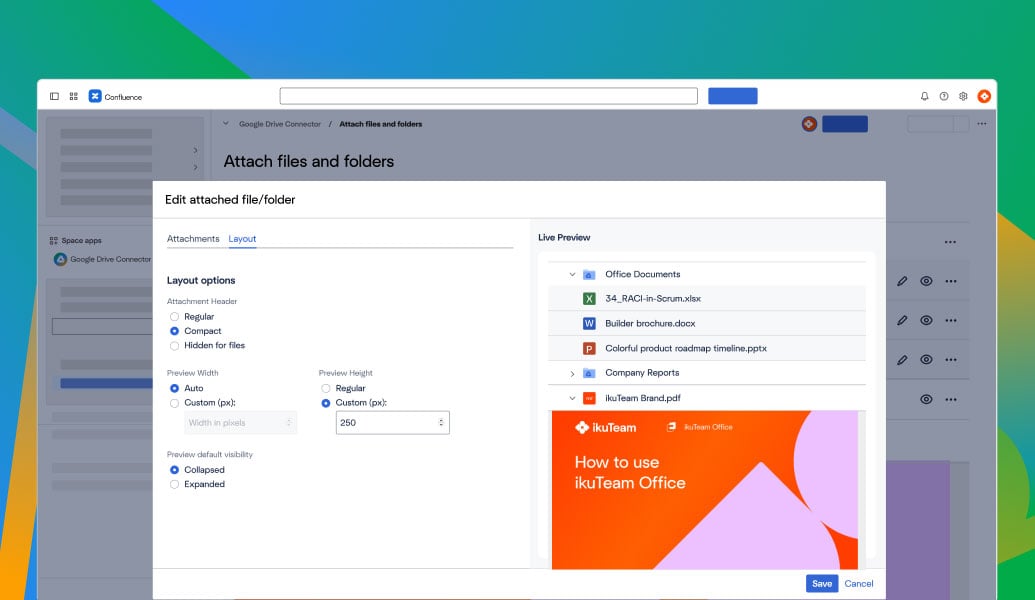
Files are never stored in Confluence and always remain in Google Drive
Google Drive permissions control who can view and access every file in Confluence
Built on Atlassian Forge for a secure Google Drive integration
Cloud Fortified for enterprise-grade reliability and compliance
GDPR ready architecture designed for regulated and security-focused teams

“Great app. A key step toward our single source of truth strategy. Support was fast and our issue was resolved within days.”
-2.png?width=68&height=68&name=eyJwYXRoIjoic2Nod2VpemVyaXNjaGVzLXJvdGVzLWtyZXV6XC9maWxlXC9iU1ZQZjU1OHE1bm9pRlNMWThQZi5qcGcifQschweizerisches-rotes-kreuzxTpxDkc2wR9idlKEwb9wa6i4jEvt3S7mStamTRuMK0Y%20(1)-2.png)
Jonas Reusser
Head of IT
Swiss Red Cross

“It delivered exactly what I needed: the ability to edit Google Docs stored in Drive directly in Jira and see updates in Confluence. When I encountered a minor issue, the support team was quick and personal.”
.jpg?width=637&height=637&name=5bf1f7cd6d024e206461bb547c9fe371dc8369a9%20(1).jpg)
Elizabeth Pfotzer
Jira Administrator
Metro Transit Authority

“It perfectly bridges cloud file storage and Confluence. It lets us integrate documents seamlessly without uploading attachments, making it an invaluable tool.”

Frank Leclerc
Consulting Lead Atlassian Solutions,
Decadis

Work with Google Sheets in Confluence for reporting, planning, and data-driven documentation, always synced with Google Drive.
Learn more
Edit and collaborate on Google Docs directly inside Confluence pages with live updates from Google Drive.
Learn more
Attach and work with Google Drive files and folders inside Jira issues while keeping Google Drive as the system of record.
Learn more
_2026-03-26_20-48-42-1.png?length=960&name=untitled_Gemini%203%20(Nano%20Banana%20Pro)_2026-03-26_20-48-42-1.png)


