Confluence Google Drive Integration
Create a single source of truth with seamless syncing and real-time collaboration.
Read more


_2026-03-26_20-48-42-1.png?length=720&name=untitled_Gemini%203%20(Nano%20Banana%20Pro)_2026-03-26_20-48-42-1.png)



Entrance to Atlassian Team '26, welcoming over 10,000 attendees.
Walking through the sun-drenched halls of the Anaheim Convention Center last week, one thing was immediately clear: the conversation around Atlassian Cloud has fundamentally shifted. In previous years, the "wow factor" was what Artificial Intelligence could say; at Atlassian Team ‘26, the focus was entirely on what AI can do.
However, beneath the high-energy keynotes and the buzz of the Expo floor, a more sobering reality was addressed: the AI Fragmentation Tax. While the State of Teams 2026 report revealed that a staggering 85% of knowledge workers are now using AI capabilities in some form, only 29% have successfully embedded these tools into their actual, repeatable workflows.
For most enterprise organizations, AI is currently a "sidecar" experience, a separate tab or a chatbot that summarizes a meeting but doesn't actually move the needle on delivery. This fragmentation creates a hidden tax of context-switching, data silos, and manual "prompt engineering" that offsets the very productivity gains AI promises.
Atlassian Team ‘26 was designed as the antidote to this tax. By moving from a pure work-management platform to an integrated enterprise infrastructure layer, Atlassian is aiming to close the gap between intelligence and execution. As we spent the week interviewing Atlassian Champions and speaking with hundreds of attendees at the ikuTeam booth, it became obvious that the "System of Work" is no longer just a philosophy; it’s a survival strategy for the agentic era.
In this recap, we’ll dive into how the new "Acceleration Formula," the democratization of Rovo Studio, and a move toward context-driven infrastructure are helping teams finally stop paying the fragmentation tax and start operating as AI-native organizations.
.jpg?width=1920&height=1080&name=IMG_20260504_092128%20(1).jpg)
The shift to 'Now': Evolving from a data repository to a platform for autonomous agents.
At the heart of the Day 1 keynote, Mike Cannon-Brookes introduced a framework that redefined the expectations for Atlassian Cloud in the coming years. His message was clear: "Intelligence is the engine; context is the fuel." In the "Acceleration Formula" for 2026, raw AI smarts are treated as a commodity; anyone can access an LLM. The true competitive advantage, or the "moat," is the unique context of your organization.
In an enterprise setting, Acceleration isn't just about typing faster; it’s about reducing the time between an idea and its execution. By grounding AI in the Teamwork Graph, Atlassian’s proprietary database of over 150 billion connections between people, goals, and tasks, teams can finally move past the generic "chat" experience and into high-fidelity automation.
.jpg?width=1920&height=1080&name=IMG_20260504_100606%20(1).jpg)
The Teamwork Graph scale revealed during the Atlassian Team '26 partner keynote.
During our interviews in Anaheim, Atlassian Champion Peter Van de Voorde highlighted how this formula changes the daily reality for individual contributors. For Peter, the greatest value of this context-driven intelligence isn't just the final output, but the start of the process.
"The biggest advantage of using AI is that you no longer have the blank page problem", Peter explained. "Whatever you use AI for, you can get started by simply asking a question. It’s going to give you an answer. You might not agree with it, but it gets you thinking. It puts you in a mindset that's immediately about collaboration and exploring."
By leveraging the Teamwork Graph to provide that initial spark, Atlassian is turning AI into a teammate that kickstarts momentum. Instead of a human having to manually gather historical project data, the AI surfaces the context automatically, allowing the team to focus on refining the strategy rather than digging for information.
If the first generation of AI was about generating text, the second generation, unveiled in full at Team ‘26, is about generating outcomes. The transition from "Chat" to "Reasoning & Acting" represents the most significant leap in productivity since the move to the cloud. This shift is anchored by the news that Rovo Studio reached general availability, providing a unified, no-code environment where any team can put Rovo agents and automation to work.
Unlike standard chatbots that provide static answers, Rovo Studio allows users to describe a complex workflow in plain language. The platform then assembles the necessary skills, integrations, and live context from the Teamwork Graph to execute the task. This is "agentic" work in its purest form: AI that doesn’t just suggest a response but follows through on the process.
.jpg?width=1920&height=1080&name=IMG_20260504_101008%20(1).jpg)
Insights from the State of Teams 2026 report shared at Atlassian Team '26.
The star of the show was undoubtedly Max Mode. This new reasoning mode allows Rovo to autonomously pull business context across Jira, Confluence, and even external platforms like Salesforce. Instead of just summarizing a ticket, Max builds a multi-step action plan, creates the necessary sub-tasks, and shares outputs that the whole team can use immediately.
During our interview, Atlassian Champion Sajit Nair emphasized that this evolution is essential for the modern administrator and team lead. For Sajit, the value of these agents lies in their ability to handle "spam" and manual heavy lifting, allowing humans to focus on higher-level strategy.
"The traditional role of an admin will definitely evolve", Sajit noted. "You’ll be using AI to solve your customers’ requirements faster. Delegating things like manually cleaning up spam or gathering information from multiple places into a single view frees up so much time."
This sentiment was echoed by Peter Van de Voorde, who views this technology as a way to maintain a "mindset of exploration." When the Rovo Studio agents handle the "drudgery of admin clicking", as Kit Friend calls it, the team is free to iterate and collaborate at a level that was previously impossible. By putting AI to work within these "human-in-the-loop" gates, organizations can finally achieve the seamless, automated workflows required to stay competitive in 2026.
.jpg?width=1920&height=1080&name=IMG_20260504_095308%20(1).jpg)
Market reach: The pyramid of customer expansion shared at Atlassian Team '26.
While the big-stage keynotes focused on the user interface, the real "game changer" for technical engineering teams was tucked away in the announcement of the Model Context Protocol (MCP) server and the new Teamwork Graph CLI. For years, developers have faced the "tab-switching tax", constantly jumping between their code editor and Jira or Confluence to find requirements, check issue statuses, or look up documentation.
Atlassian Team ‘26 officially declared the end of that era. By bringing the connected context of the Teamwork Graph directly into the terminal and external AI surfaces, Atlassian has turned its ecosystem into an integrated enterprise infrastructure layer that lives where developers actually work.
With the Rovo MCP Server, your third-party agents, whether you’re using Claude, Cursor, or ChatGPT, now have direct access to your Jira issues, goals, and Confluence pages. This isn't just about convenience; it’s about grounding AI in reality to prevent hallucinations.
Atlassian Champion Anil Kumar provided the most compelling data point of the week regarding this shift. According to Anil, anchoring LLMs in the CLI is more than just a workflow tweak; it’s a performance powerhouse. "The new enhancement on CLI is a game changer", Anil shared. "As per the data, it's saving 43% to 44% plus in token savings, and also time. Accuracy is also significantly higher."
By reducing token usage by nearly half, teams aren't just saving money; they are getting faster, more precise answers because the AI doesn't have to "guess" the context of a project. It has the live data. This allows developers to query Jira issues or update documentation without ever leaving the command line.
As the "Atlassian role" evolves, as many champions noted in Anaheim, this level of technical integration allows developers to stop being "prompt engineers" for their internal tools and start being "value engineers" for their products.
.jpg?width=1920&height=1080&name=DSCF1482%20(1).jpg)
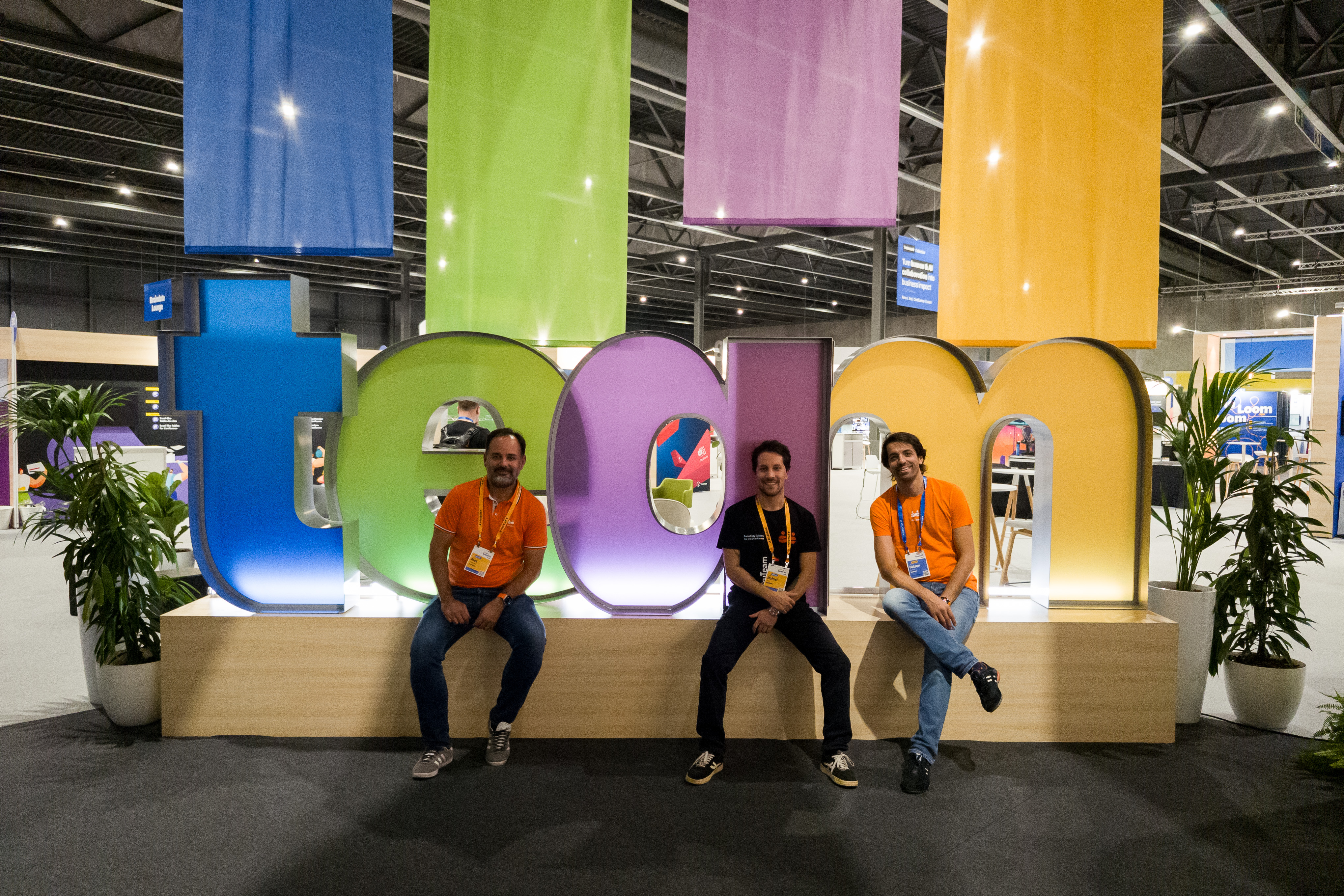
The ikuTeam crew solving file-management friction for Atlassian customers on the Expo floor.
If there was one recurring theme at the ikuTeam booth in Anaheim, it was the "Context Gap." While the big stage was filled with demos of AI reasoning across Atlassian tools, the #1 question from attendees was pragmatic: "What about my data in SharePoint?"
For most large organizations, critical "institutional memory", contracts, technical specs, and project archives don't live in a single system. It is scattered across various platforms, primarily SharePoint and Google Drive. In an AI-native world, Rovo is "blind" without access to this external corporate memory. If the Teamwork Graph can only see 50% of your project’s history, your agents will inevitably produce half-baked action plans.
During our interviews, Atlassian Champion Hernan Montes offered a profound perspective on this challenge. He argued that we are moving toward a context-oriented era where Jira is no longer just a project tracker, but a core piece of data infrastructure.
"Jira is becoming more of an infrastructure application just because of how it supports AI and its processes", Hernan explained. However, he warned against "automating dysfunction". He emphasized that the value of AI depends entirely on the "quality of data that you have, how it's structured, and the intake process".
The #1 question at the ikuTeam booth was pragmatic: "Rovo looks great, but my data is in SharePoint. How does it see my files?" Without external corporate memory, Rovo is "blind".
This is where the interest in SharePoint Connector for Jira and SharePoint Connector for Confluence reached a fever pitch. To achieve true cloud adoption value, you cannot leave your files in a silo. ikuTeam acts as the "Context Pipeline" for the Teamwork Graph, ensuring that Rovo has a 360-degree view of your work.
While the technical deep dives into graph architecture dominated the engineering tracks, a more visual revolution was unfolding for business teams. Atlassian Team ‘26 introduced Confluence Slides and the Remix feature, turning the concept of "documentation" into something far more dynamic and persuasive.
Atlassian Champion Kit Friend identified this as the "sleeper hit" of the event. "Slides is my top tip for being an actual game changer", Kit shared. "It’s a really easy sell to get people into Confluence. All the AI stuff is fancy, but Confluence Slides is what loads of people are actually going to use". By allowing users to discover and transform static page content into high-fidelity presentations or infographics with a single click, Confluence is effectively removing the "PowerPoint tax" that has plagued project managers for decades.
This shift toward visibility is further amplified by the integration with The Browser Company (Arc Browser). Champion Sajit Nair noted that this integration creates a "single source of context" where information flows freely. "If the browser could tell me, looking at all the places I've logged in, what meetings I have, how many open tickets I have, and which approvals are awaiting me in one single place... that is a game changer", Sajit explained.
However, high-level slides and browser dashboards are only as accurate as the data supporting them. Often, the core information for a marketing budget or a product roadmap still lives in complex Excel sheets or Word-based appendices.
This is where ikuTeam Office for Confluence becomes the essential partner for the visual "Remix." While Confluence Slides handles the presentation, ikuTeam Office allows business users to edit the underlying Microsoft attachments directly inside the browser. You can refine a budget in Excel or tweak a spec in Word, and those updates ripple through your visual assets instantly. It ensures that when you stand up to present, your "Remix" is backed by 100% live, validated data.
One of the most passionate debates in the hallways of Anaheim wasn't about AI at all; it was about the "Jira Hate" often found online. The consensus among the experts was clear: people don’t hate Jira; they hate the way it’s often configured. Atlassian Team ‘26 sparked a movement toward Lean Jira, shifting away from rigid, rule-based setups and toward a more simplify-first philosophy.
Atlassian Champion Anil Kumar introduced a concept that resonated with every attendee: moving from a "field-oriented" system to an "intent-oriented" one. Instead of forcing users to navigate dozens of date fields and status toggles, the goal is to let the context of the work define the baseline.
The danger of over-configuration was highlighted by Anthony D'Ambrosio, who warned that excessive administrative friction kills adoption. "The biggest issue is when you use the platform to micromanage people", Anthony shared. "Having 50 mandatory fields means people are just going to go outside the product. It needs to be very lean".
Sajit Nair was even more direct, describing poorly managed instances as a "burial ground for admins". He noted that "the ultimate truth in the Atlassian ecosystem is keeping it simple. Thinking more custom fields will help you report better never happens, it’s just a black hole of information".
This is a core challenge in workflow design: How do you maintain governance without destroying the user experience? This is where ikuTeam Files for Jira steps in to bridge the gap.
Instead of creating "Mandatory Field #47" to track where a technical drawing is stored, ikuTeam allows you to automate the process. By integrating SharePoint or Google Drive directly into the workflow, the app can:
By delegating the "heavy lifting" of file organization to automation, teams can achieve the Jira Service Management and software delivery standards they need while keeping the developer experience fast and frictionless.
The underlying current beneath every announcement at Team ‘26 was a fundamental shift in what it means to be an Atlassian administrator. The era of the "Clicker", the admin whose day is consumed by bulk user management, updating post-functions, and manual configuration, is coming to an end. In its place, a new role is emerging: the Solution Architect.
As the way teams work evolves to become more agentic, the admin’s primary value is shifting from technical maintenance to high-level enablement and human-in-the-loop oversight.
Atlassian Champion Sajit Nair was blunt about this transition: "The traditional role of an admin will definitely die out because it wouldn't be needed. The word would be 'evolve.' You have to become a person who will find ways in the Atlassian ecosystem to speed up delivery". According to Sajit, if an admin's focus remains on clicking buttons rather than solving business problems at scale, they risk becoming obsolete.
Anil Kumar and Anthony D'Ambrosio echoed this, positioning the future admin as the ultimate "Human Validator." As Rovo agents begin to generate more content and automate more processes, the need for a human to double-check the accuracy, security, and intent of those outputs becomes critical. "You still need someone to check it", Anthony noted. "Who’s going to make sure the prompt is built correctly or that it’s not doing something wrong? Someone has to validate that".
This new mandate for "validation over configuration" is where ikuTeam Office for Confluence provides a vital edge. While Atlassian Rovo can summarize pages or Max Mode can generate draft project plans, that content often needs to be finalized in a professional document format like Word or Excel for external stakeholders.
ikuTeam Office turns the Atlassian interface into a unified "Validation Station" for these files. Instead of the traditional "download-edit-upload" cycle, which fragments the audit trail and wastes time, teams can leverage a Cloud Fortified environment to:
By removing the "drudgery" of manual file management, ikuTeam allows admins to stop being the "gatekeepers of the tool" and start being the "architects of the solution."
.jpg?width=1920&height=1080&name=IMG_20260506_182005-(2).jpg)
The ikuTeam crew outside the Anaheim Convention Center after a high-energy week at Atlassian Team '26.
While the sun has set on the Anaheim Convention Center, the energy of Team '26 is far from over. For those who couldn't join in California, the on-demand digital experience offers a backstage pass to the keynotes and technical deep dives. But for those who crave the "hallway track" and the high-fidelity networking that only an in-person event can provide, the road leads to Amsterdam.
Mark your calendars for 6–8 October 2026, when Atlassian Team '26 Europe takes over the RAI Amsterdam. This regional flagship will be the epicenter for European teams looking to navigate regional regulations, such as the EU AI Act, while scaling their AI-native workflows.
A major focus of the Amsterdam event will be the EU Digital Sovereignty Framework, which emphasizes the need for European organizations to maintain control over their data and digital infrastructure. Our ikuTeam Office app is built specifically to align with this strategy; by utilizing Atlassian Forge, we ensure your data remains within your Atlassian site, supporting the EU’s requirements for data residency and sovereign control.
The ikuTeam will be present in Amsterdam with a dedicated booth. We look forward to meeting you there to discuss how to dissolve file silos while maintaining total digital sovereignty.
For the developers and architects, the innovation continues at Atlas Camp. These intensive, builder-focused events are the proving ground for the Model Context Protocol (MCP) and Rovo Studio integrations we discussed in Anaheim.
Whether you are catching the on-demand highlights from your desk or preparing to meet us in Amsterdam or Bengaluru, the message from the 2026 circuit is clear: the AI-native organization is a global movement, and the tools to build it, securely and sovereignly, are now in your hands.
The pace of innovation in Anaheim was relentless. To help you navigate the immediate aftermath of the announcements, we’ve compiled the most frequent questions from the ikuTeam booth and the Team '26 digital forums.
Yes. Jira Product Discovery Enterprise reached General Availability (GA) during the event. This version is designed specifically for large-scale organizations, featuring advanced security, centralized administration, and the new AI-powered Feedback app. This app automates the gathering of customer signals from multiple sources, turning raw feedback into prioritized product ideas instantly.
While Rovo Studio is in General Availability, the advanced reasoning "Max Mode" is currently being rolled out. If you don't see the option in your Rovo interface yet, you can join the waitlist through the Atlassian Rovo product page. Atlassian is scaling access rapidly to ensure the underlying Teamwork Graph performance remains stable for all users.
Absolutely. The Team Digital platform provides on-demand access to all the major keynotes, spotlight sessions, and technical demos. It’s the best way to see Mike and Sharif’s live demos without the PowerPoint "noise" that Sajit Nair mentioned during our interview.
Access to the Model Context Protocol (MCP) server and the Teamwork Graph CLI is included for customers with a Rovo license. This allows your developers to begin connecting external agents (like Claude or Cursor) to your Atlassian context immediately.
Absolutely. Our ikuTeam Files is already serving as the context layer for early Rovo adopters. By organizing your external files into the Teamwork Graph today, you are preparing your infrastructure for the autonomous agents of tomorrow. Explore our Marketplace Apps to start bridging your context gap.

_2026-03-26_20-48-42-1.png?length=960&name=untitled_Gemini%203%20(Nano%20Banana%20Pro)_2026-03-26_20-48-42-1.png)