Confluence Google Drive Integration
Create a single source of truth with seamless syncing and real-time collaboration.
Read more


_2026-03-26_20-48-42-1.png?length=720&name=untitled_Gemini%203%20(Nano%20Banana%20Pro)_2026-03-26_20-48-42-1.png)


Nowadays, most of us work from home, and communication is spread across multiple digital platforms. Having a single source of truth (SSOT) for content, documents, and files became even more critical for productivity and for businesses to thrive.
Using Jira and Confluence as the base for your SSOT system is a great productivity setup. But sometimes, things get complex, and understanding context is vital to keep collaboration flowing.
Sharing content from multiple storage like Google Drive or SharePoint inside Confluence or Jira is great for team collaboration. Using the Team Files app allows you to have one single source of truth for your files and documents wherever you are. But sometimes, you can lose the context of your content.
To help you keep everything organized and in context, we added new features to Team Files: link to original storage and tags for connected folders.
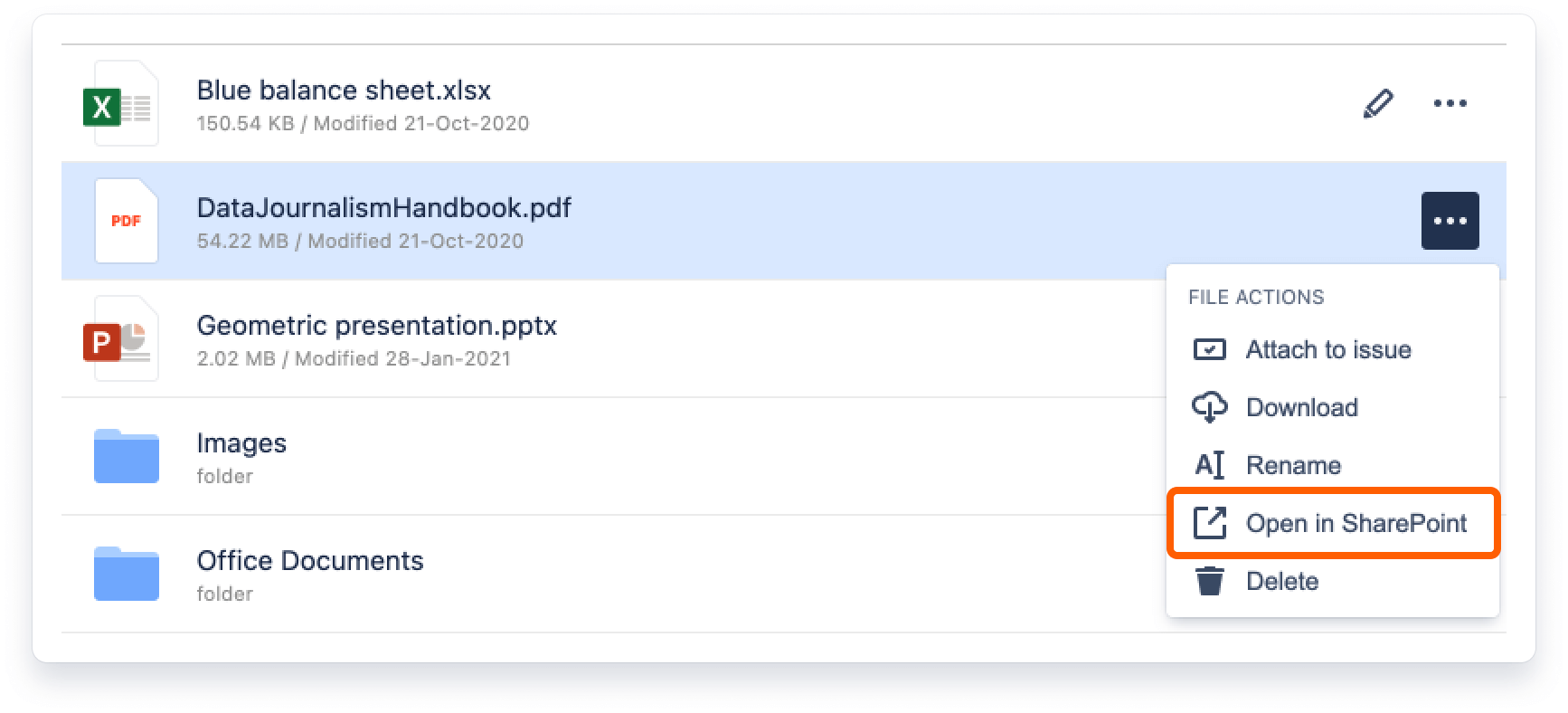
You now have the option to check a file in its original storage, empowering you and your team to check on any Confluence page or Jira issue where the content is originally stored with just one click. This also allows you to preview or edit files that unsupported by Microsoft Office online apps.
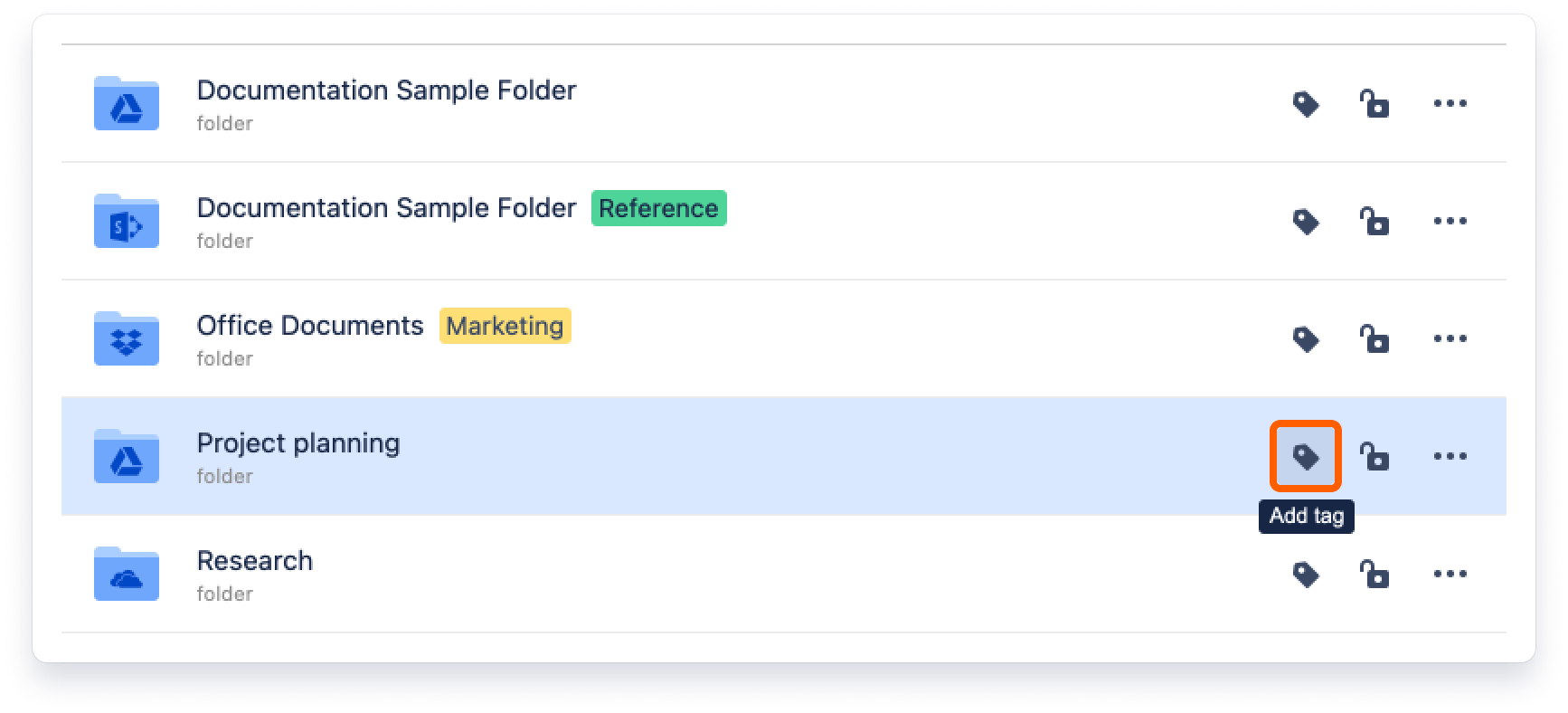
Now you can add tags to connected folders. Tags will help you and your team identify and categorize connected folders in many new ways creating a whole new layer to your source of truth with the proper context in place.
When implementing a single source of truth for your files/documents with Confluence/Jira and Team Files and using it daily, there is a lot to consider.
But keeping the content up-to-date and getting your teams and files on the same page is critical for successful collaboration workflows and assertive decision-making.
Now, the new fast access to content context makes collaboration even more straightforward and smoother.

_2026-03-26_20-48-42-1.png?length=960&name=untitled_Gemini%203%20(Nano%20Banana%20Pro)_2026-03-26_20-48-42-1.png)