

Confluence Google Drive Integration
Create a single source of truth with seamless syncing and real-time collaboration.
Read more


_2026-03-26_20-48-42-1.png?length=720&name=untitled_Gemini%203%20(Nano%20Banana%20Pro)_2026-03-26_20-48-42-1.png)






















Browse Google Drive directly inside Jira using the file manager
Attach Google Drive files and folders to Jira issues with one click
Automation names Google Drive folders with smart values like the issue key
Preview Docs, Sheets, Slides, PDFs, Office files, and images without leaving Jira
Files always stay in Google Drive as the system of record
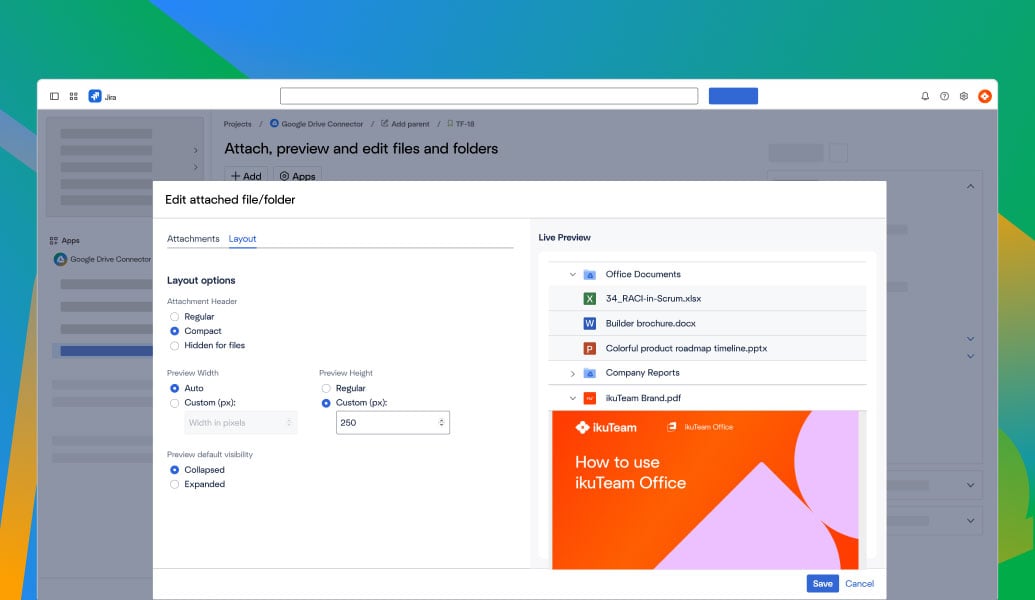
Edit Google Docs, Sheets, Slides, and PDFs in place, with real-time collaboration and autosave
Automatically create Google Drive folders for Jira issues to keep files structured
Sync Jira attachments to Google Drive automatically, and clear them from Jira storage
Attach Google Drive files and folders to Jira issues and JSM customer portals
Keep Jira tickets up to date automatically as Drive files change, with no manual re-uploads
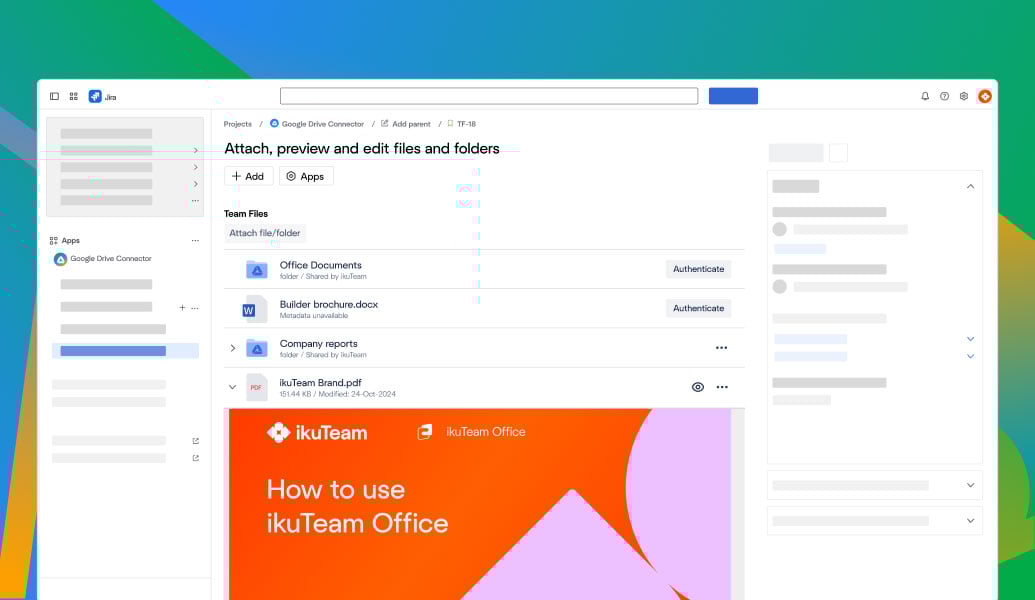
Files are never stored in Jira and always remain in Google Drive
Simplified sharing by default, or mirror your real Google Drive permissions
Built on Atlassian Forge for a secure Google Drive integration
Cloud Fortified for enterprise-grade reliability and compliance
Cloud Fortified; ISO 27001, GDPR, HIPAA, and CCPA compliant
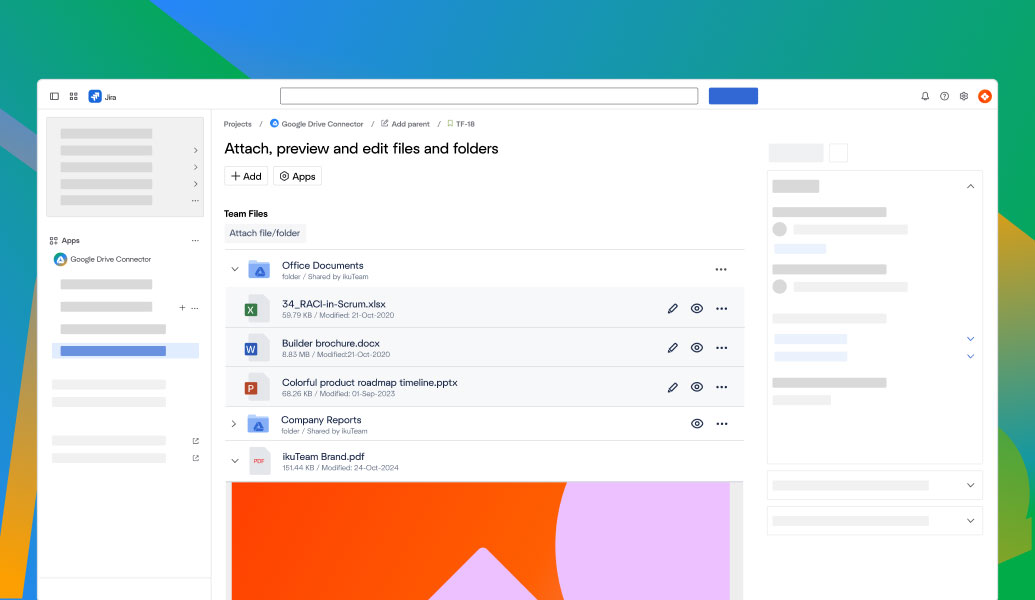
Browse Google Drive directly inside Jira using the file manager
Attach Google Drive files and folders to Jira issues with one click
Automation names Google Drive folders with smart values like the issue key
Preview Docs, Sheets, Slides, PDFs, Office files, and images without leaving Jira
Files always stay in Google Drive as the system of record
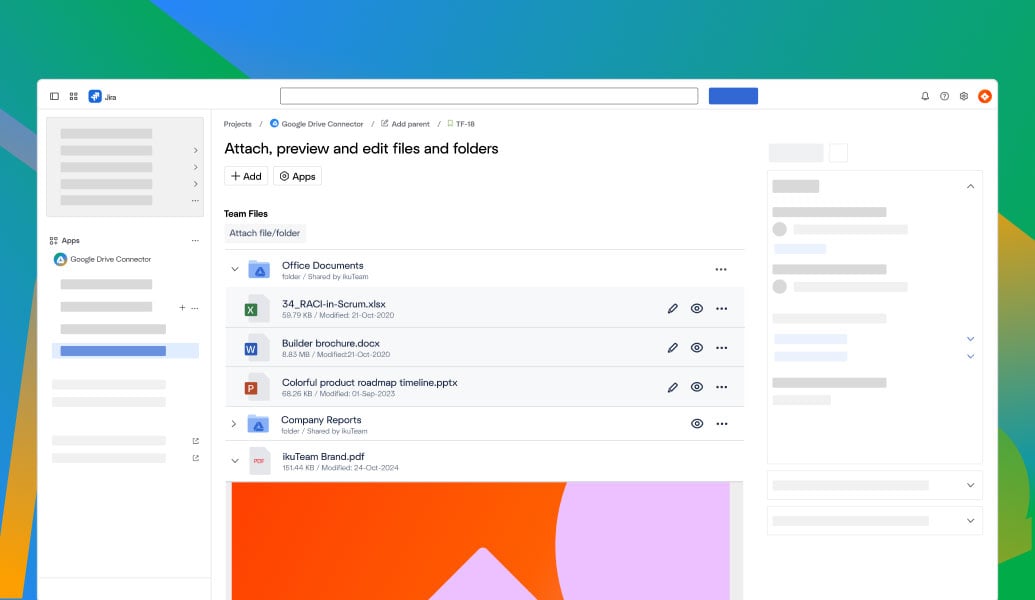
Edit Google Docs, Sheets, Slides, and PDFs in place, with real-time collaboration and autosave
Automatically create Google Drive folders for Jira issues to keep files structured
Sync Jira attachments to Google Drive automatically, and clear them from Jira storage
Attach Google Drive files and folders to Jira issues and JSM customer portals
Keep Jira tickets up to date automatically as Drive files change, with no manual re-uploads
Files are never stored in Jira and always remain in Google Drive
Simplified sharing by default, or mirror your real Google Drive permissions
Built on Atlassian Forge for a secure Google Drive integration
Cloud Fortified for enterprise-grade reliability and compliance
Cloud Fortified; ISO 27001, GDPR, HIPAA, and CCPA compliant

“Great app. A key step toward our single source of truth strategy. Support was fast, and our issue was resolved within days.”
-2.png?width=68&height=68&name=eyJwYXRoIjoic2Nod2VpemVyaXNjaGVzLXJvdGVzLWtyZXV6XC9maWxlXC9iU1ZQZjU1OHE1bm9pRlNMWThQZi5qcGcifQschweizerisches-rotes-kreuzxTpxDkc2wR9idlKEwb9wa6i4jEvt3S7mStamTRuMK0Y%20(1)-2.png)
Jonas Reusser
Head of IT
Swiss Red Cross

“It delivered exactly what I needed: the ability to edit Google Docs stored in Drive directly in Jira and see updates in Confluence. When I encountered a minor issue, the support team was quick and personal.”

Samantha Starett
Director of Operations
AIQUEOUS

“Well designed as a replacement to Jira attachments being stored instead to Drive.”

Ben Ernest-Jones
Chief Product & Technology Officer
Quod Financial
Connect Google Drive to Confluence so teams can embed and work with Drive files and folders across knowledge spaces.
Learn more
Work with Google Sheets in Confluence for reporting, planning, and data driven documentation, always synced with Google Drive.
Learn more
Create, edit, and collaborate on Google Docs inside Confluence pages with live content from Google Drive.
Learn more
_2026-03-26_20-48-42-1.png?length=960&name=untitled_Gemini%203%20(Nano%20Banana%20Pro)_2026-03-26_20-48-42-1.png)


