Confluence Google Drive Integration
Create a single source of truth with seamless syncing and real-time collaboration.
Read more


_2026-03-26_20-48-42-1.png?length=720&name=untitled_Gemini%203%20(Nano%20Banana%20Pro)_2026-03-26_20-48-42-1.png)


ikuTeam Files and Jira Service Management make a powerful combination to process your internal or external requests, helping you resolve support tickets faster.
Reimbursing an expense is maybe one of the most common workflows for HR departments, and here’s an example of how the ikuTeam Files app can help you close a ticket faster.
An employee needs an expense reimbursement. The employee opens a support ticket in Jira Service Management, uploads the invoices, and fills out an expense form. The agent processes the reimbursement and closes the ticket.
This use case involves an employee and a support agent using Jira Service Management with the ikuTeam Files app installed.
The employee opened a support ticket asking for reimbursement of an expense. The support agent needs to send an expense form for the user to fill out and ask for a receipt.
The support agent needs to save the form and the expense receipt in a specific folder in SharePoint, OneDrive, Google Drive, Box, Dropbox, or other storage.
1. The support agent adds the ikuTeam Files module to the issue.

2. The agent selects the “Attach for customer.”
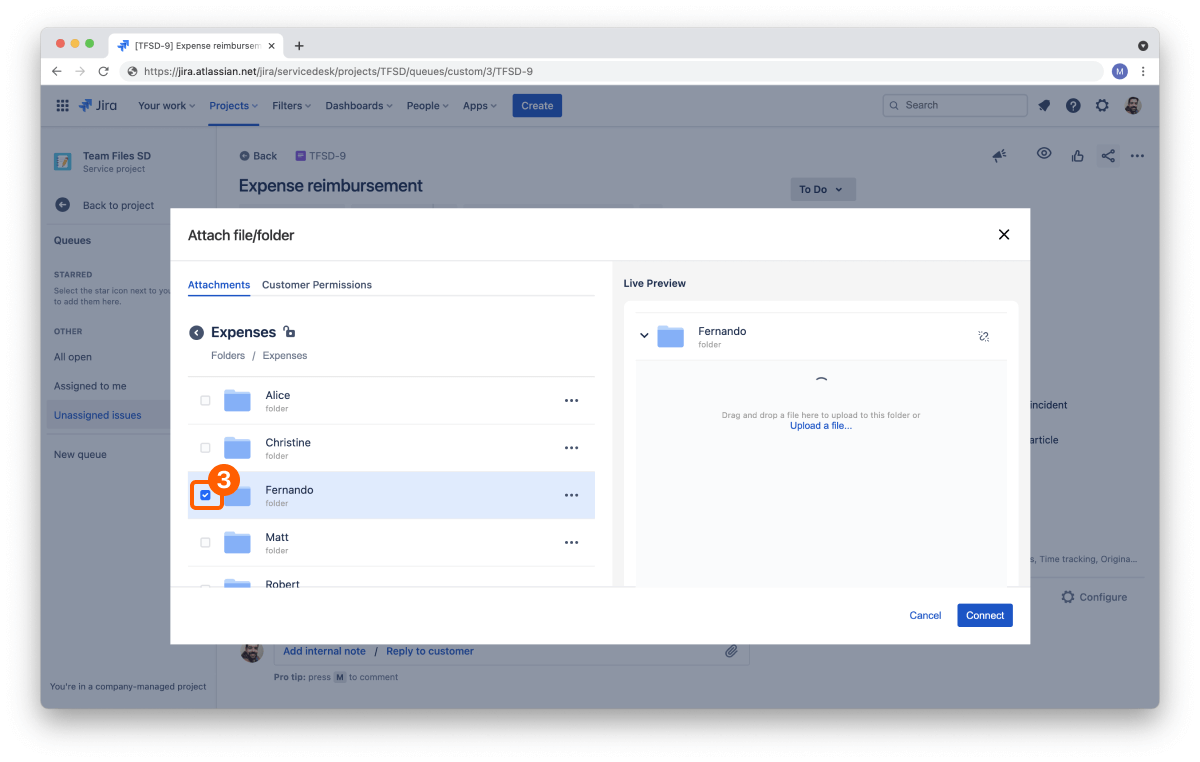
3. The agent selects a folder to attach to the ticket.
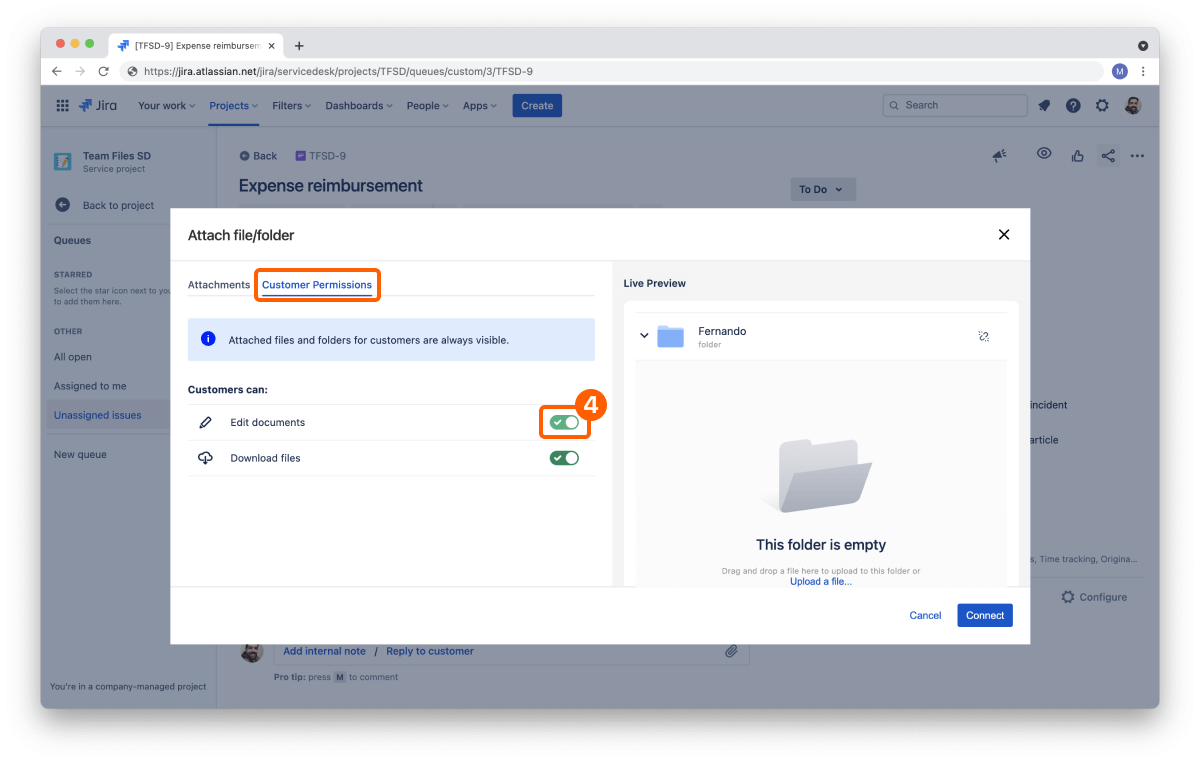
4. The agent selects the permissions tab and enables the edit permission, and clicks the “Connect” button.
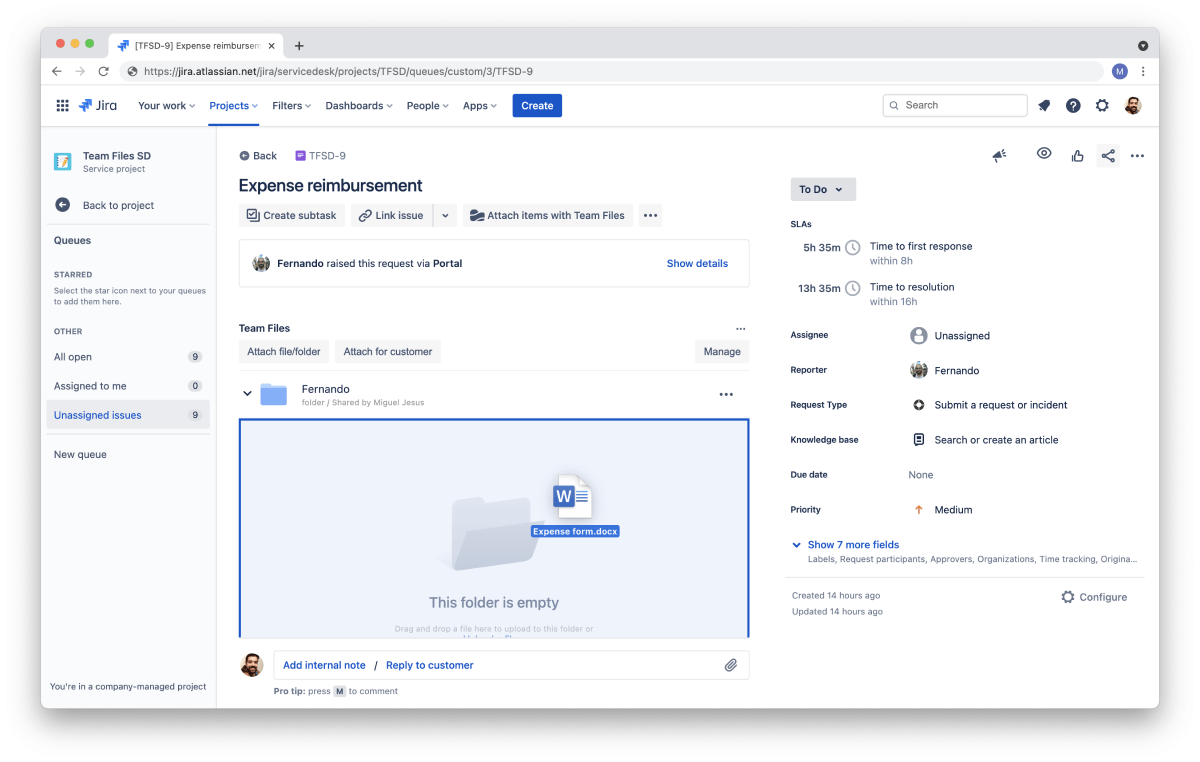
5. Now, back to the issue, the agent uploads the form (an Excel spreadsheet or a Word document, for example) by dragging it to the folder.
6. The agent sends a message to the employee asking for the receipt and the filled form.
7. The employee opens the message and sees the form.
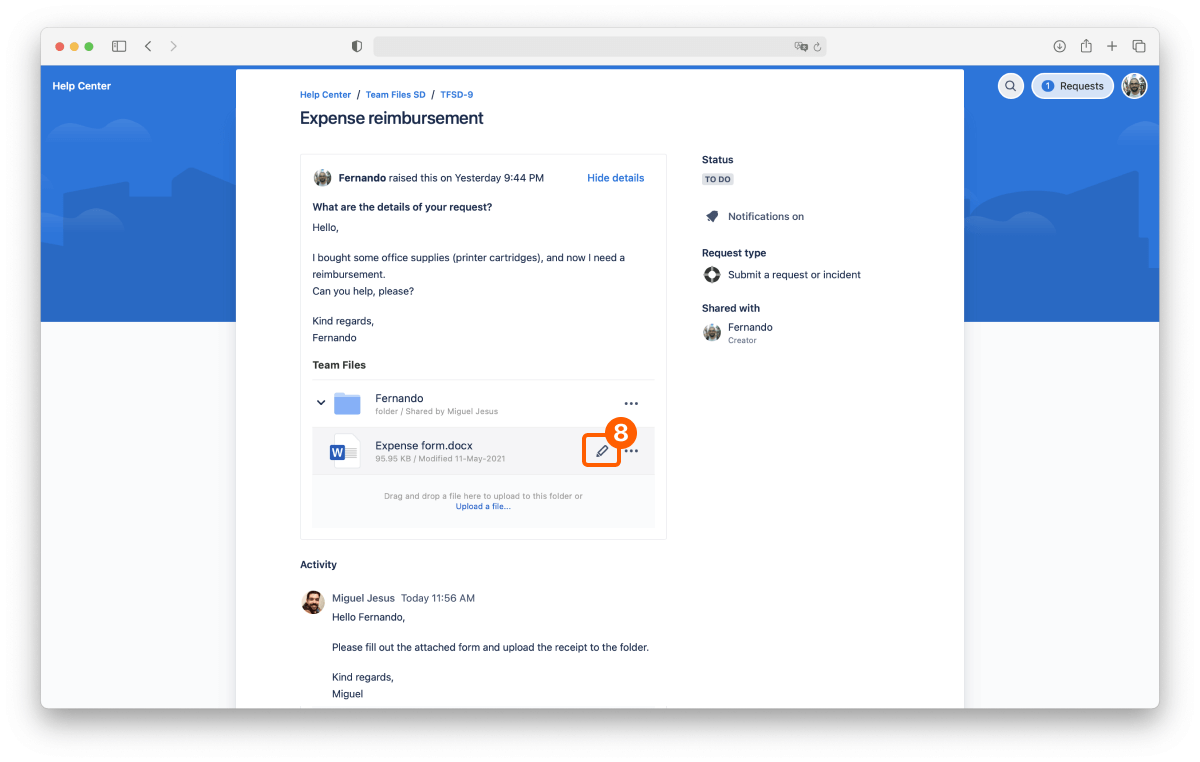
8. The employee edits the form with the details right from the JSM ticket. No download/upload required.
9. The employee drags the receipt to the folder in the JSM ticket to upload it.
10. The employee sends a message after adding the information.
11. The agent confirms the details and processes the reimbursement.
“Resolve this issue.”
After the expense is approved, the form and receipt are already stored in the right storage folder for archiving.
No more downloading/uploading files back and forth, and no more duplicates in endless emails. Take advantage of a single source of truth among employees, internal support services, and accounting.
The ikuTeam Files app is available on the Atlassian Marketplace, and you can start a free trial in a few clicks.
You can also check the ikuTeam Files documentation on Attaching files for customers to learn more.

_2026-03-26_20-48-42-1.png?length=960&name=untitled_Gemini%203%20(Nano%20Banana%20Pro)_2026-03-26_20-48-42-1.png)