Confluence Google Drive Integration
Create a single source of truth with seamless syncing and real-time collaboration.
Read more


_2026-03-26_20-48-42-1.png?length=720&name=untitled_Gemini%203%20(Nano%20Banana%20Pro)_2026-03-26_20-48-42-1.png)


Do you love using Pages, Keynote, and Numbers? We are expanding the supported files on ikuTeam Files, and now you can preview and edit iWork documents.
Since the beginning, ikuTeam Files has allowed users to edit and preview Microsoft Office, Open Office files, and more. In partnership with Apple and Box, we also brought support for iWork files in Confluence. You can now preview and edit Pages, Numbers, and Keynote files stored in your Box directly from your Confluence pages.
We’re releasing this feature first for Data Center and Server editions. Support for Confluence and Jira Cloud will come during the following quarter.
You need to activate support for iWork in your Box settings. More information.
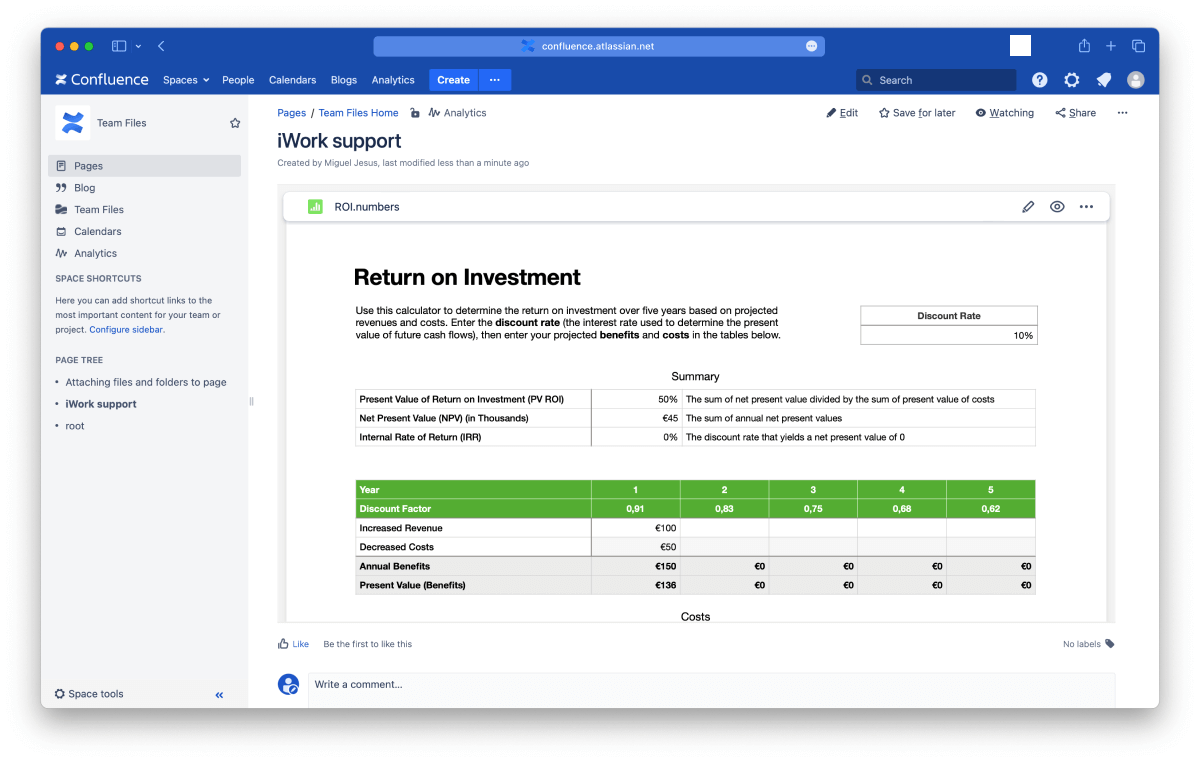
For the first time, you can preview Pages, Numbers, and Keynote documents in your Confluence pages using ikuTeam Files without downloading and uploading files again or creating multiple copies.
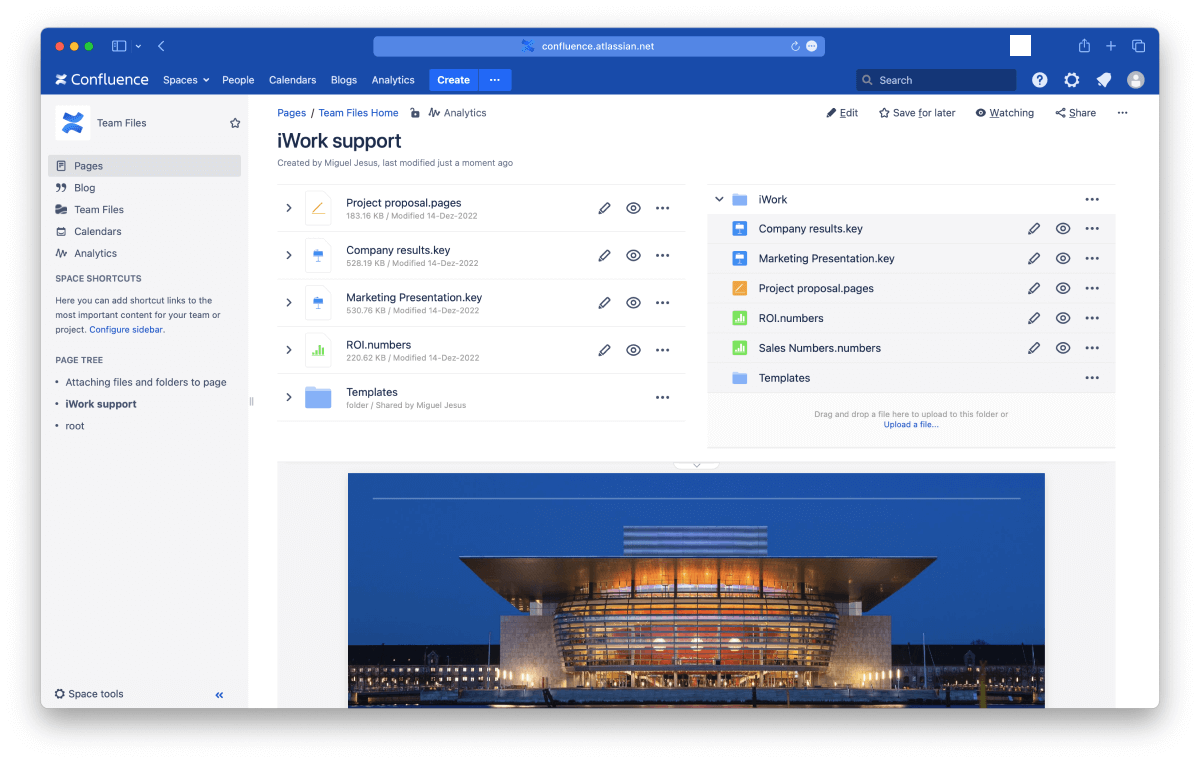
You can use the full-screen and inline preview by using the ikuTeam Files macro, and all the layout options from ikuTeam Files are now available for your Apple iWork files, greatly expanding what’s possible in Confluence.
You can set iWork files with full preview in page macros, navigate document pages, customize the preview area, change the header style, or hide it completely.
Admins can define a default layout for the Confluence instance, and then users can customize their pages.
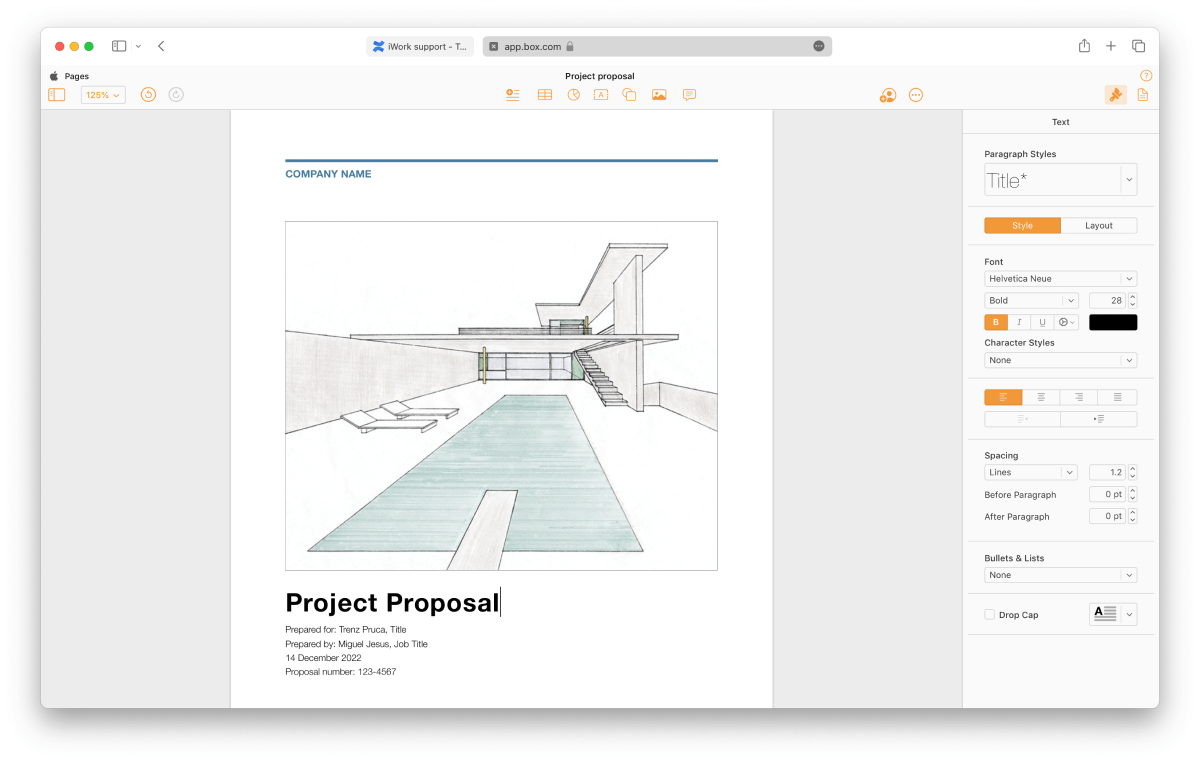
The best part of this new integration is that you can edit your Apple iWork files stored in Box directly from Confluence, with no download/upload or relink required. You can leverage the power of having a Single Source of Truth right on Confluence.
You can book a quick demo here if you need more details on how the iWork support works or would like to know more about the ikuTeam Files app.
Are there other files you would like to see supported in ikuTeam Files? Please let us know and we'll look into it.

_2026-03-26_20-48-42-1.png?length=960&name=untitled_Gemini%203%20(Nano%20Banana%20Pro)_2026-03-26_20-48-42-1.png)