Confluence Google Drive Integration
Create a single source of truth with seamless syncing and real-time collaboration.
Read more


_2026-03-26_20-48-42-1.png?length=720&name=untitled_Gemini%203%20(Nano%20Banana%20Pro)_2026-03-26_20-48-42-1.png)


Since the beginning, ikuTeam Files has allowed users to attach files to issues from external storage, like Google Drive, SharePoint, Dropbox, and more. Users can preview and edit attached files directly from the issue without leaving Jira or creating multiple copies.
Over time, we got requests from users about using our app for files they already had in Jira, so we looked into leveling up ikuTeam Files.
We are happy to announce that the latest release brings all the powerful features our users love for the attachments on external storage to Jira Native Attachments. Preview and edit files like never before on Jira.
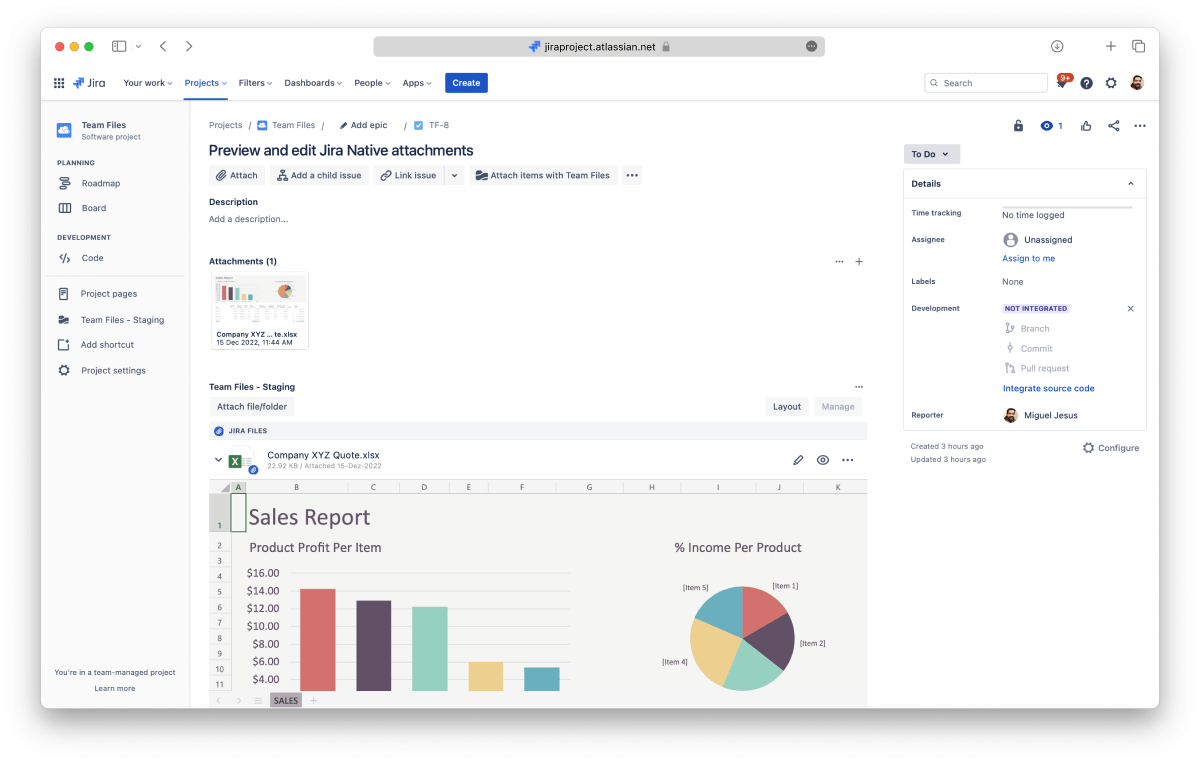
You can preview all your Jira Native Attachments using ikuTeam Files, which supports full-screen preview and an inline preview where you can actually see and read the content, unlike Jira’s thumbnails.
ikuTeam Files supports Microsoft Office files, PDF files, and popular image formats like PNG, GIF, and JPEG. You can check this page for more details on supported formats.
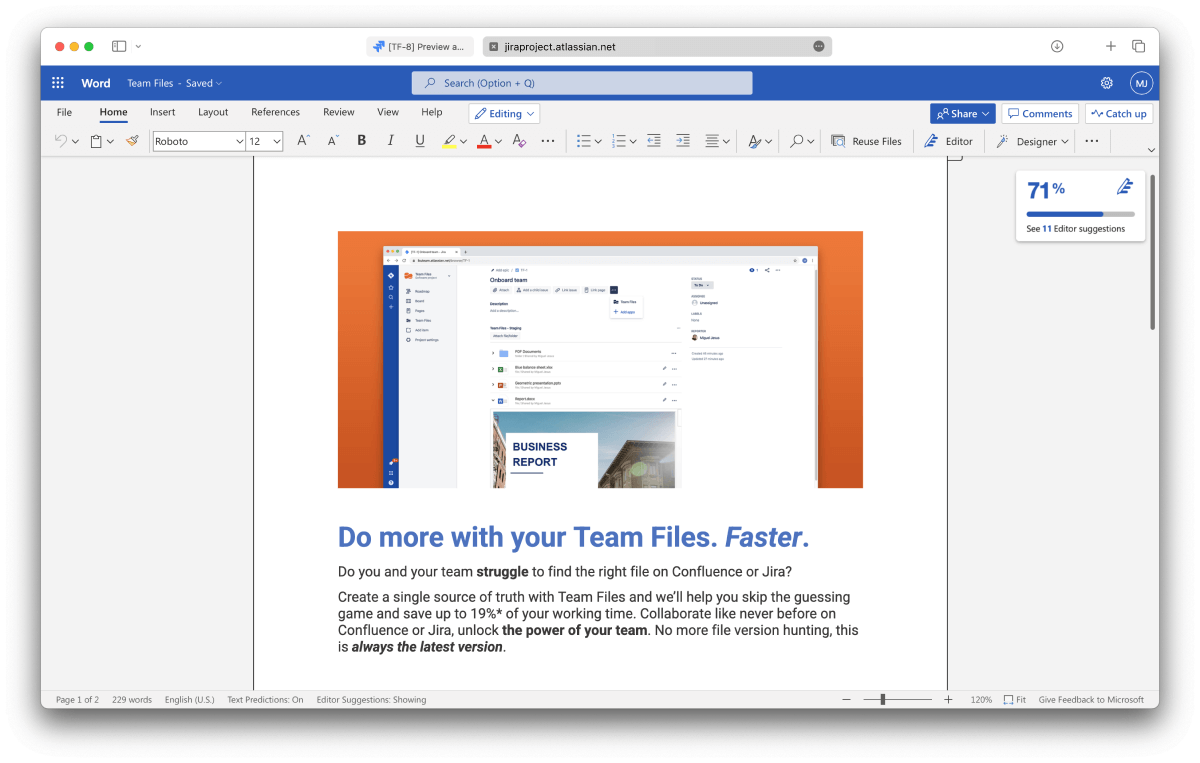
The best part of this new integration is that now you can edit Microsoft Office files directly from Jira. This isn’t as powerful as having a Single Source of Truth, but it’s great to stop the creation of duplicates to keep a file updated.
Open Office files are also supported.
A real-time co-edit session will start if two or more users click Edit simultaneously.
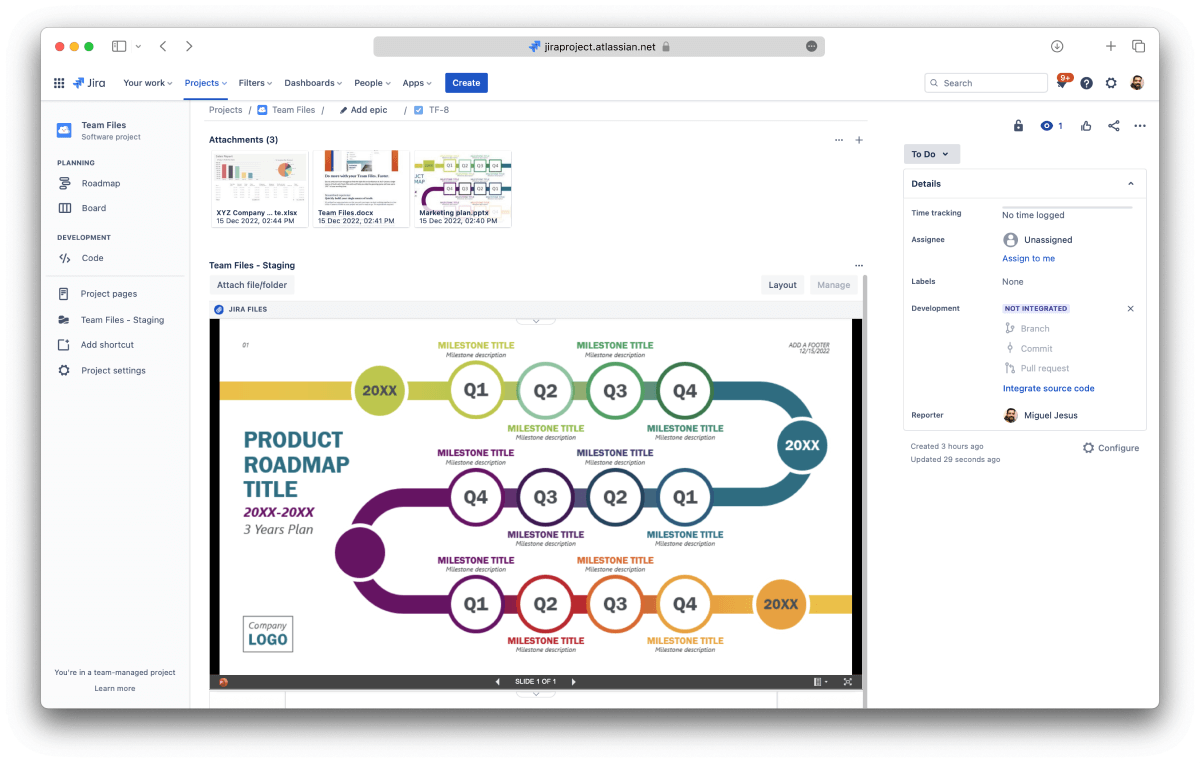
All the layout options from ikuTeam Files are now available for your Jira Native Attachments, greatly expanding what’s possible in Jira. You can select the option to open the preview immediately when you open a Jira issue, customize the preview area, change the header style or hide it completely.
Admins can define a default layout for the Jira instance, and then users can customize their issues.
If, for any reason, you don’t want to use this new feature, Admins can turn it off in the Admin settings, and users can also turn it off for particular issues. For more details, please check the Admin settings documentation.
You can book a quick demo here if you need more details on how the support for Jira Native Attachments works or would like to know more about the ikuTeam Files app.

_2026-03-26_20-48-42-1.png?length=960&name=untitled_Gemini%203%20(Nano%20Banana%20Pro)_2026-03-26_20-48-42-1.png)