Confluence Google Drive Integration
Create a single source of truth with seamless syncing and real-time collaboration.
Read more


_2026-03-26_20-48-42-1.png?length=720&name=untitled_Gemini%203%20(Nano%20Banana%20Pro)_2026-03-26_20-48-42-1.png)


There is a new release of the ikuTeam Files app, and it brings big customer requests: layout customizations and file search across Confluence pages. Now you have complete control of how your files and folders appear on pages and issues.
Admins get a redesigned settings page that shows in one place all the settings applied to the instance.
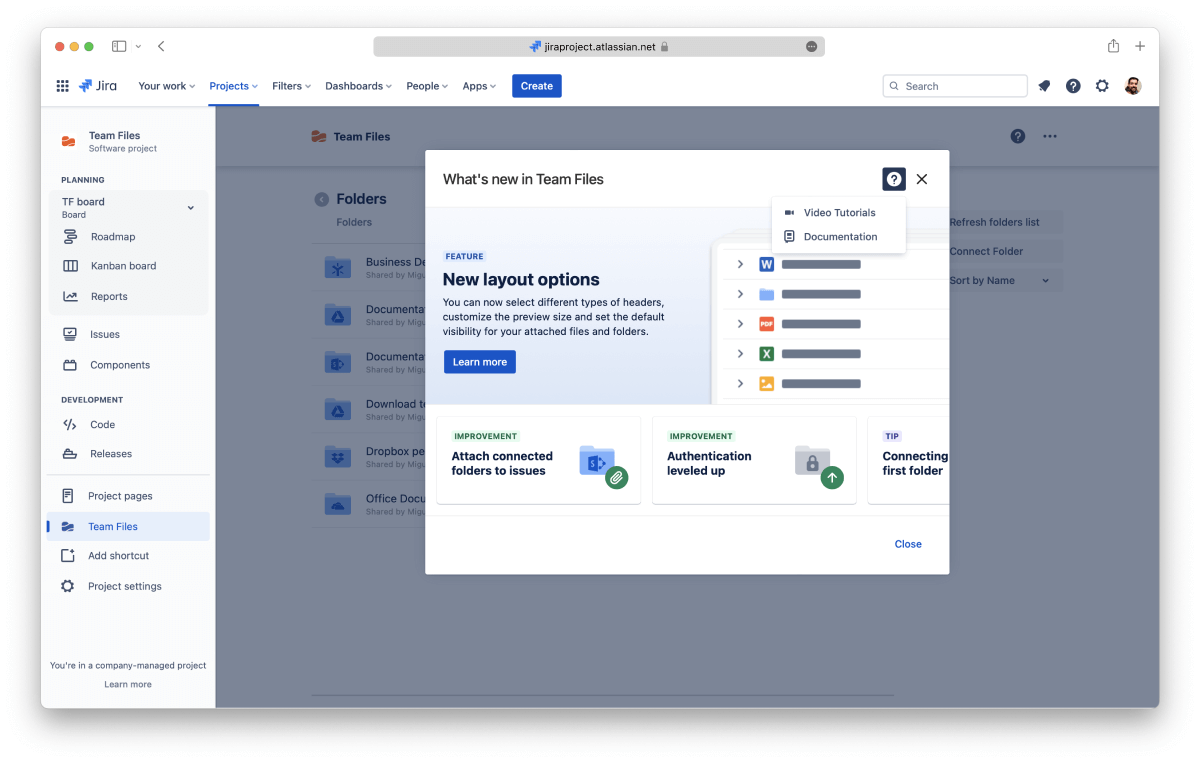
The app is growing and gaining new features every month, so sometimes, having a heads-up of new features or quick access to documentation and videos can be helpful.
So now there’s a new dialog highlighting changes to the app with links to relevant information if you want to learn more.
We also introduced in-app contextual help. Now you can click the help button and check the documentation or videos (when available) for that specific app module, no more documentation hunting.
In-app help is coming soon to ikuTeam Files for Data Center and Server.
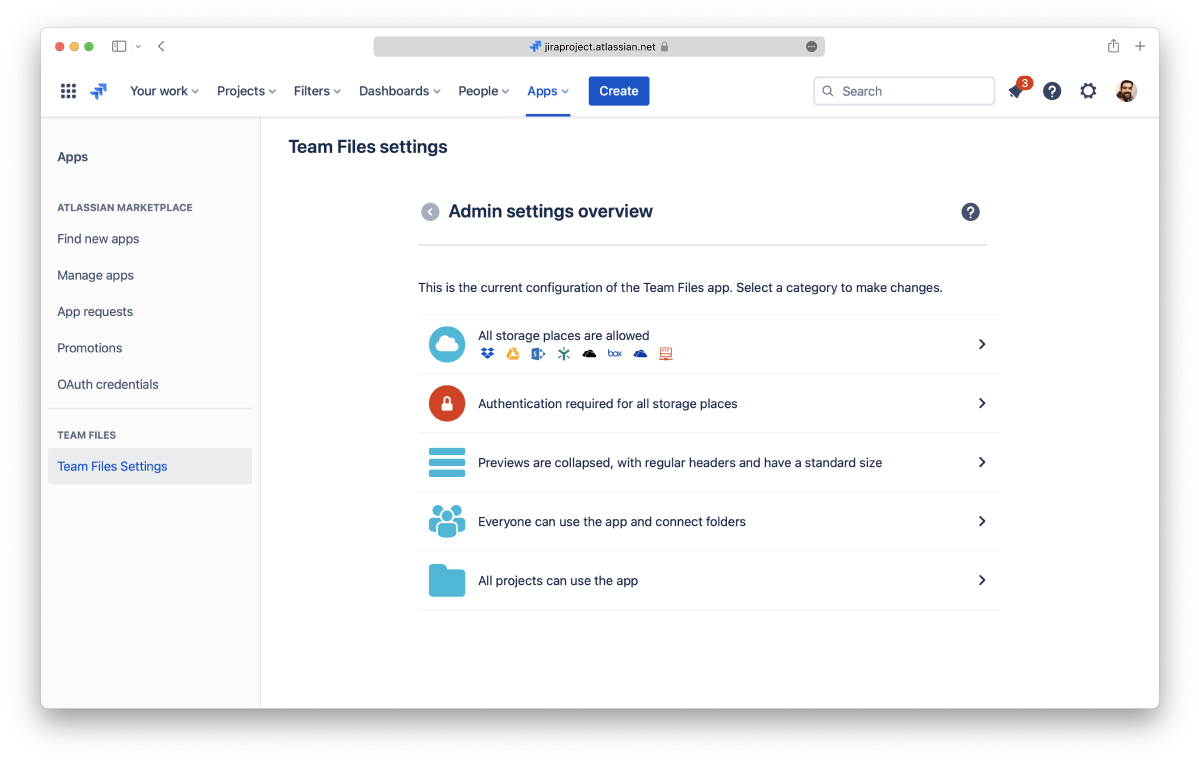
Admins get a redesigned settings page that shows in one place all the settings applied to the instance.
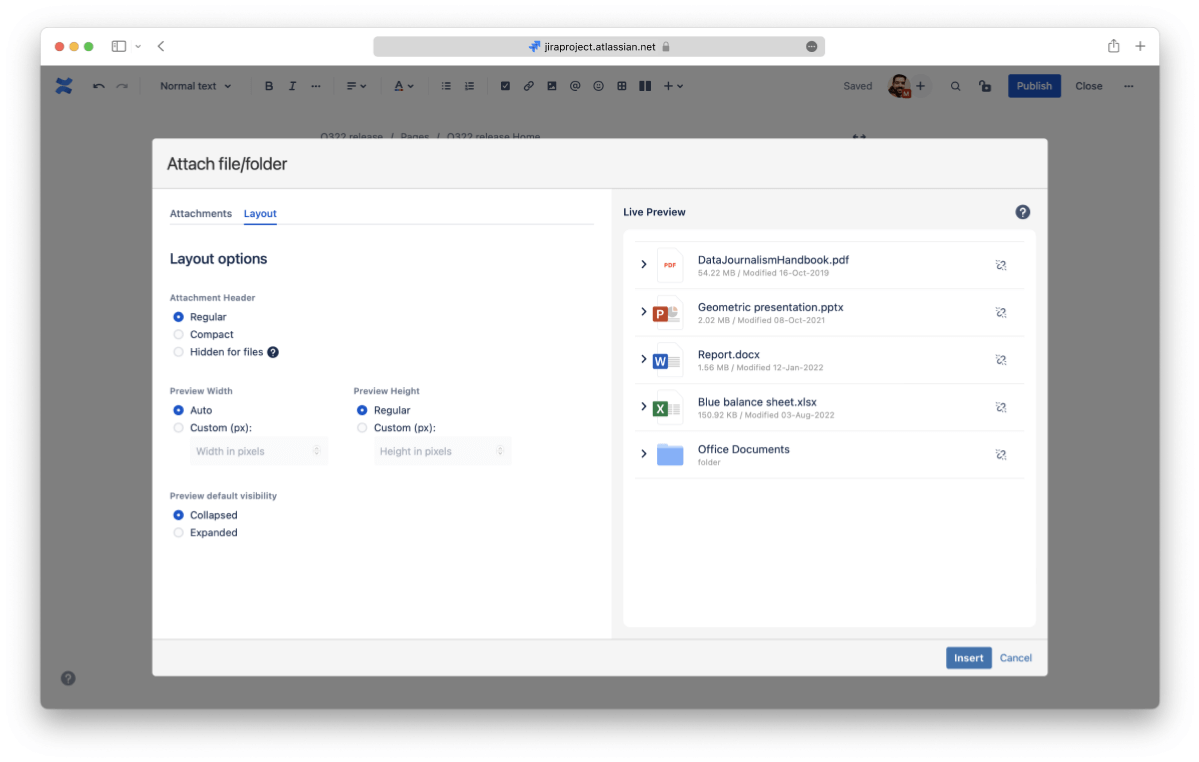
Now you have complete control of how your files and folders appear on pages.
Admins can define a default layout, and users can customize their pages.
Layout options are coming soon to ikuTeam Files for Data Center and Server.

We made some changes to the way files and folders are attached to your pages, so now you can search for your files and folders' names directly in the Confluence search bar. Pages that include attached items matching your search criteria will appear in the results.
This only works with new macros. For more details on Confluence search, click here.
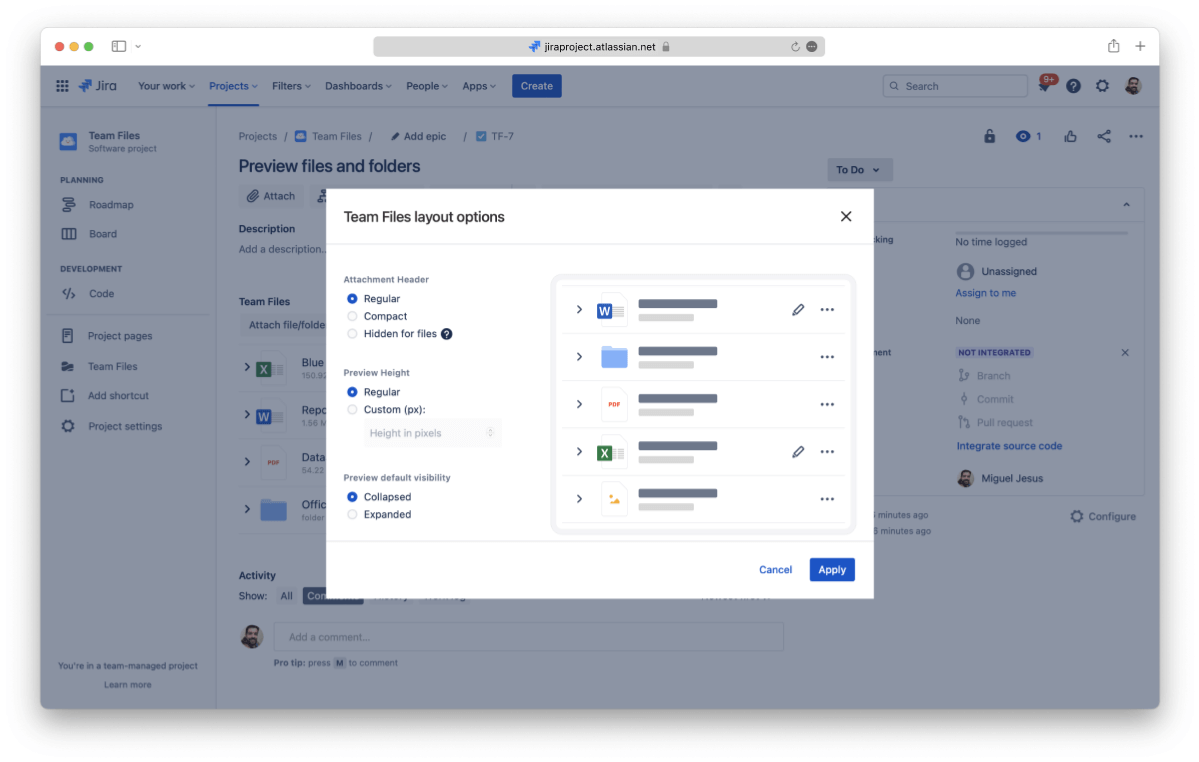
Now you have complete control of how your files and folders appear attached to your Jira issues.
Admins can define a default layout, and users can customize their issues.
The new features are already available in the latest version of ikuTeam Files, listed on the Atlassian Marketplace. If you have never used the ikuTeam Files app or your company requires more control, now it’s a great time to start a free trial. Please give it a go and let us know what you and your team think.
ikuTeam Files for Confluence on the Atlassian Marketplace
ikuTeam Files for Jira on the Atlassian Marketplace
You can book a quick demo here. If you need more details on how the new authentication feature works, or would like to know more about the ikuTeam Files app.

_2026-03-26_20-48-42-1.png?length=960&name=untitled_Gemini%203%20(Nano%20Banana%20Pro)_2026-03-26_20-48-42-1.png)