Confluence Google Drive Integration
Create a single source of truth with seamless syncing and real-time collaboration.
Read more


_2026-03-26_20-48-42-1.png?length=720&name=untitled_Gemini%203%20(Nano%20Banana%20Pro)_2026-03-26_20-48-42-1.png)


Sometimes the smallest details have the biggest impact. That’s why we were working on some big small features, and we’re happy to announce that we improved our authentication system and attach folder options.
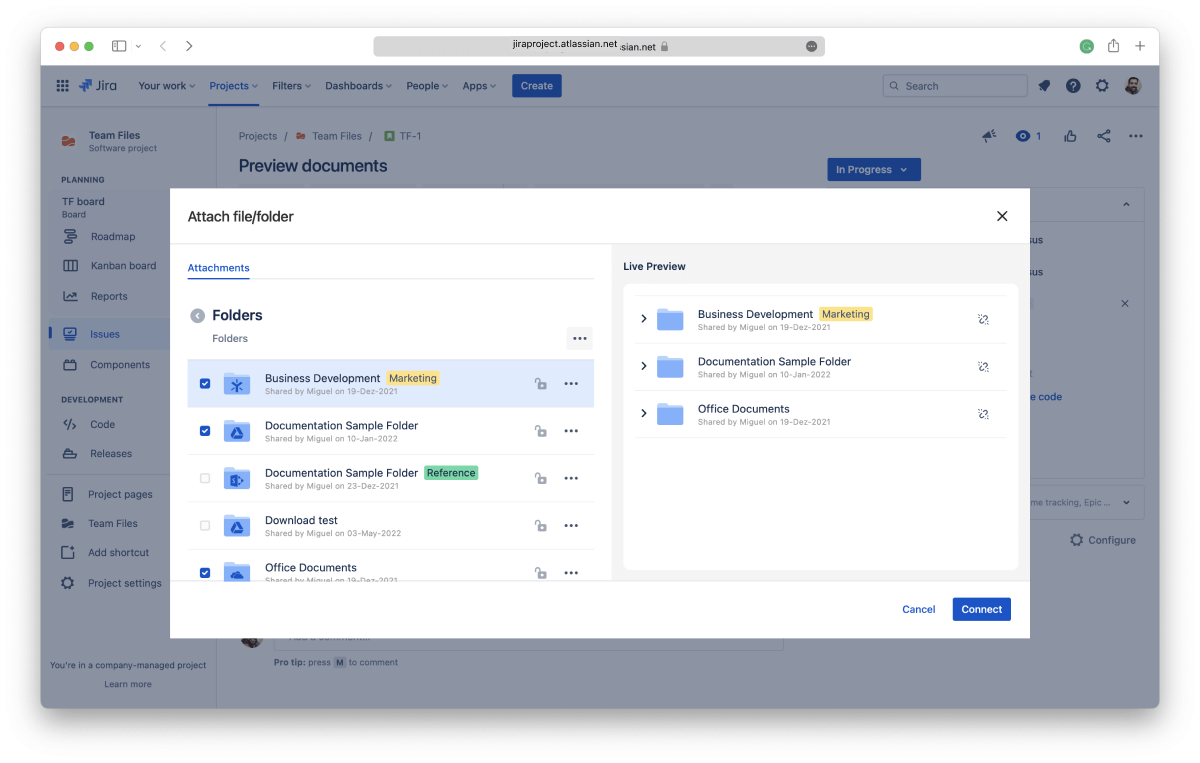
Have you ever connected a folder to ikuTeam Files to realize that you also wanted to attach it directly to a page or issue but couldn’t? You would have to go back and connect the folder one level above to be able to attach the one you actually wanted. We’ve been there alongside other users that asked us to allow it.
Fortunately, that’s now a thing of the past, as with the latest update to ikuTeam Files, it’s now possible to attach the connected folders directly. Available in all our apps.
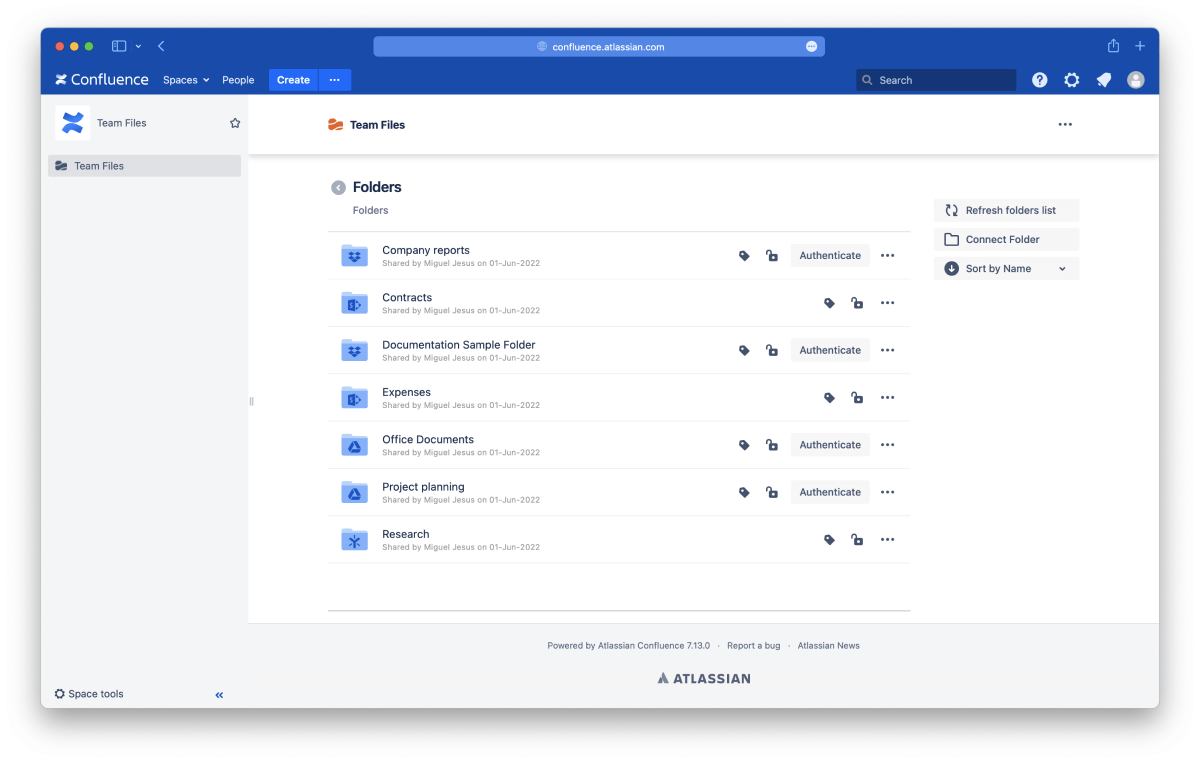
ikuTeam Files app for DC / Server now includes authentication options, similar to what we introduced last year for the cloud version. Now you can keep files in perfect control on DC / Server by bringing the original cloud storage permissions to Confluence Spaces and Pages.
You can check our documentation to see what changed.
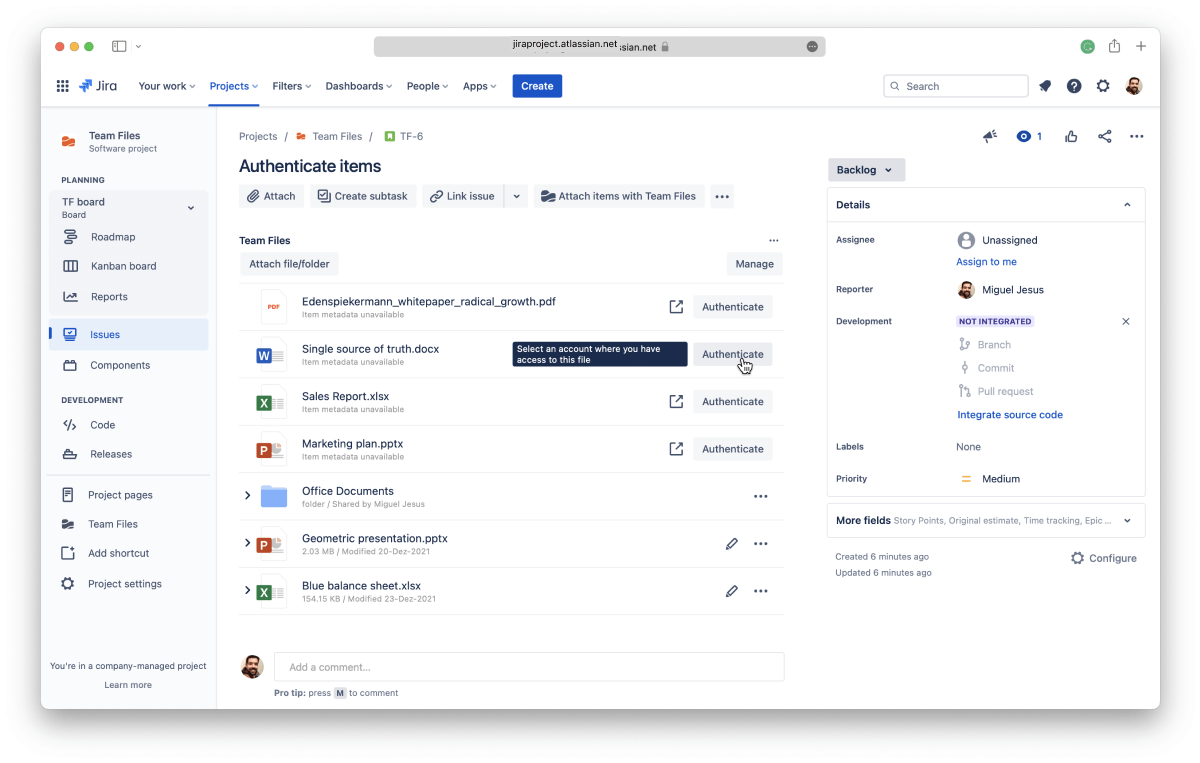
With the development of authentication for Data Center / Server, we had the chance to improve some essential aspects of the feature. If you have authentication turned on, removing a place will no longer disconnect the folders you’ve connected from there.
This update allows other users to keep using the folders if they still need them. It’s also extremely useful in case a user leaves the company and their account, for instance, in SharePoint, is deleted. Other users with access to the folders the user had connected will be able to continue using them, as well as viewing files and folders in pages and issues.
The new features are already available in the latest version of ikuTeam Files, listed on the Atlassian Marketplace. If you never used the ikuTeam Files app or your company required more control, now it’s a great time to start a free trial. Please give it a go and let us know what you and your team think.
ikuTeam Files for Confluence on the Atlassian Marketplace
ikuTeam Files for Jira on the Atlassian Marketplace
You can book a quick demo here. if you need more details on how the new authentication feature works or would like to know more about the ikuTeam Files app.
ikuTeam Files Data Center / Server documentation
What changes when authentication is required (Cloud version)

_2026-03-26_20-48-42-1.png?length=960&name=untitled_Gemini%203%20(Nano%20Banana%20Pro)_2026-03-26_20-48-42-1.png)