

Confluence Google Drive Integration
Create a single source of truth with seamless syncing and real-time collaboration.
Read more


Learn how to preview files with Excel for Confluence.
With Excel for Confluence, you can preview Excel spreadsheets attached to your pages. Each ikuTeam Excel macro shows one spreadsheet. To show more spreadsheets on a page, add more macros.
Excel for Confluence lets you preview spreadsheets attached to your Confluence pages.
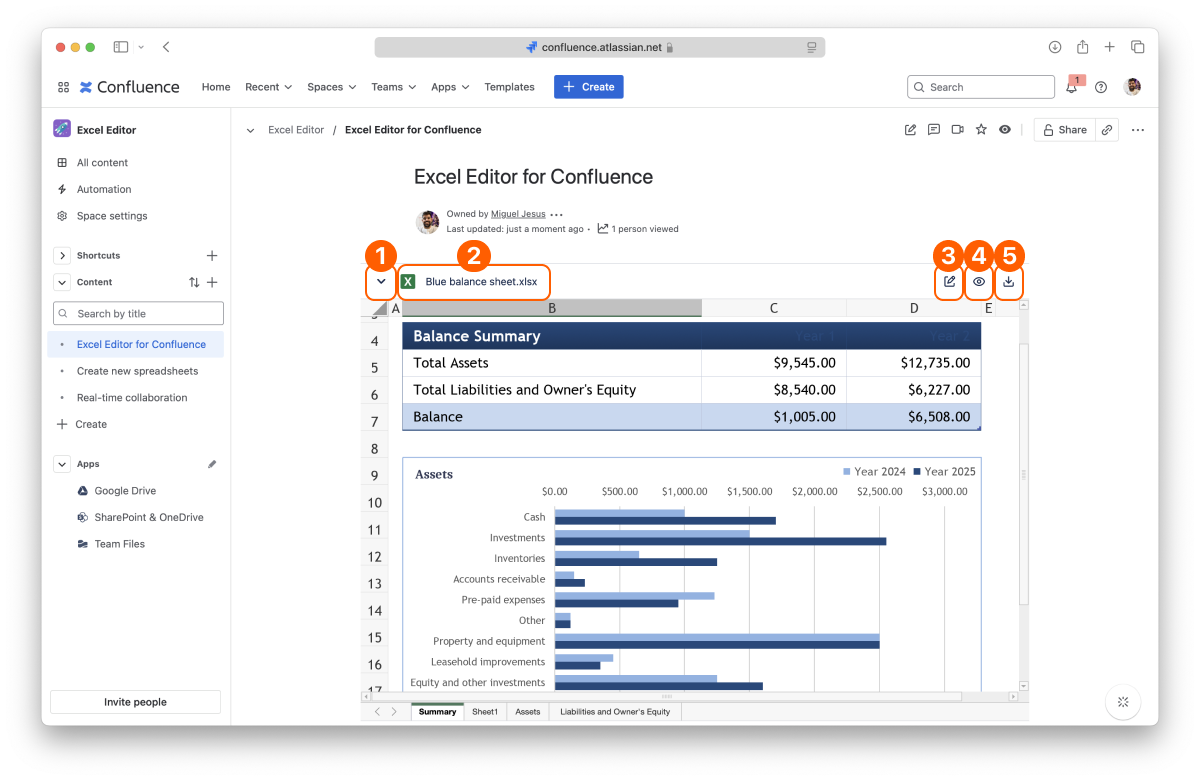
Disclosure button
Document info
Edit spreadsheet
Full-screen Preview
Download
By default, each macro shows its spreadsheet in an inline preview. You can hide the preview by clicking the chevron on the left (Collapse item), and show it again with the same chevron (Expand item).
To view the full-screen preview of the desired file, click the “Preview” button.
Everyone who can view the page can preview and download the spreadsheet. The Edit button shows only for people who can edit the page. In the full-screen preview, Edit is turned off for everyone else.
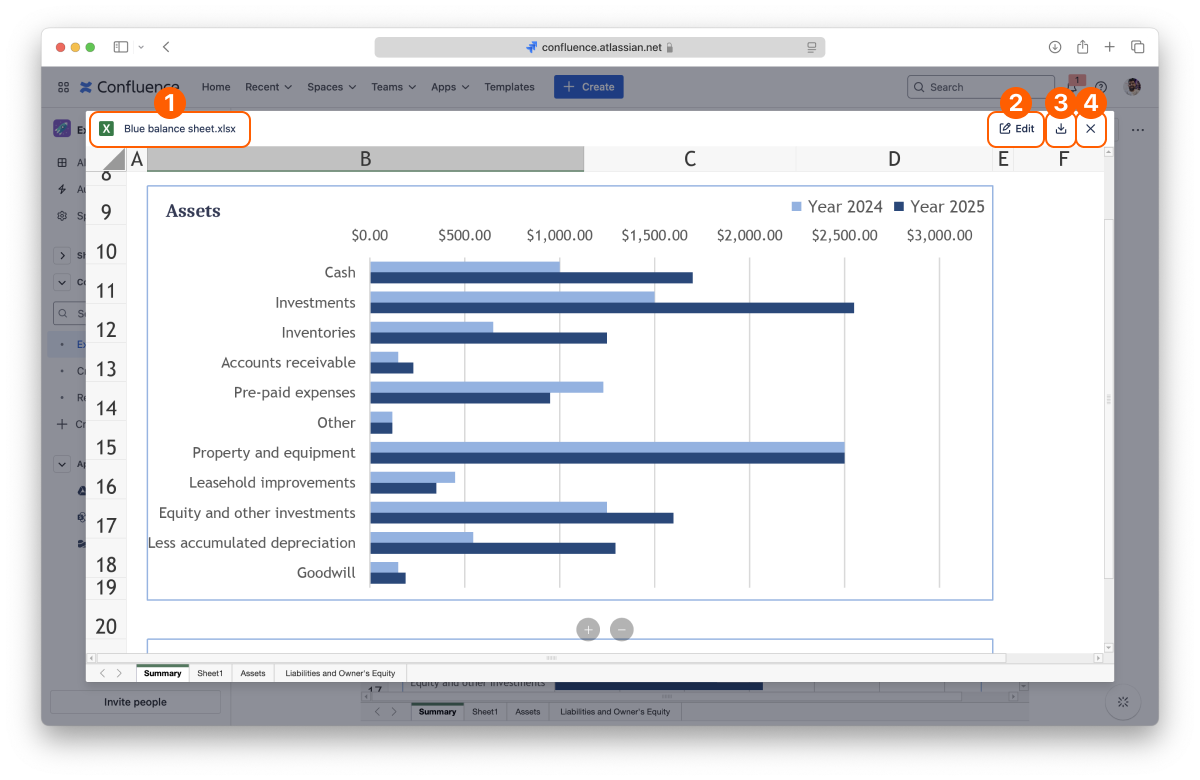
Document info
Edit spreadsheet
Download
Close preview
You can change the preview settings with the layout options.
Excel spreadsheets: XLS and XLSX
That's all on previewing files. Did you know you can also edit Excel spreadsheets attached to your pages?
If you still have questions about any of the topics covered on this page, visit our support portal and send us your questions. Our team is always happy to help.


