

Confluence Google Drive Integration
Create a single source of truth with seamless syncing and real-time collaboration.
Read more


Choose how the files in the ikuTeam Office panel look: the size of each file's header, and whether previews start expanded or collapsed.
By default, files use the regular header and start collapsed, to save space on the work item. Expand a file to preview it: the preview uses the full width of the panel and is 400 px tall.
Use the buttons in the panel's toolbar to change the layout.
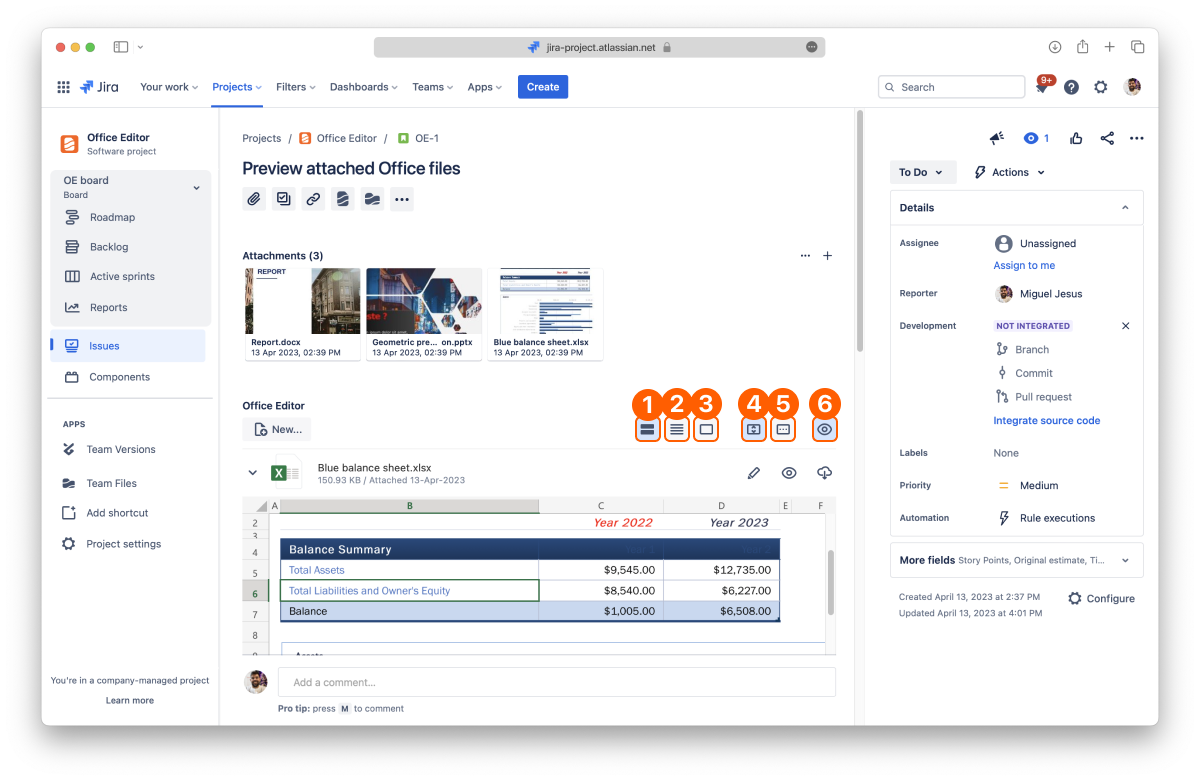
Regular header
Compact header
Hidden header
Toggle preview
Regular: the standard header. It shows a large file icon, the file name and details such as size, modified date and author.
Compact: a smaller icon and the file name only.
Hidden: hides the file headers and shows every preview expanded. Move the mouse over a file to see its header.
Select Toggle preview to expand or collapse the previews of all files at once. It's turned off while the header is hidden, because hidden headers always show the previews.
The toolbar also has Sort, to order the files (see 2.1 Preview files), and New..., to create a document (see 2.2 Create and edit documents).
You set the layout for each work item, and it's saved with that work item, so the files keep the same layout the next time it's opened.


