team-files-vs-confluence-1
Confluence Smart Links Explained
See how they work, where they fail with external files, and more secure, consistent management alternatives.
Read more: Confluence Smart Links Explained
untitled_Flux 2 Pro_2026-03-26_21-41-00
Jira SharePoint Integration
Discover how to sync files, automate folders, and enhance collaboration in Jira Cloud and Data Center.
Read more: Jira SharePoint Integration
Porto-pic
About us
From the start, our goal has been to remove the hidden friction that prevents teammates from collaborating easily on the files that matter most. We believe productivity is not about adding more tools but making the ones you already use work together seamlessly. Based in Porto, ikuTeam builds the invisible layer for the Atlassian ecosystem to dissolve file silos and help over a million users stay focused and move faster.
Read more: About us
team-files-vs-confluence-1

Confluence Smart Links Explained

See how they work, where they fail with external files, and more secure, consistent management alternatives.
Read more: Confluence Smart Links Explained
untitled_Flux 2 Pro_2026-03-26_21-41-00

Jira SharePoint Integration

Discover how to sync files, automate folders, and enhance collaboration in Jira Cloud and Data Center.
Read more: Jira SharePoint Integration

About us

From the start, our goal has been to remove the hidden friction that prevents teammates from collaborating easily on the files that matter most. We believe productivity is not about adding more tools but making the ones you already use work together seamlessly. Based in Porto, ikuTeam builds the invisible layer for the Atlassian ecosystem to dissolve file silos and help over a million users stay focused and move faster.
Read more: About us
Porto-pic
Product Documentation

Nov 19, 2026

2.6 Copying and moving Confluence pages

Copy or move pages with ikuTeam Files macros within the same space, and the macros keep working in the new location, with the same files and folders attached.

How to use

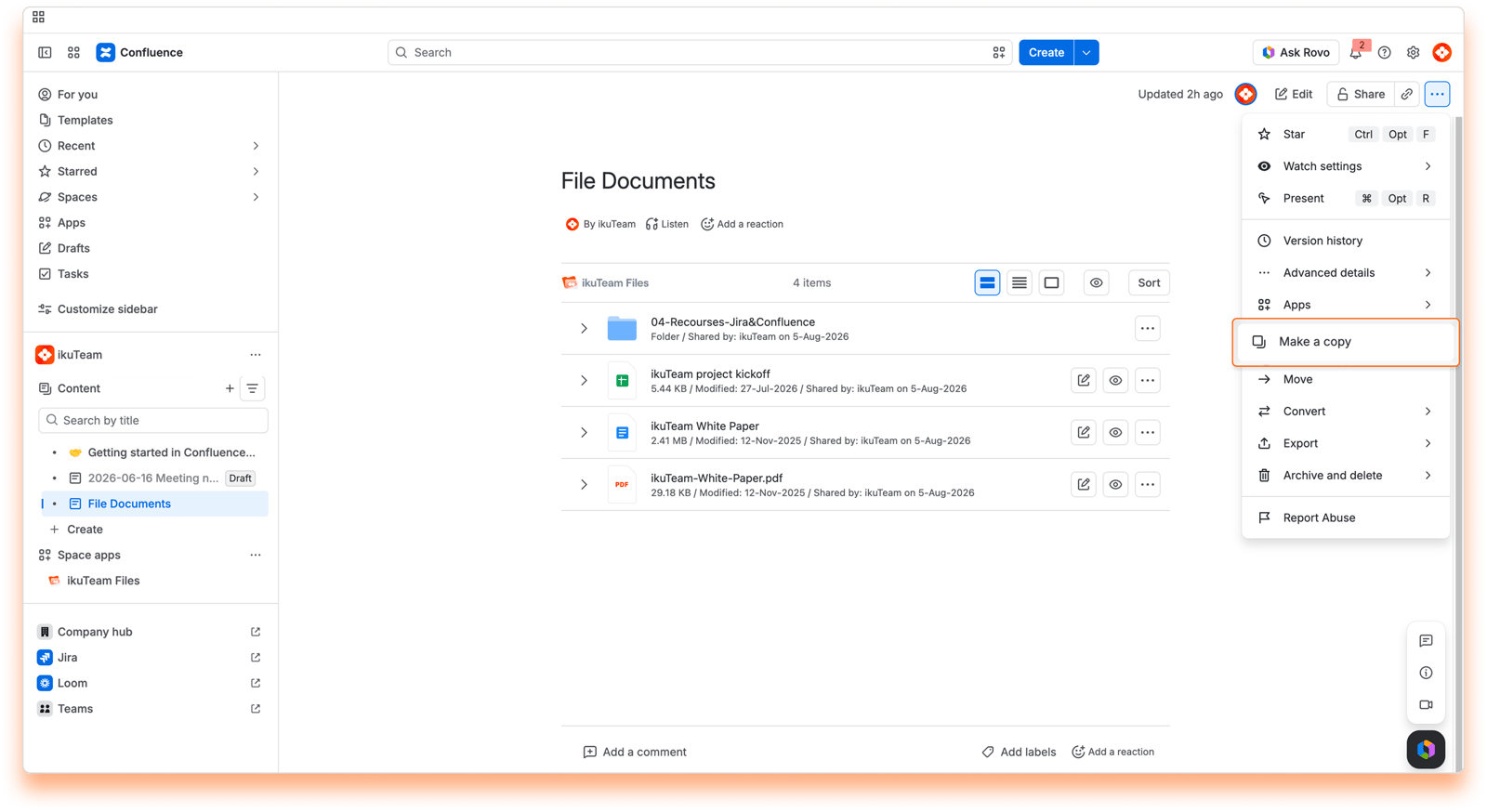
Copying pages with ikuTeam Files macros

Screenshot: Copying and moving Confluence pages: Make a Copy
  1. Go to the Confluence page that has the ikuTeam Files macros you want to copy.

  2. Click the ellipsis (...) menu at the top right of the page and select Make a copy.

  3. In the dialog, choose where the copy goes. Keep it in the same space so the macros keep working as they are.

  4. Confirm. The new page has the same ikuTeam Files macros, ready to use.
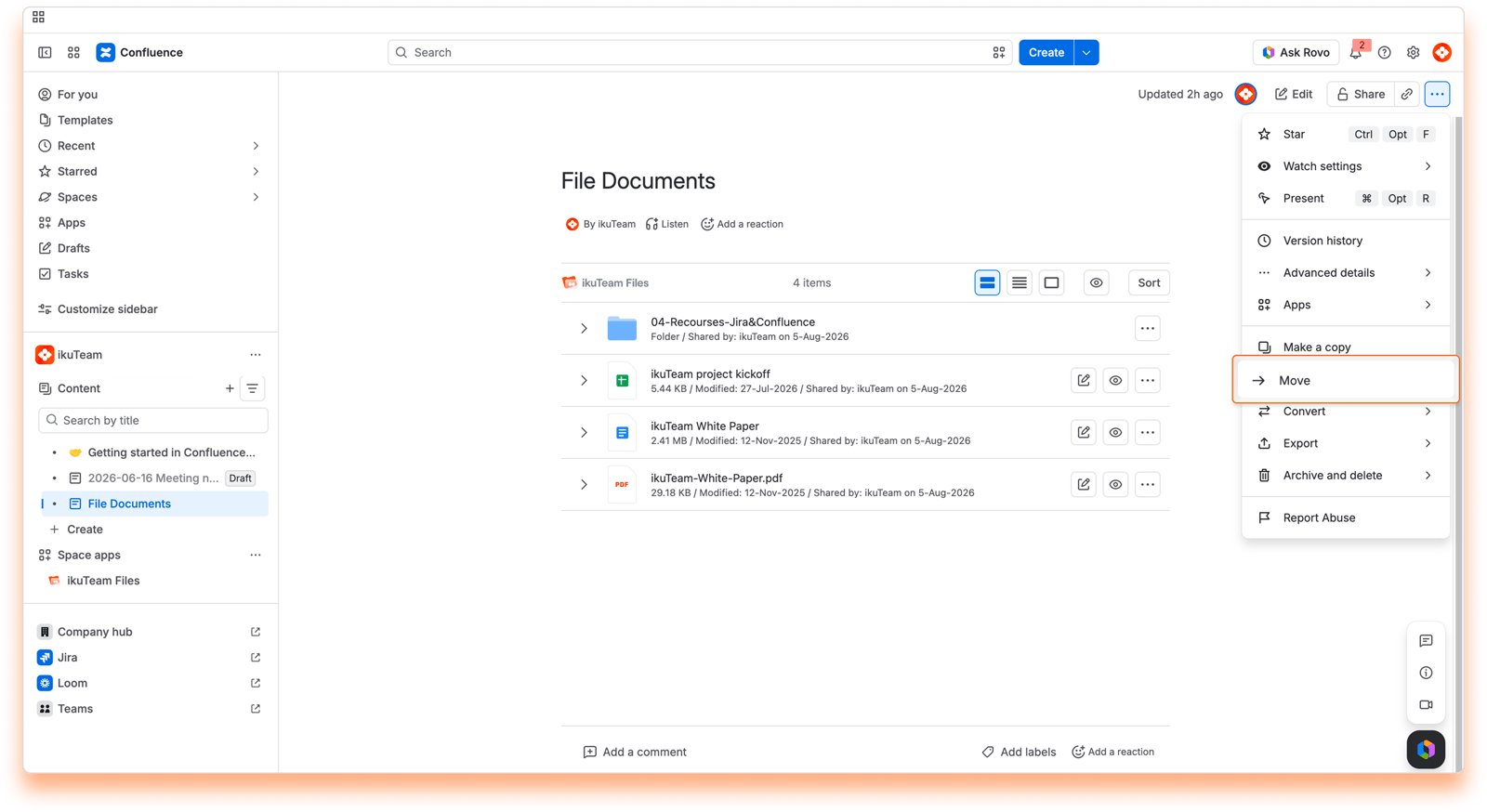

Moving pages with ikuTeam Files macros

Screenshot: Copying and moving Confluence pages: Move
  1. Go to the Confluence page that has the ikuTeam Files macros you want to move.

  2. Click the ellipsis (...) menu at the top right of the page and select Move.

  3. In the dialog, choose where the page goes. Keep it in the same space so the macros keep working as they are.

  4. Confirm. The page moves with its ikuTeam Files macros working as before.


Copying or moving pages to another space

We recommend keeping copies and moves within the same space. The macros keep pointing to the folders connected in the original space, so the attached items follow those folders’ permissions, including permissions given to roles in the original space. The macros also only work if the app is allowed in the new space. If you need the page in another space, check that your readers there can still see the files, or connect the folders in the new space and attach the items again.