team-files-vs-confluence-1
Confluence Smart Links Explained
See how they work, where they fail with external files, and more secure, consistent management alternatives.
Read more: Confluence Smart Links Explained
untitled_Flux 2 Pro_2026-03-26_21-41-00
Jira SharePoint Integration
Discover how to sync files, automate folders, and enhance collaboration in Jira Cloud and Data Center.
Read more: Jira SharePoint Integration
Porto-pic
About us
From the start, our goal has been to remove the hidden friction that prevents teammates from collaborating easily on the files that matter most. We believe productivity is not about adding more tools but making the ones you already use work together seamlessly. Based in Porto, ikuTeam builds the invisible layer for the Atlassian ecosystem to dissolve file silos and help over a million users stay focused and move faster.
Read more: About us
team-files-vs-confluence-1

Confluence Smart Links Explained

See how they work, where they fail with external files, and more secure, consistent management alternatives.
Read more: Confluence Smart Links Explained
untitled_Flux 2 Pro_2026-03-26_21-41-00

Jira SharePoint Integration

Discover how to sync files, automate folders, and enhance collaboration in Jira Cloud and Data Center.
Read more: Jira SharePoint Integration

About us

From the start, our goal has been to remove the hidden friction that prevents teammates from collaborating easily on the files that matter most. We believe productivity is not about adding more tools but making the ones you already use work together seamlessly. Based in Porto, ikuTeam builds the invisible layer for the Atlassian ecosystem to dissolve file silos and help over a million users stay focused and move faster.
Read more: About us
Porto-pic
Product Documentation

Nov 19, 2026

7.7 Preview and edit Jira attachments moved to ikuTeam Office

Applies to: ikuTeam Files for Jira

Can't find the option to preview or edit native Jira attachments in ikuTeam Files anymore? That's expected. This feature now lives in ikuTeam Office for Jira.

What changed

ikuTeam Files for Jira now focuses exclusively on cloud storage integrations: SharePoint, OneDrive, Google Drive, Dropbox, Box, and Egnyte. Native Jira attachment preview and editing has moved out of ikuTeam Files.

The good news: it's still fully available, just in a better home.

Where to find it

Native Jira attachment support is now part of ikuTeam Office for Jira, with even more capabilities and a better fit.

How to get started

  1. Install ikuTeam Office for Jira from the Atlassian Marketplace.

  2. Open a work item. Below its title, select the apps button and choose ikuTeam Office to add its panel to the work item. See 1. Getting started.
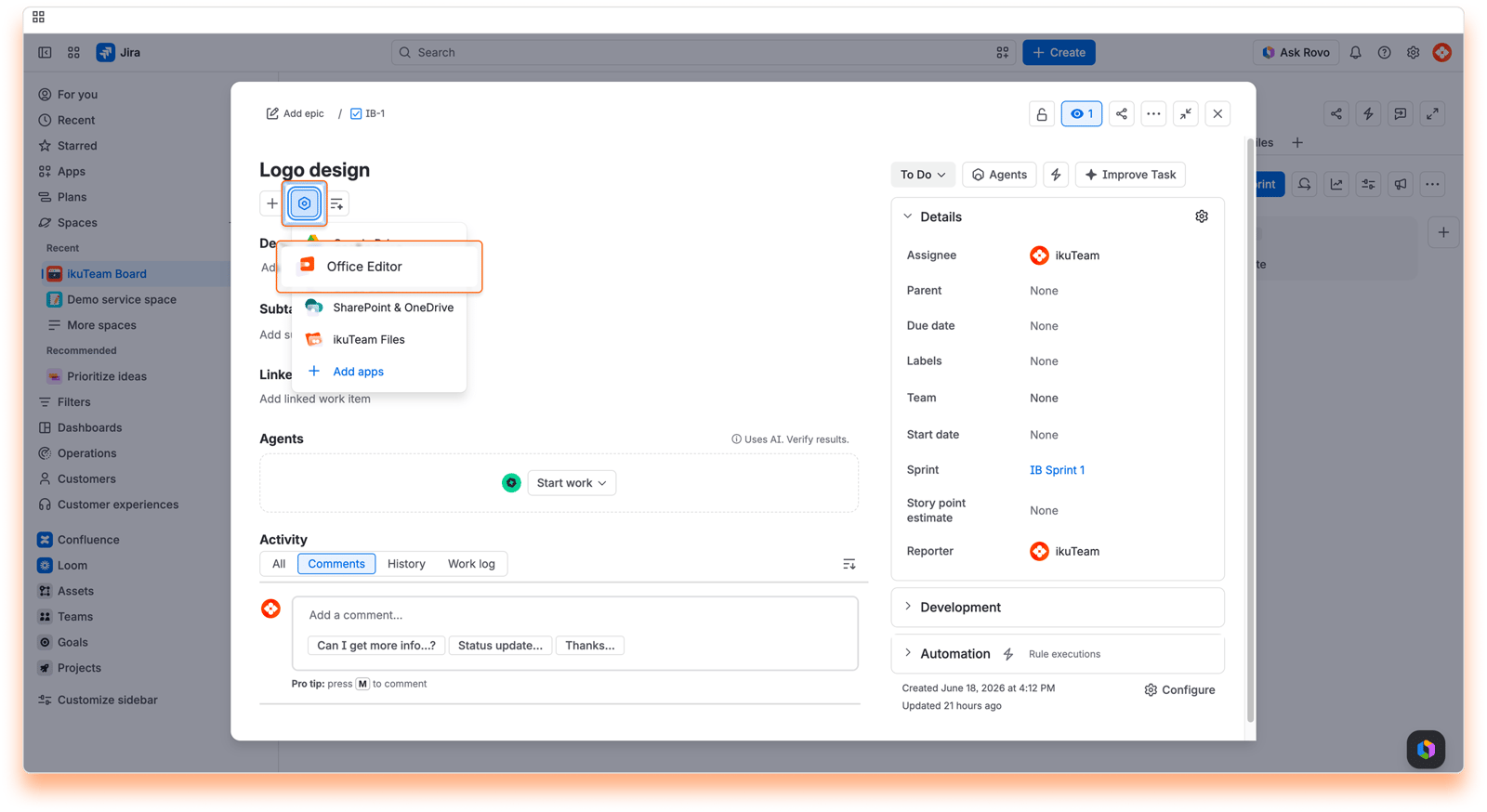
Screenshot: Preview and Edit Jira Attachments: Add App

You're all set. You can now preview and edit your Jira attachments right on the work item. Learn more in the ikuTeam Office for Jira documentation.
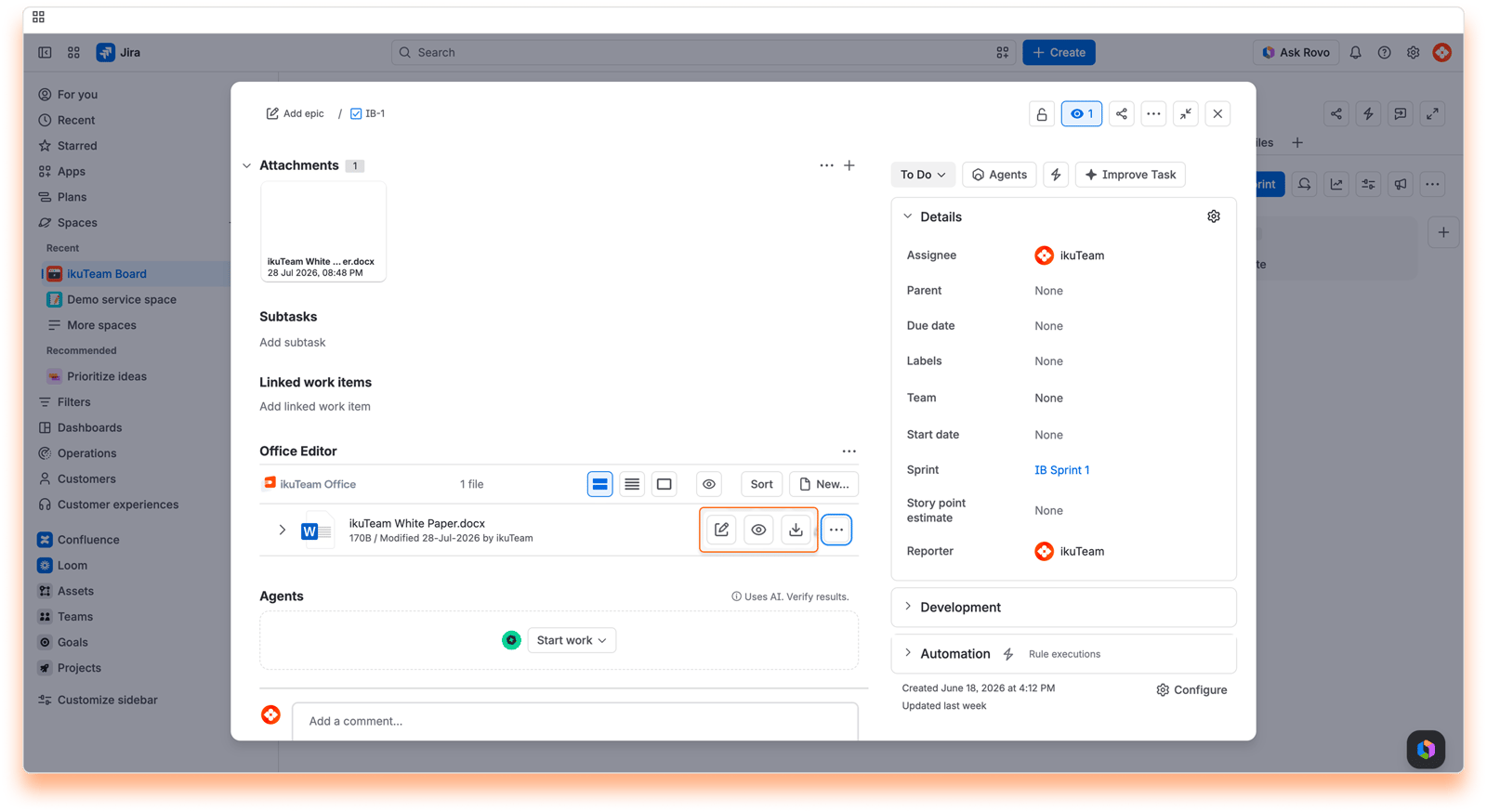
Screenshot: Preview and Edit Jira Attachments: View and Edit