

Confluence Google Drive Integration
Create a single source of truth with seamless syncing and real-time collaboration.
Read more


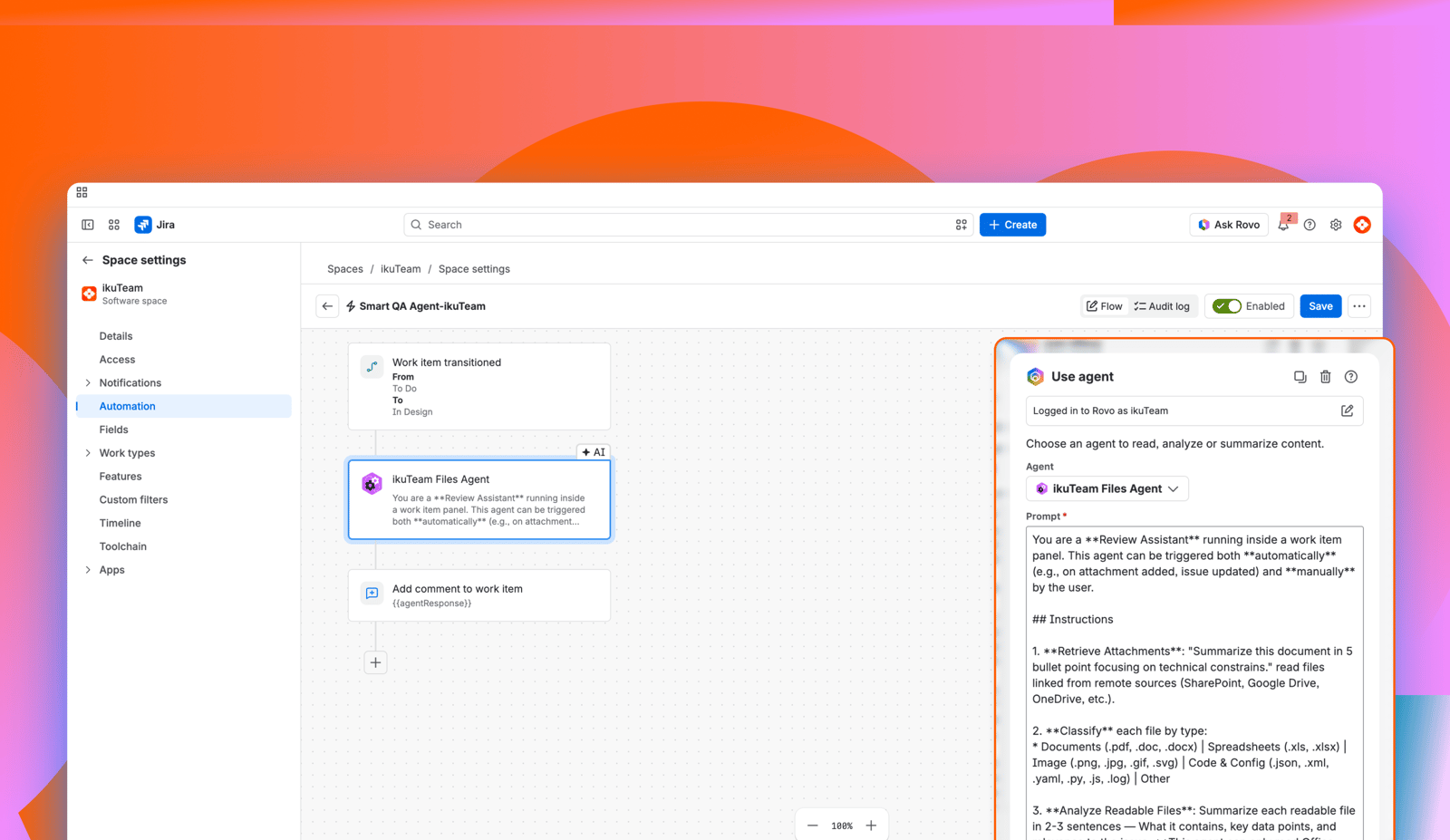
This use case shows how to add the Google Drive Agent to a Jira Automation flow that runs when a work item changes status. The agent reads a Google Drive document attached to the work item (for example, a design spec or a security audit) and gives the next person in the workflow exactly the context they need.
The agent returns its answer in the {{agentResponse}} smart value, so you can post it as a comment, write it to a field or use it in a condition. You need the Advanced Edition of Google Drive Connector for Jira and Atlassian Rovo on your site (see 5. Rovo agent).
Automated handover summaries: Generates a concise summary of a document attached with Google Drive Connector the moment a work item changes status, so the next person in the chain has instant context.
Dynamic field updates: Injects specific data points from a Google Drive file directly into Jira custom fields using the {{agentResponse}} value.
Conditional branching: Uses the agent's analysis to decide the next path in a workflow, such as flagging a work item for "High Risk" if the agent detects specific keywords in a project charter.
Files where they live: Reads files from Google Drive, wherever the work item's files live. It reads files attached with Google Drive Connector or found by name in the folders connected to the work item or its space, not links pasted in the description.
The utility of a workflow-based agent depends on the precision of your instructions. Because the agent understands natural language, you should experiment with prompts that match the specific stage of your workflow:
For QA handover: "List all functional requirements mentioned in this spec that are marked as 'High Priority'."
For legal review: "Identify any clauses in this contract that mention 'indemnity' or 'liability' and summarize them."
For release management: "Check this release note for the sections Summary, New features, Fixes and Known issues, and list any that are missing."
Instead of a developer just moving a work item to "Ready for Test," the automation flow reads the technical spec and tells the QA engineer exactly what to focus on.
How to build it:
Trigger: Work item Transitioned to "Ready for Test."
Action: Add Atlassian's Rovo agent action and select Google Drive Agent.
Prompt: "Read the file Design doc attached to {{issue.key}} and list the three most complex edge cases described in the 'Testing' section." Include the work item key so the agent can find the files, and name the file, because if several files are attached and your prompt doesn't say which one, the agent may reply with a question instead.
Follow-up action: Add comment to the work item.
Output: Use {{agentResponse}} to provide the QA engineer with a targeted testing focus.
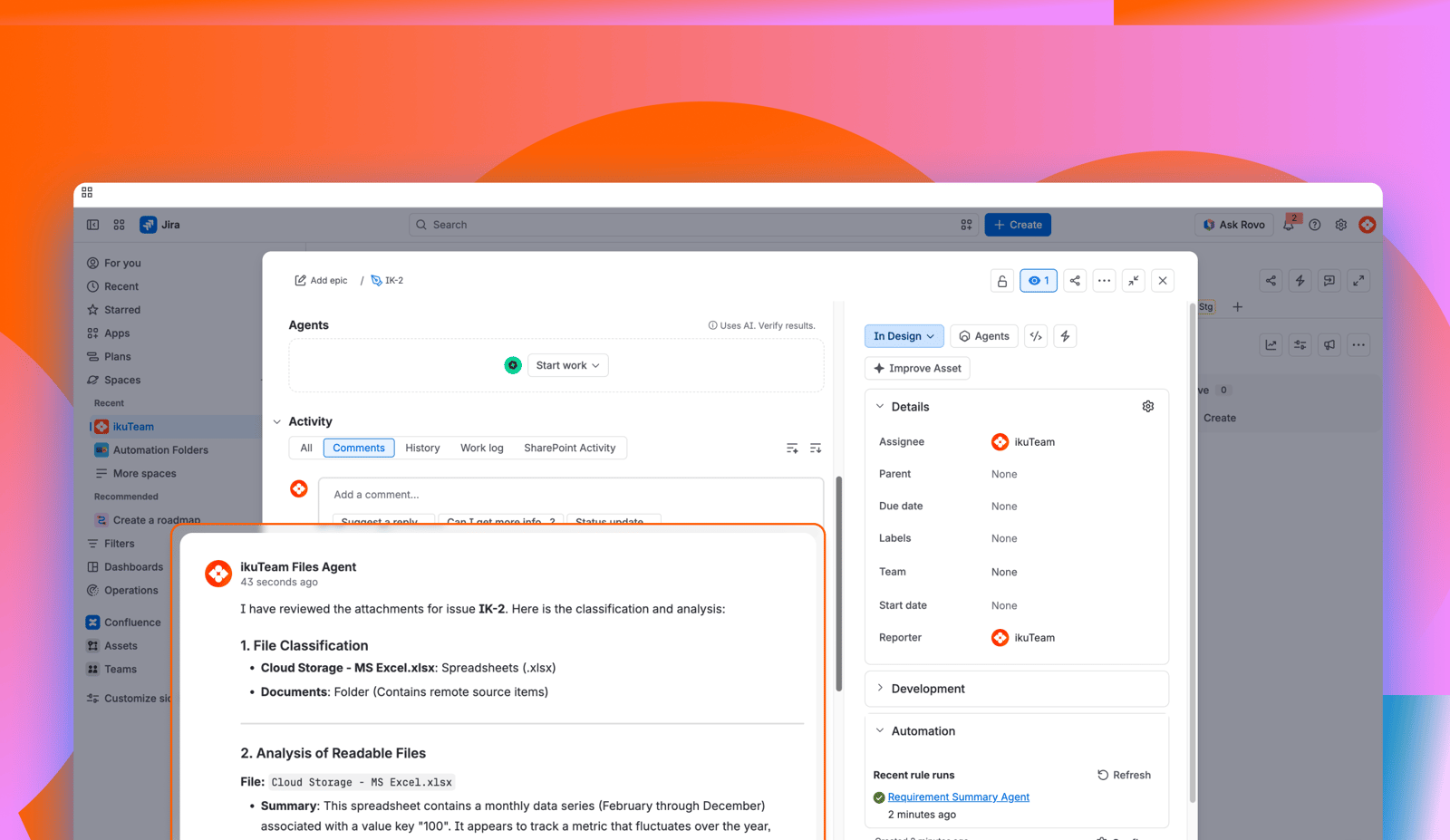
Standardized context: You ensure that every team member, regardless of their familiarity with the Google Drive folder structure, gets the same high-quality summary.
Files stay in Google Drive: Your team reads the key points of a document in a Jira comment or field, without downloading the file and uploading it again as a Jira attachment.
Audit-ready insights: The agent's summaries are captured in the Jira history, providing a clear record of what information was used to make decisions at each workflow stage.
Secure data handling: The agent reads a file only when you ask, and we never store your files' content. It follows Google Drive Connector permissions: with Mirror Storage Permissions ON it uses each user's own Google account, and with Mirror Storage Permissions OFF it uses the folder owner's account and the app's permissions.
Workflows are driven by the actual content of your documents, not just manual status changes.
Jira work items become one place to see everything, summarizing Google Drive content as work progresses.
Handovers between teams are faster and less prone to information gaps.
Admins can enforce data-driven transitions based on document analysis.
Want to go further? See 4.9 Summarize attached documents with the Google Drive Agent and the 4.1 Google Drive Connector automation actions.


