

Confluence Google Drive Integration
Create a single source of truth with seamless syncing and real-time collaboration.
Read more


_2026-03-26_20-48-42-1.png?length=720&name=untitled_Gemini%203%20(Nano%20Banana%20Pro)_2026-03-26_20-48-42-1.png)


Take the very first steps to use ikuTeam Office for Confluence.
You can install the ikuTeam Office for Confluence app from the Atlassian Marketplace by clicking the “Get it now” button on the top right corner of the page.
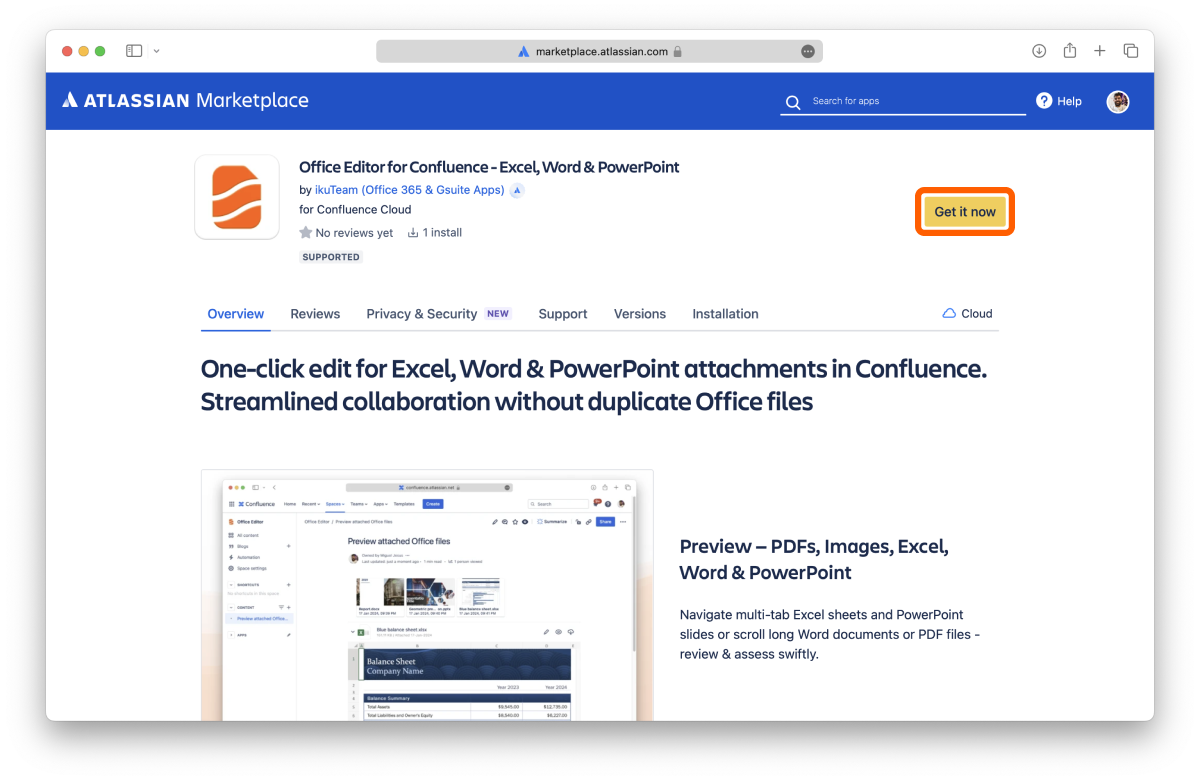
Once the app is installed on your Confluence site, you can use it immediately.
Enter edit mode on a page, and type /office editor or select it from the Insert menu to add the macro to your page.
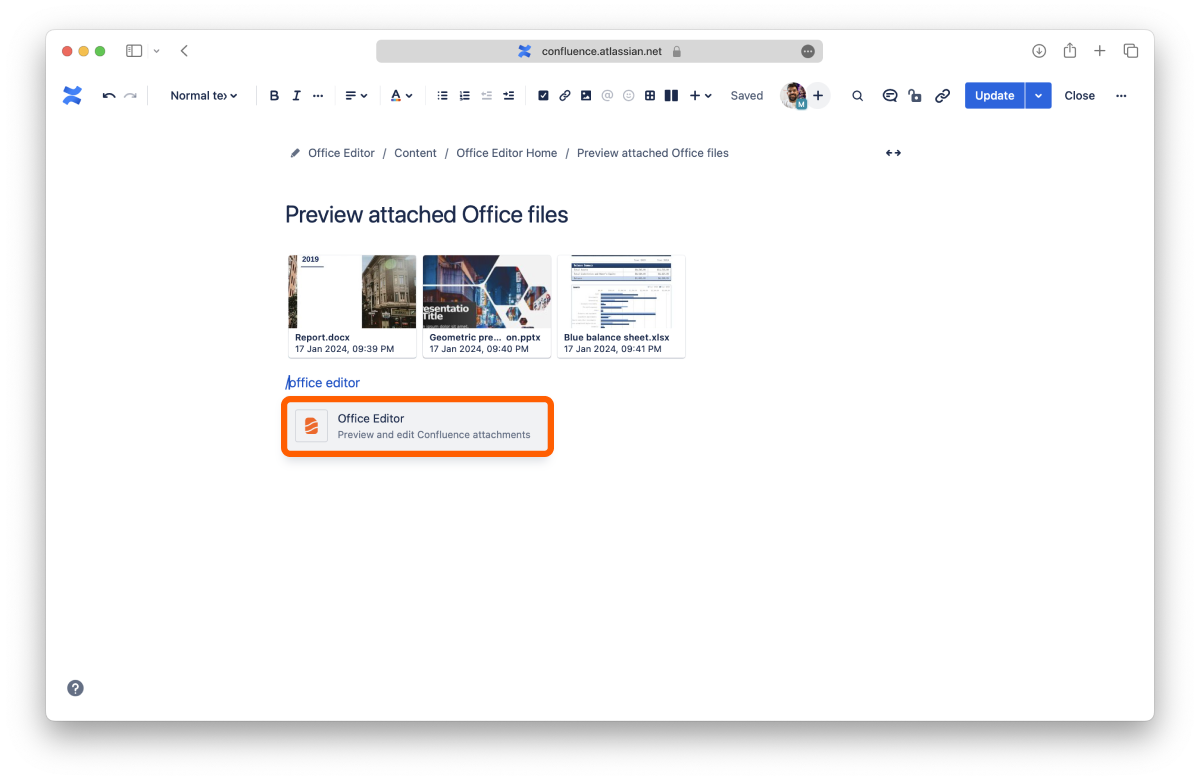
If you have attached Office files, like Excel spreadsheets, Word documents, or PowerPoint presentations, they’ll appear in the ikuTeam Office for Confluence app. PDF files and images will also appear. You can edit the macro to make changes to the displayed files and make layout adjustments.
You can expand the preview of each file and click the “Edit” button to start editing Office files.
✅ You’ve just learned the fundamentals to use ikuTeam Office for Confluence.
Learn how to preview files with ikuTeam Office for Confluence.
With the ikuTeam Office for Confluence app, you can preview attached files on pages. You can preview the most common Office document formats, including OpenOffice formats. You can also preview PDF files and images.
The ikuTeam Office for Confluence app lets you preview files attached to your Confluence pages.
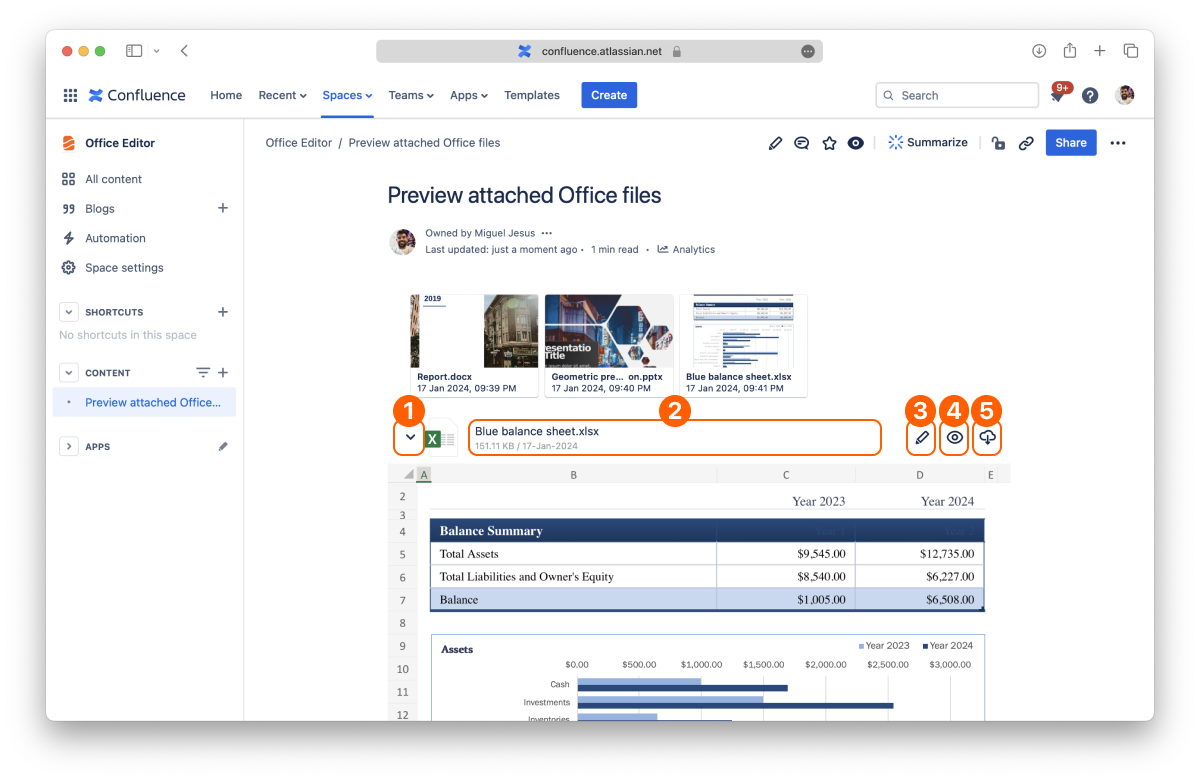
By default, every attached file displays in a collapsed view to save screen space. You can expand each file by clicking the disclosure button on the left to preview its content.
Click the name or the “Preview” button of the file you want to open in the full-screen preview.
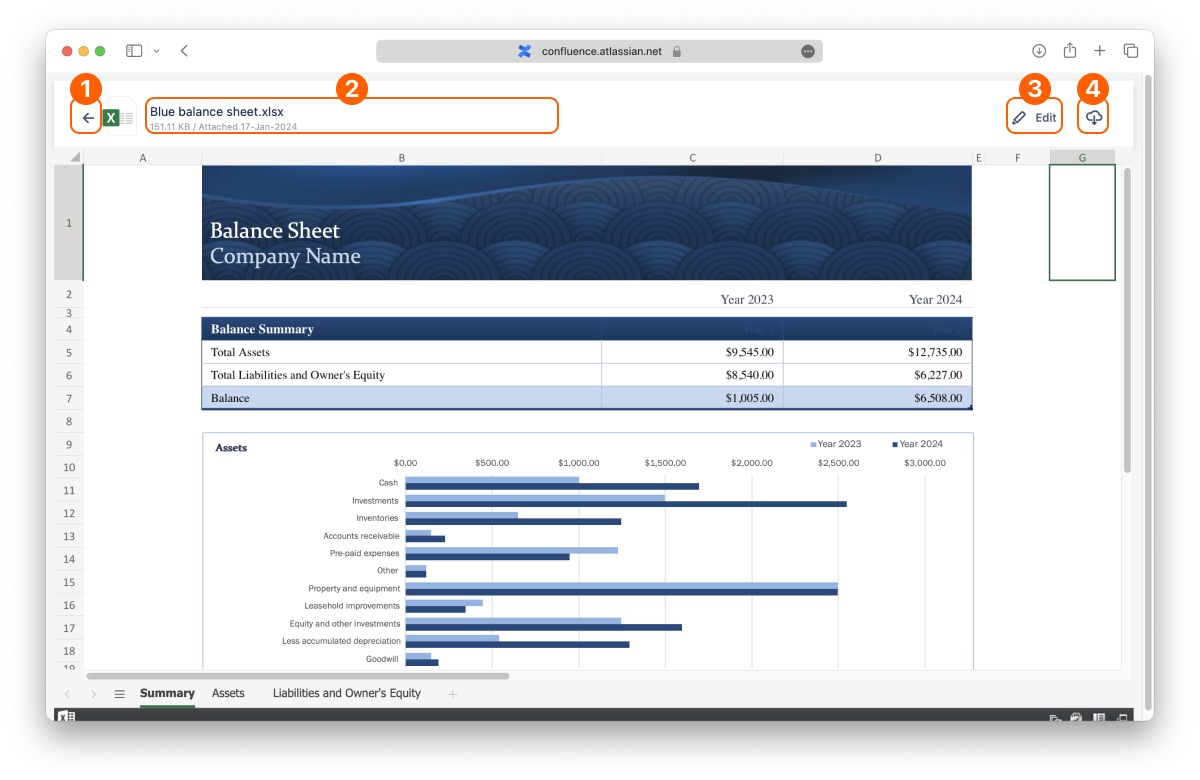
ℹ️ You can change the preview settings with the layout options.
That’s all on previewing files. Did you know you can also edit documents attached to your pages?
If you still have questions about any of the topics covered on this page, visit our support portal and send us your questions. Our team is always happy to help.
Learn how to create and edit spreadsheets, documents, and presentations with ikuTeam Office for Confluence.
You can edit spreadsheets, documents, and presentations on pages where you attach Office files without downloading to edit and re-uploading multiple copies or locking other people out while editing the document.
You can edit Office files attached to your pages by clicking the “Edit” button (also available in the full-screen preview).
The editor opens, and you can edit your document in a few seconds.
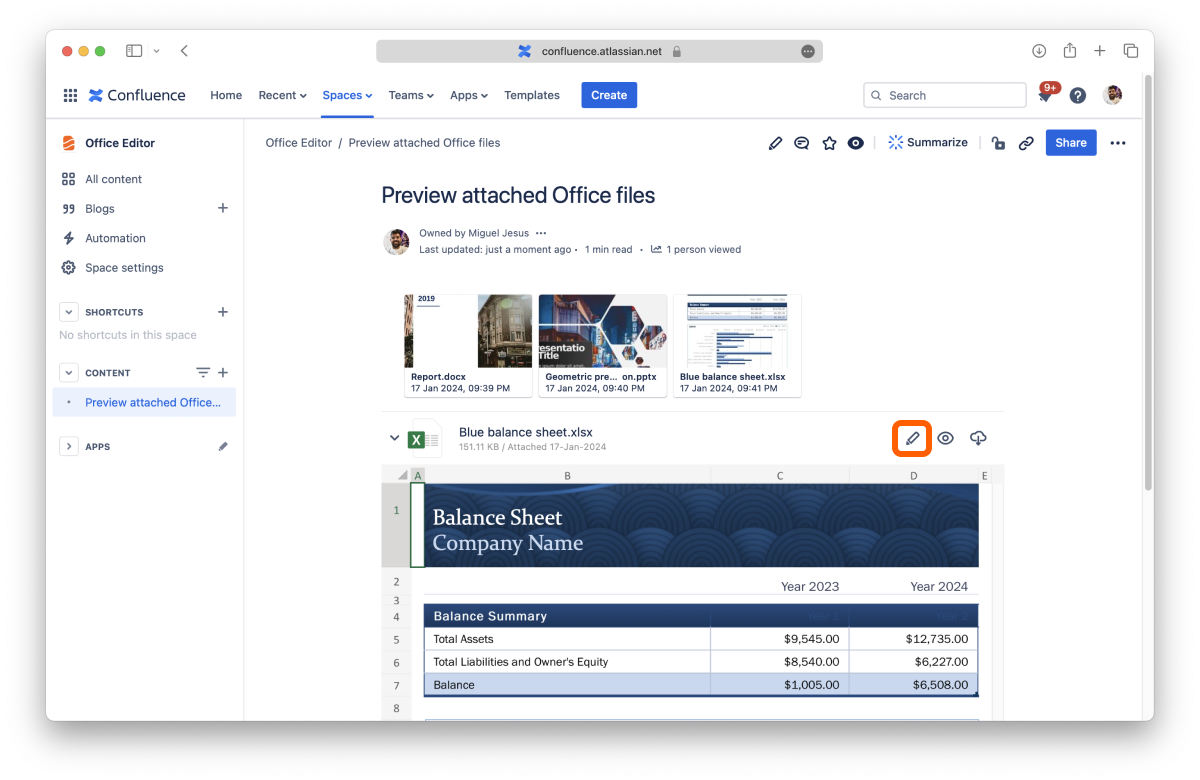
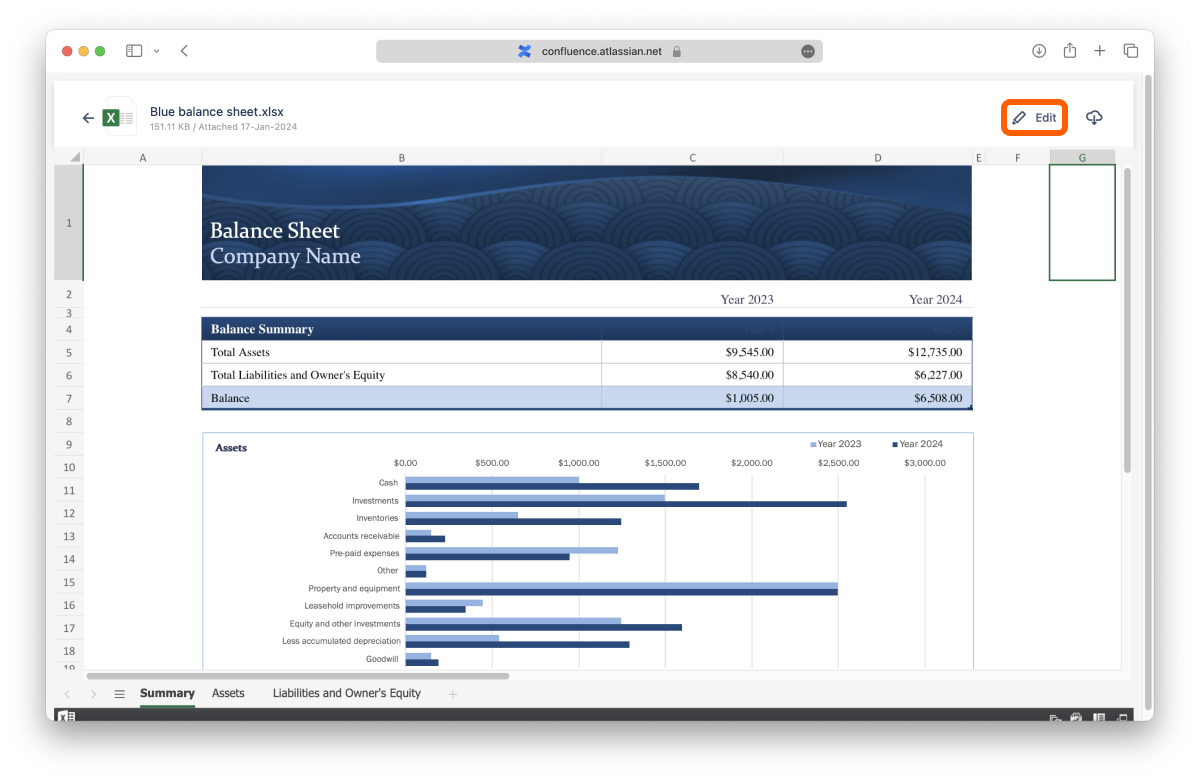
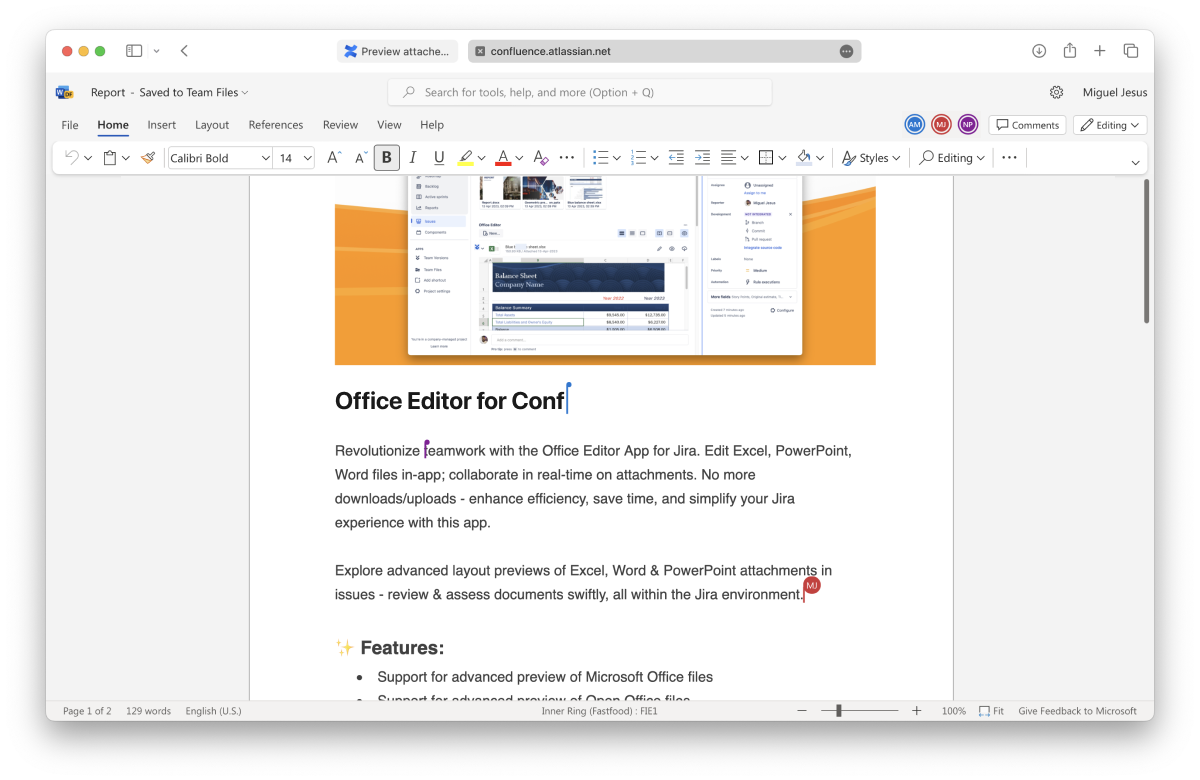
When editing a Microsoft Office document, spreadsheet, or presentation, you and your team can work together, as the ikuTeam Office engine supports real-time collaboration, so there are no file lockdowns. There’s also an autosave feature, so you can close the editor when you finish.
OpenOffice documents work the same way as Microsoft Office documents, using the ikuTeam Office engine, but do not support real-time collaboration.
As mentioned before, Microsoft Office documents support real-time collaboration, and it’s effortless to use.
Start editing a document that is attached to a page or even from the file manager. When another person clicks to edit the same document, the editor creates a collaboration session seamlessly. You can continue to edit the document as before and leave it anytime by closing the editor.
To be able to edit attachments, please check if you have the right permissions defined on Confluence. You’ll need to be able to edit the page.
That’s all for editing files attached to your pages.
If you still have questions about any topics covered on this page, visit our support portal and send us your questions. Our team is always happy to help.
Administrators can adjust the ikuTeam Office for Confluence app functionality to meet their team’s needs and comply with company policies.
These options are only visible to users with Administrator privileges. All the settings on this page are accessible by entering Confluence settings and then clicking the “Office Editor Settings” link on the sidebar under the “Apps” section.
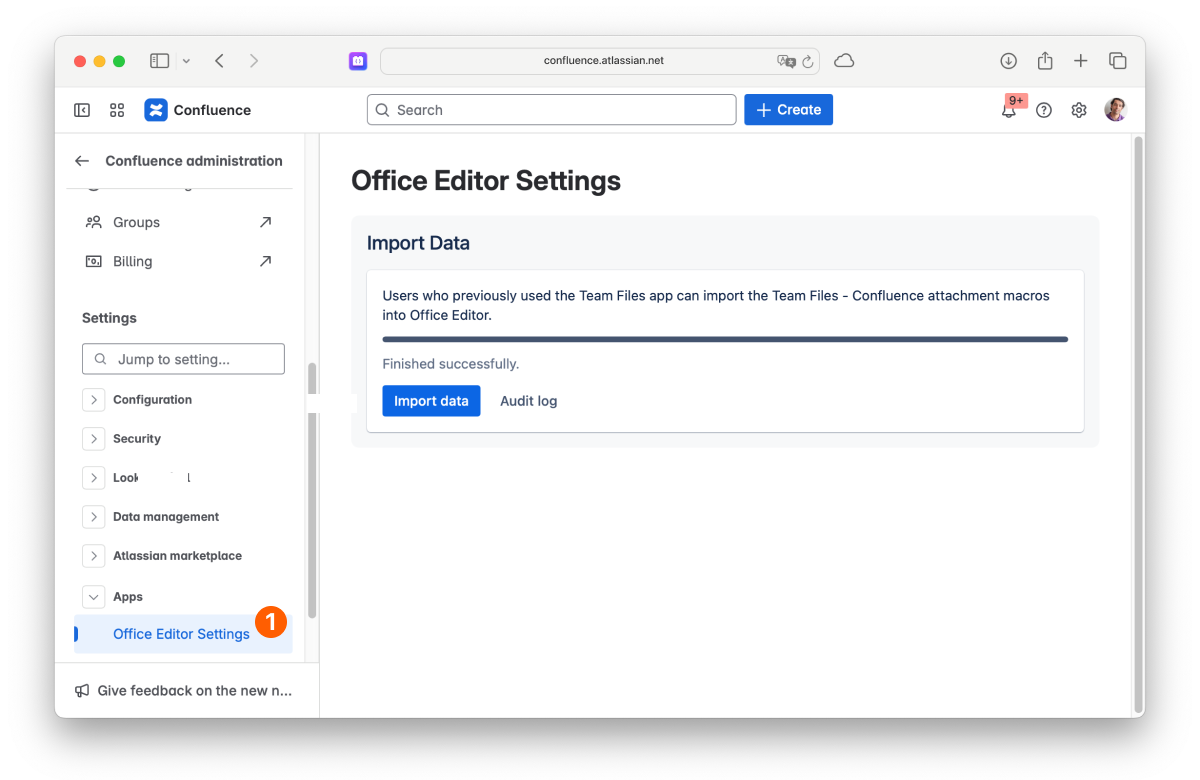
Our ikuTeam Files app supported the rendering and editing of Office files attached to Confluence pages. That feature is now deprecated; the functionality will be exclusive to our ikuTeam Office for Confluence app. To avoid any disruption, you can import all the macros from ikuTeam Files to our ikuTeam Office for Confluence app. This ensures a smooth transition with no disruptions. Please migrate as soon as possible.
Feel free to reach out if you have any questions or need assistance with the migration.
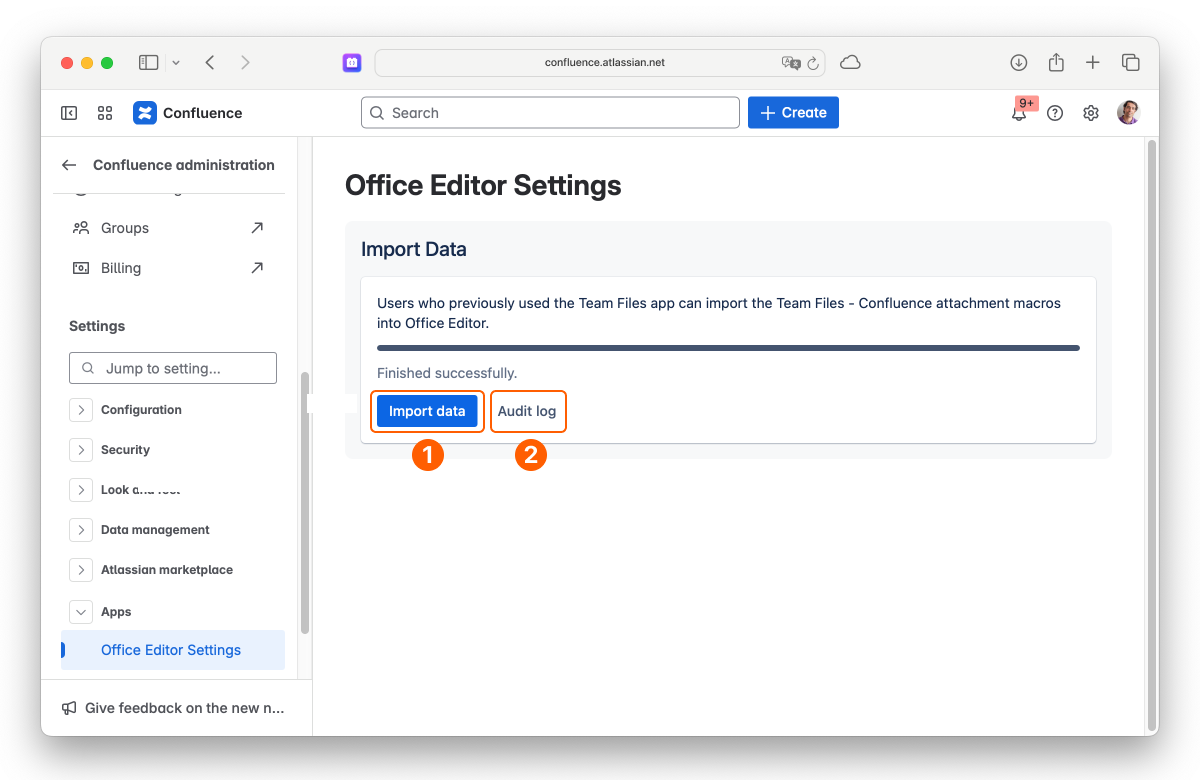
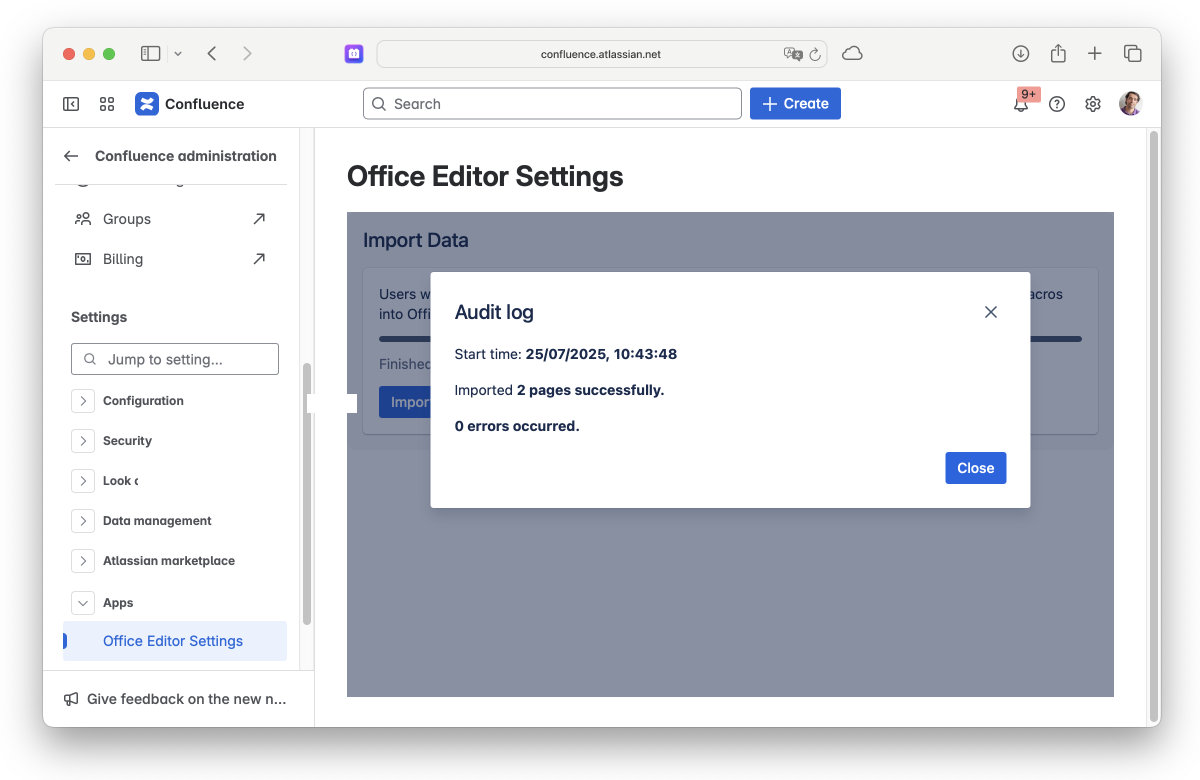
On this page, you learned about all the app settings available.
If you still have questions about the topics covered on this page, visit our support portal and send them to us. Our team is always happy to help.
Customize the preview of the attached files to your needs.
By default, the files attached to Confluence pages use a regular header and appear in the collapsed view to use less space on the screen. It’s easy to preview the file by clicking the arrow to open the expanded view, which uses the width of the page and is 400 px tall.
You can change this for each page. To access the layout settings:
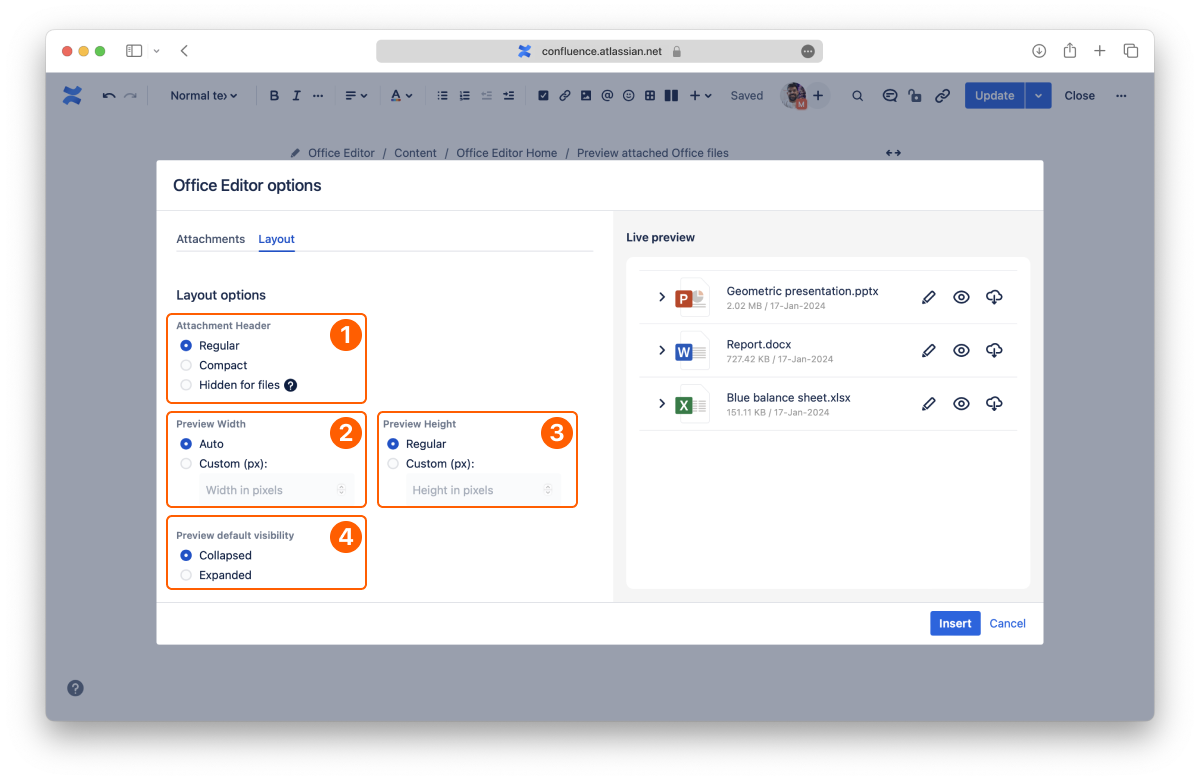
Select the size for the header of the attachment:
Select the width for the preview:
Select the height for the preview:
Select the behavior for the preview:
This covers all the layout options.
If you still have questions about any topics covered on this page, visit our support portal and send us your questions. Our team is always happy to help.
Let’s learn how to manage, track, and create documents across your entire workspace using the centralized dashboard in ikuTeam Office for Confluence.
The Workspace Overview dashboard is the central hub for your document management. It gives you a high-level view of all document activity, so you can track recent changes, jump to your most-used spaces, and create new content without navigating through multiple Confluence pages.
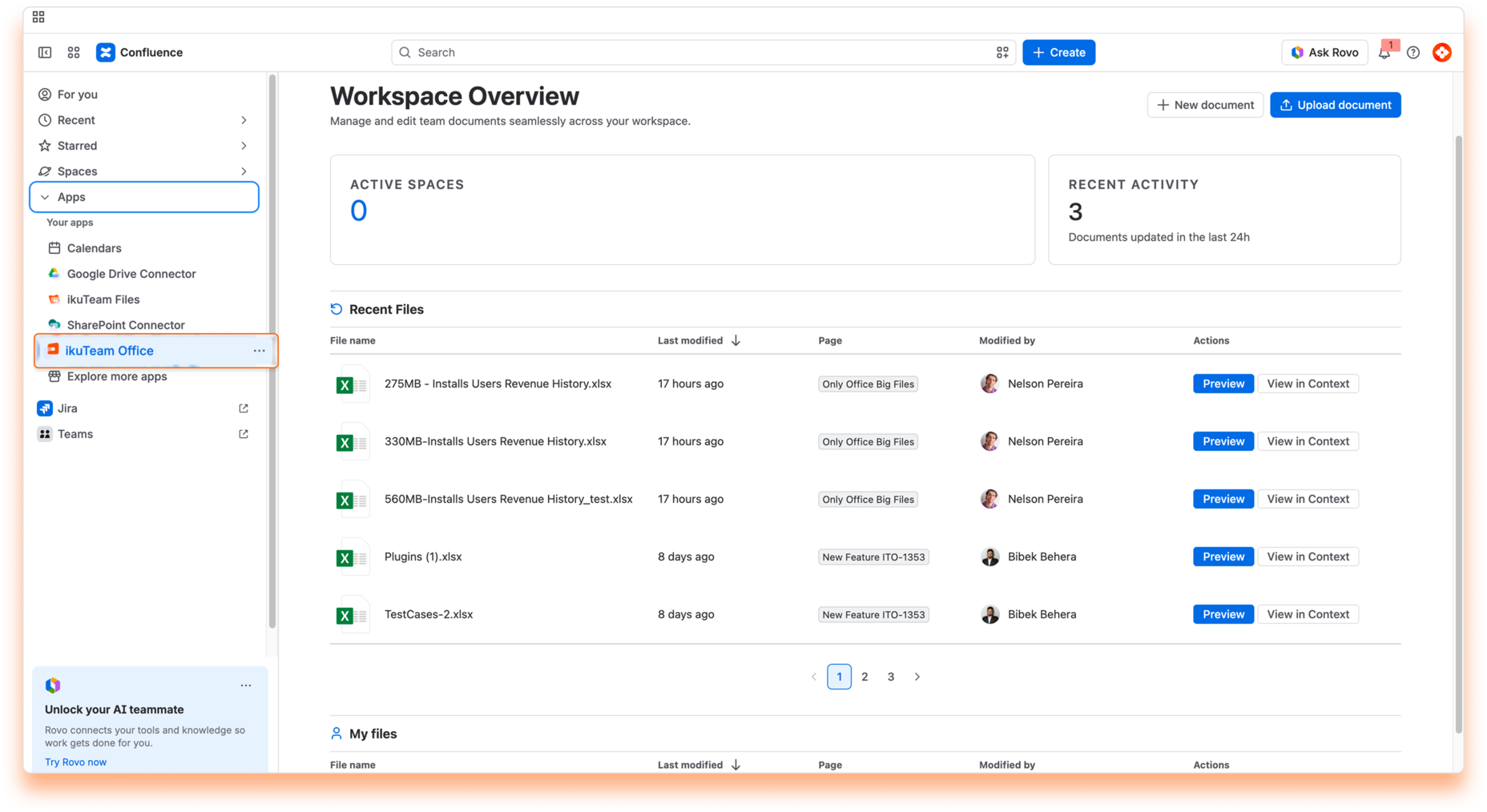
The dashboard is divided into four sections to help you stay organized and informed.
Lists the collaborative spaces where you are currently active, so you can navigate quickly to the contexts where your work happens.
A snapshot of the collaboration happening across your entire organization.
A detailed history of document changes across the workspace.
A personalized history of your own document activity. While Recent Files shows team-wide updates, this section filters the history to just the files you’ve worked on, so it’s easy to pick up where you left off.
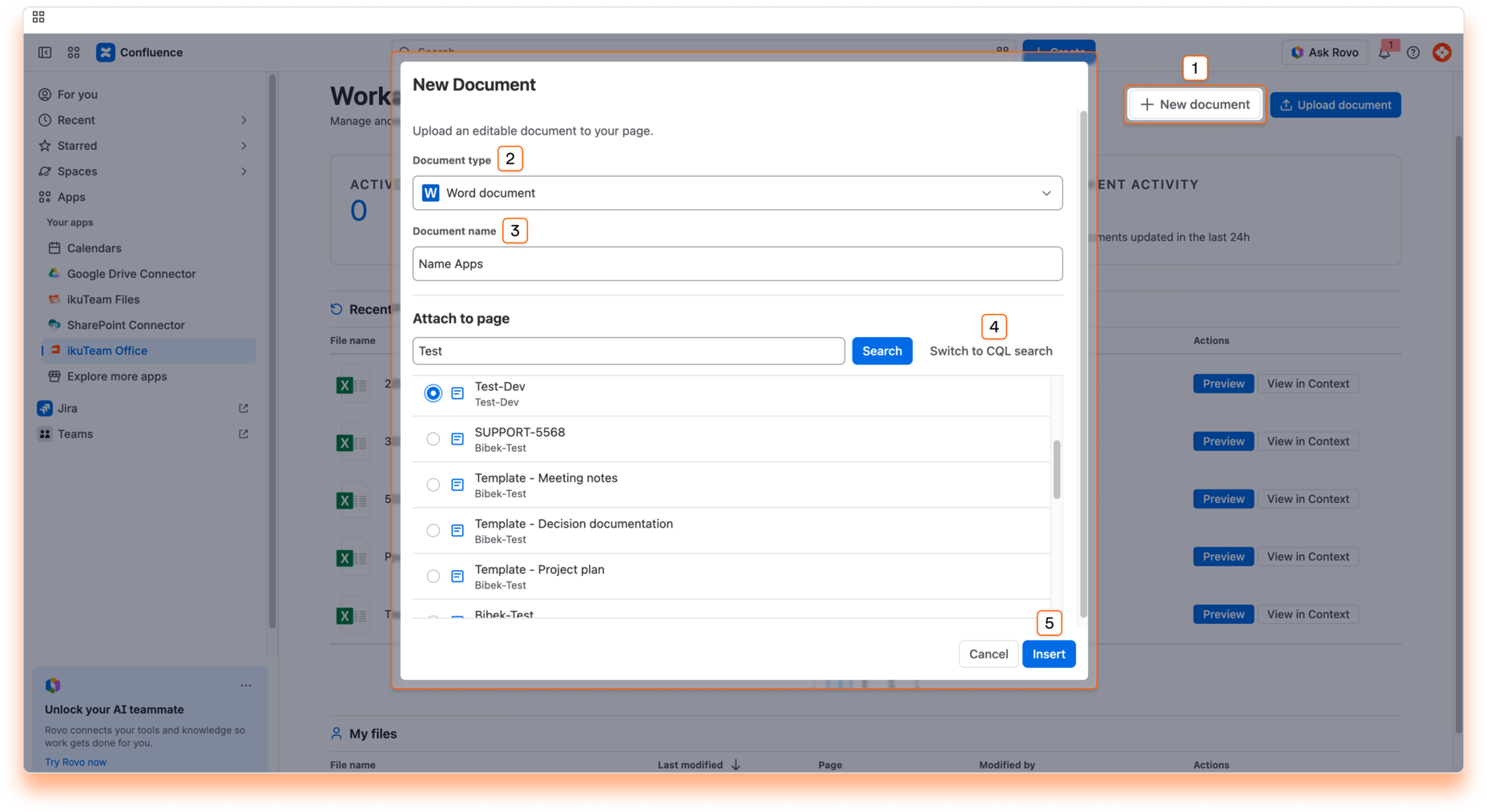
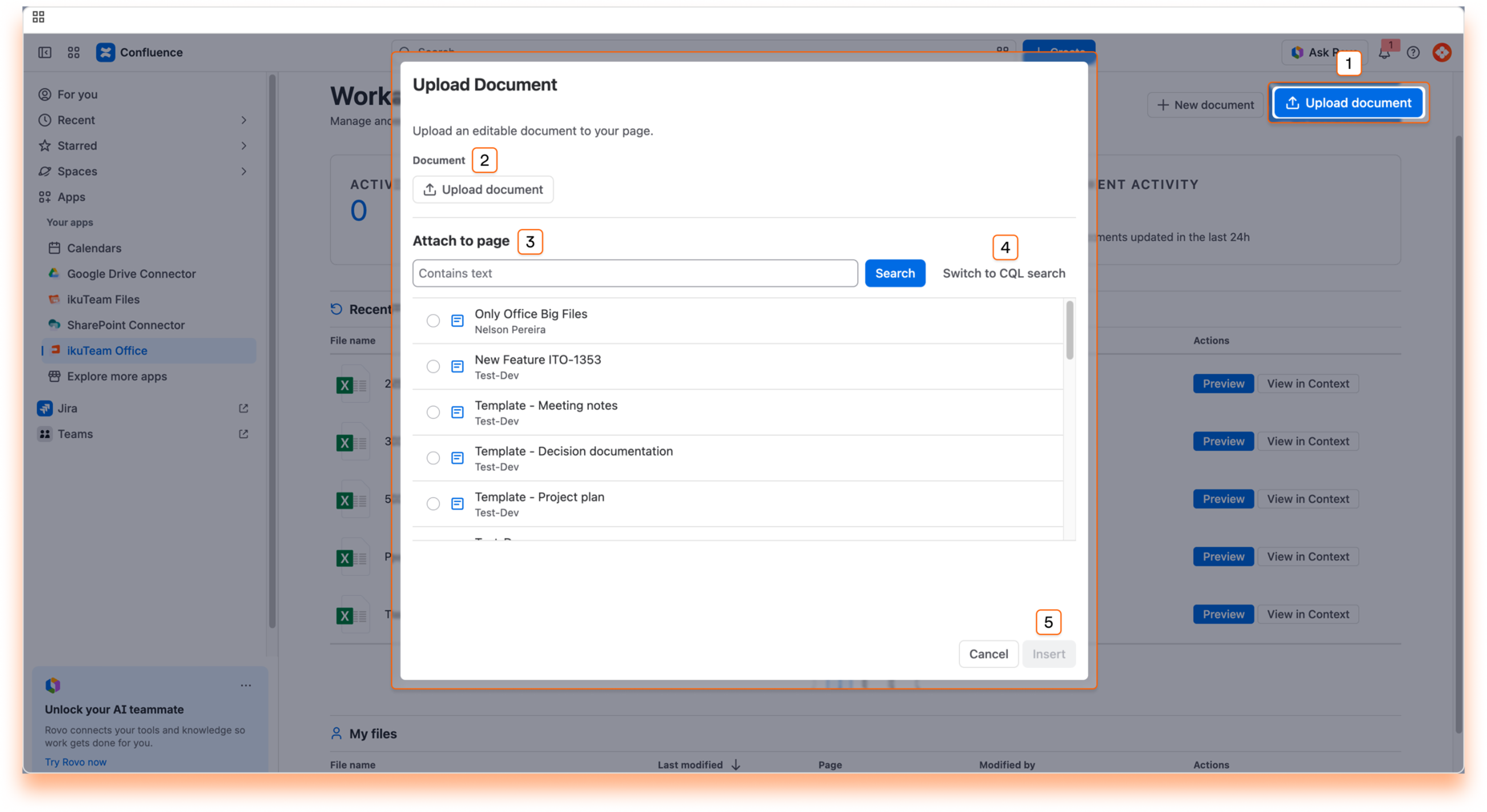
At the top of the dashboard, you have immediate access to document creation and management.
Create a new Word, Excel, or PowerPoint file on the go, and attach it to an existing page using a text or CQL search.
Quickly insert existing files from your local machine into Confluence pages using a text or CQL search.
The Workspace Overview dashboard simplifies how you work with documents by bringing everything into one view.
If you have questions about managing your workspace, contact our support team. Our team is always happy to help.

_2026-03-26_20-48-42-1.png?length=960&name=untitled_Gemini%203%20(Nano%20Banana%20Pro)_2026-03-26_20-48-42-1.png)


