team-files-vs-confluence-1
Confluence Smart Links Explained
See how they work, where they fail with external files, and more secure, consistent management alternatives.
Read more: Confluence Smart Links Explained
untitled_Flux 2 Pro_2026-03-26_21-41-00
Jira SharePoint Integration
Discover how to sync files, automate folders, and enhance collaboration in Jira Cloud and Data Center.
Read more: Jira SharePoint Integration
Porto-pic
About us
From the start, our goal has been to remove the hidden friction that prevents teammates from collaborating easily on the files that matter most. We believe productivity is not about adding more tools but making the ones you already use work together seamlessly. Based in Porto, ikuTeam builds the invisible layer for the Atlassian ecosystem to dissolve file silos and help over a million users stay focused and move faster.
Read more: About us
team-files-vs-confluence-1

Confluence Smart Links Explained

See how they work, where they fail with external files, and more secure, consistent management alternatives.
Read more: Confluence Smart Links Explained
untitled_Flux 2 Pro_2026-03-26_21-41-00

Jira SharePoint Integration

Discover how to sync files, automate folders, and enhance collaboration in Jira Cloud and Data Center.
Read more: Jira SharePoint Integration

About us

From the start, our goal has been to remove the hidden friction that prevents teammates from collaborating easily on the files that matter most. We believe productivity is not about adding more tools but making the ones you already use work together seamlessly. Based in Porto, ikuTeam builds the invisible layer for the Atlassian ecosystem to dissolve file silos and help over a million users stay focused and move faster.
Read more: About us
Porto-pic
Product Documentation

Nov 19, 2026

4.7 Workflow settings

Let's learn how to ask reviewers for a comment whenever they reject a file.


About Require comment on rejection

A rejection is most helpful when it comes with a reason. With Require comment on rejection turned on, reviewers must write a short comment every time they reject a file. Authors know exactly what to fix, and the reason stays on record.

This option is set for each state, so you can turn it on only where you need it, for example on your review state. Only Confluence admins can change it.


Turn on Require comment on rejection

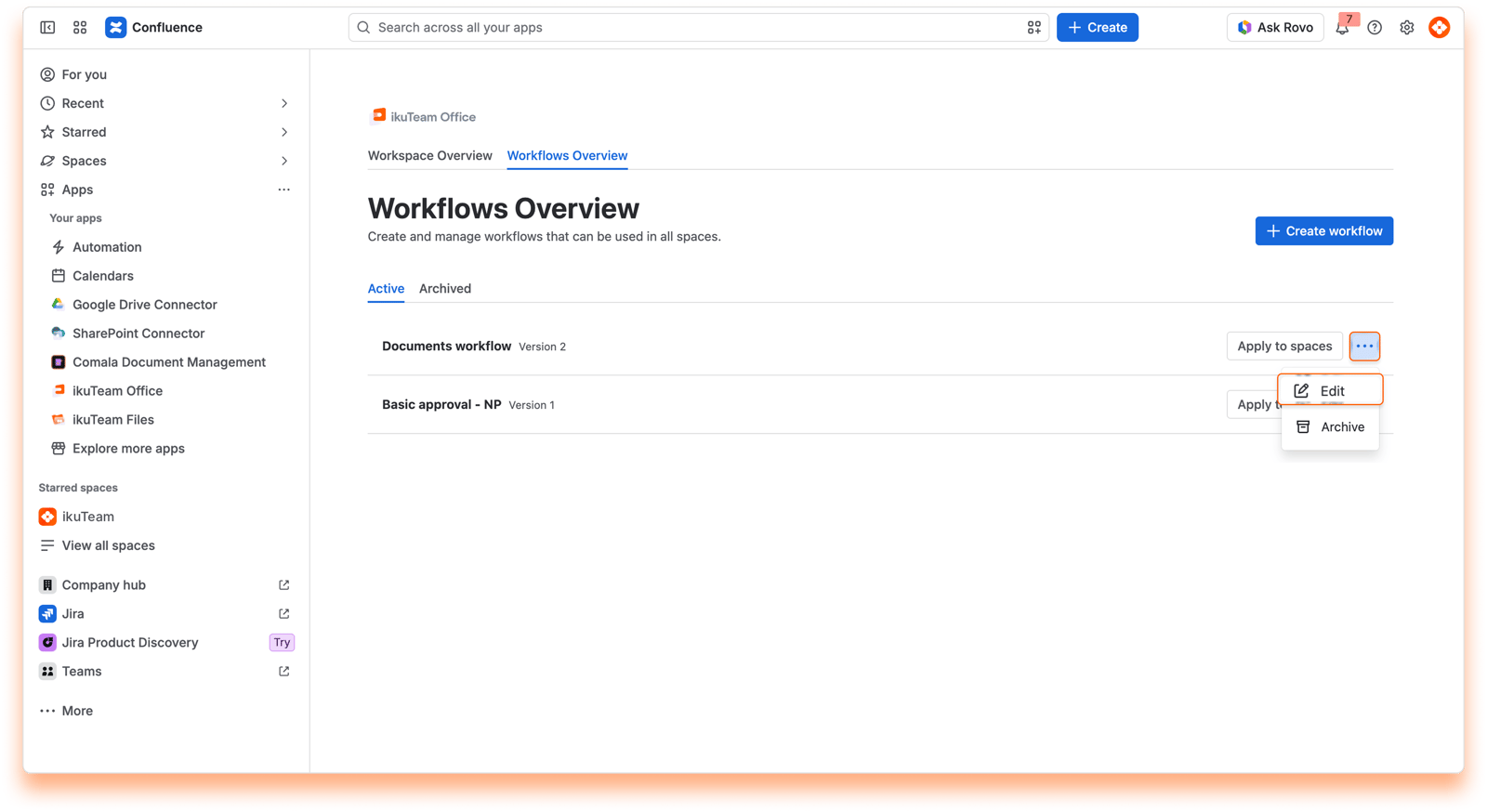
  1. Open the Workflows Overview from ikuTeam Office in the Apps menu.

  2. Open the workflow you want to change.

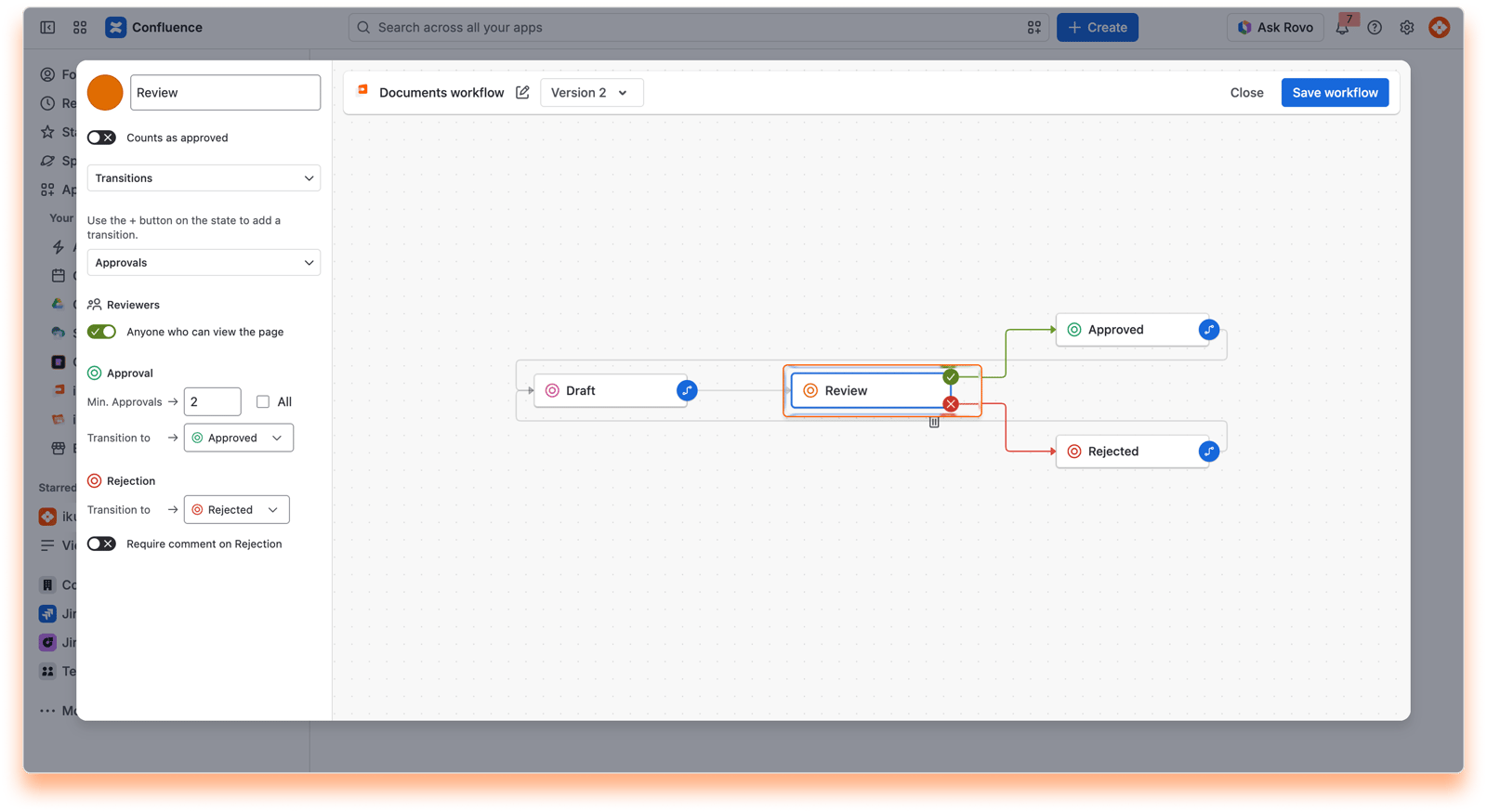
  3. Select your review state, for example Review, to open its panel.

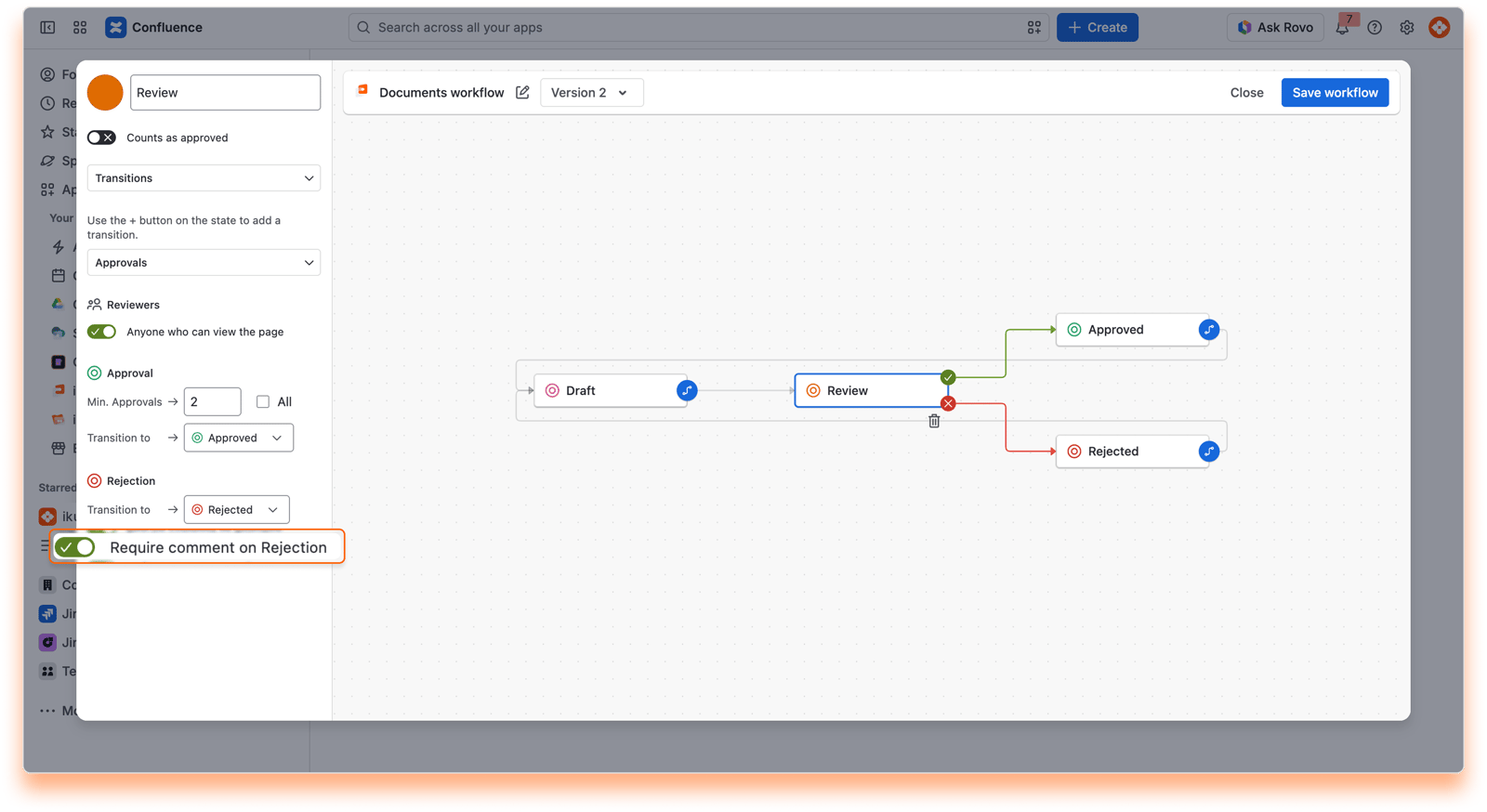
  4. Turn on Require comment on Rejection.

  5. Select Save workflow.

Screenshot: 24: Open the workflow
Screenshot: 25: Select the review state
Screenshot: 26: Turn on the toggle

What reviewers see

When a reviewer chooses Rejected on a file, a Reject window opens. They write their comment and select Confirm. The rejection is only saved once the comment is added.
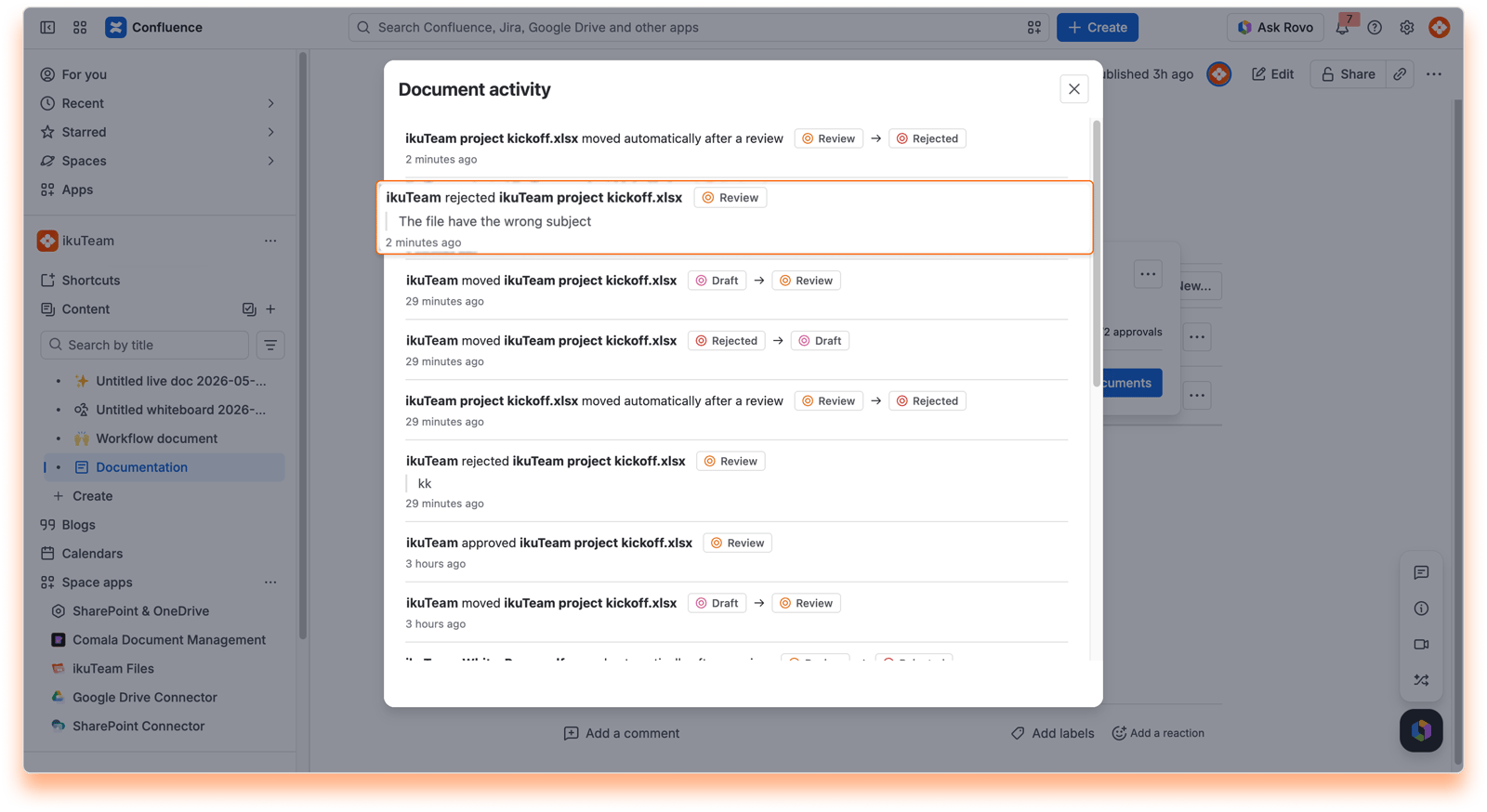
Screenshot: 27: Document activity

Wrap up

Clear feedback makes the next round of review faster for everyone.

If you have questions, contact our support team. Our team is always happy to help.