

Confluence Google Drive Integration
Create a single source of truth with seamless syncing and real-time collaboration.
Read more


If your team used ikuTeam Files to preview and edit the files attached to Confluence pages, a Confluence admin can import those macros into ikuTeam Office in a few clicks.
Only Confluence admins can see these settings. Select the gear icon (Confluence administration), then select ikuTeam Office Settings under Apps in the sidebar.
Open the Migration tab. The other tabs, Spaces and Workflows, are described in 3.1 Admin settings.
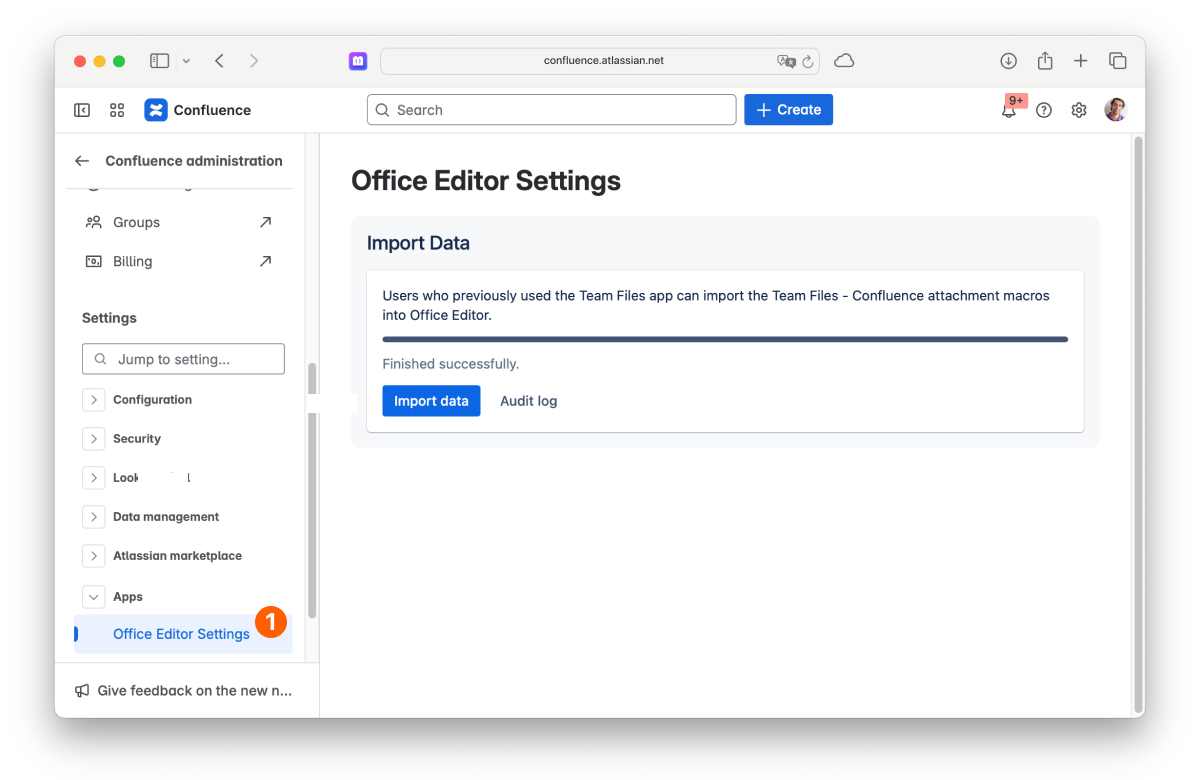
Our ikuTeam Files app used to preview and edit the files attached to Confluence pages. That feature now lives in ikuTeam Office. To keep your pages working, import the ikuTeam Files attachment macros into ikuTeam Office. We recommend doing it as soon as possible.
Feel free to reach out if you have any questions or need assistance with the migration.
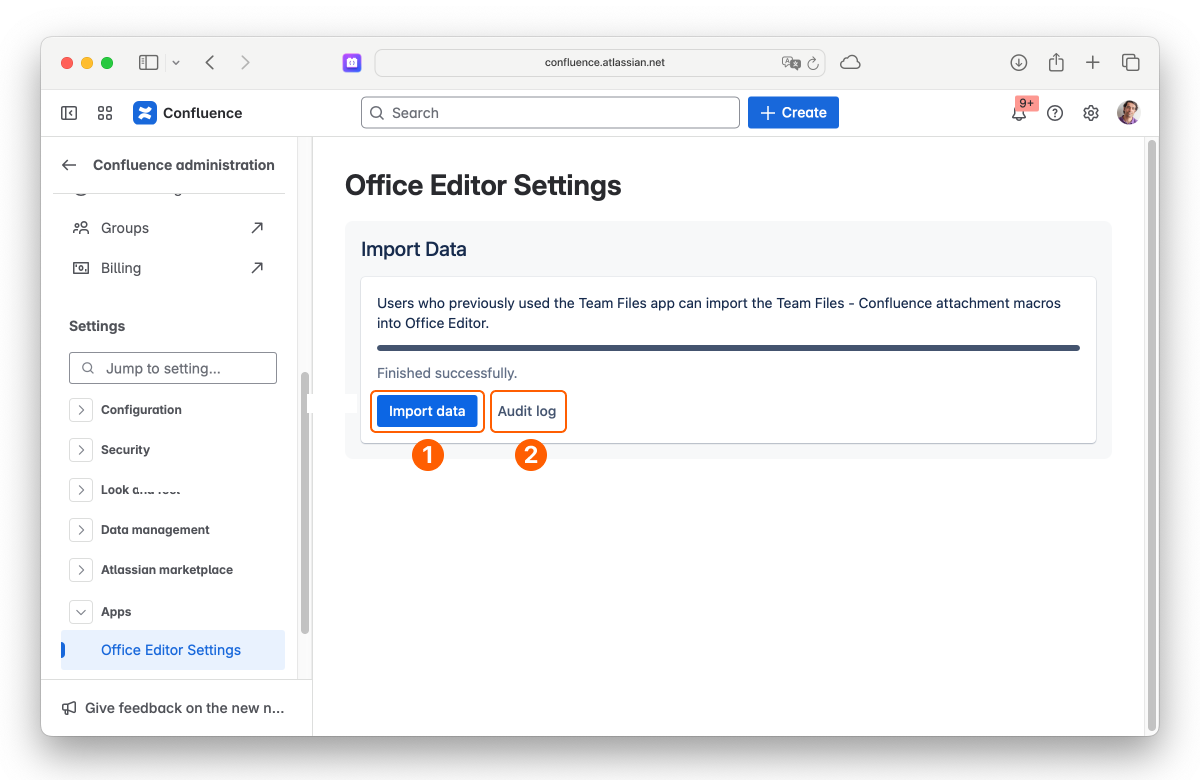
Click Import data as app or Import data as admin to start the import:
Import data as app: every page update is recorded in the Page History under the app's name, which keeps your personal activity log clean.
Import data as admin: every page update is recorded in the Page History as made by your admin account, showing you as the author of the changes.
Depending on the number of spaces, pages and macros, the import can take from a few minutes to several hours. You can close the page while it runs and come back later to check the status.
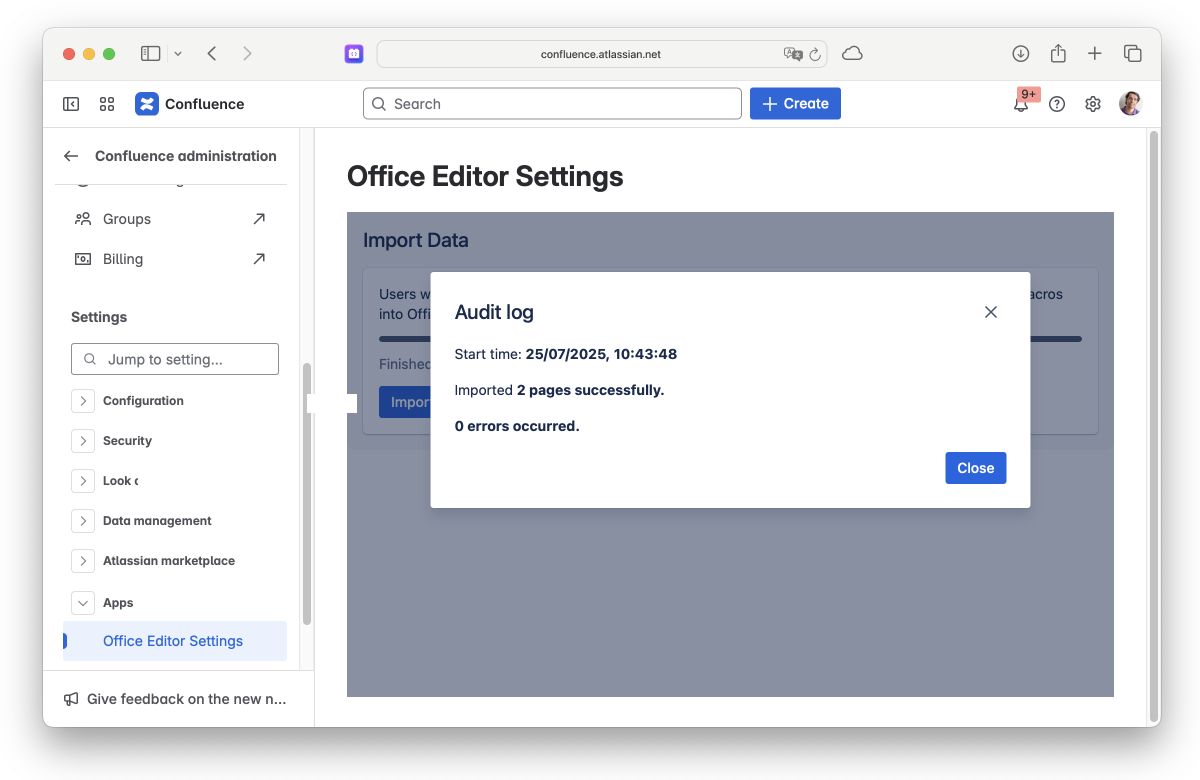
When the import is finished, the status shows Finished successfully. Click Audit log to see when it started, how many pages were imported, and any errors. If errors occurred, check the audit log or run the import again.
On this page, you learned how to import your macros from ikuTeam Files.
If you still have questions about the topics covered on this page, visit our support portal and send them to us. Our team is always happy to help.


